Best Firewall for Branch Offices in 2026

Table of Contents
A branch office firewall usually gets judged on one bad day - the day a circuit fails, a VPN drops, a point-of-sale system stalls, or a remote site gets hit with suspicious traffic and nobody local can help. That is why choosing the best firewall for branch offices is less about chasing a feature checklist and more about picking something your team can deploy, manage, and trust when the branch is 300 miles away.
For most IT managers and network admins, the real challenge is balancing security with operational reality. Branches need the same protection as headquarters, but they rarely get the same staffing, rack space, or budget. A good decision protects users without creating a support burden your small team has to carry for years.
What makes the best firewall for branch offices?
The right branch firewall does four jobs well. It protects the site, keeps connectivity stable, gives you centralized control, and stays manageable at scale. If one of those breaks down, the branch becomes an exception your team has to babysit.
Security still comes first, but branch security looks different from data center security. You need strong threat inspection, secure site-to-site and client VPN options, content and application controls where appropriate, and policy consistency across locations. But you also need that protection without introducing so much latency that users complain every morning.
Management is usually the deciding factor. A firewall with solid security features can still be the wrong fit if every rule change requires too many manual steps or too much specialized knowledge. For a 10-site or 30-site environment, centralized visibility, template-based deployment, and clean policy inheritance save time and reduce mistakes.
Resilience matters too. Many branch offices now rely on direct internet access for cloud applications, voice, and critical SaaS traffic. That means link failover, WAN path visibility, and application-aware traffic handling are no longer nice extras. They are part of business continuity.
The core features to prioritize
If you are comparing options, start with the requirements that affect daily operations rather than the longest spec sheet.
Centralized management
This is the first filter. If your team is lean, you want one place to see site health, push policy changes, review events, and bring new locations online. Cloud-managed platforms are often attractive here because they reduce the overhead of maintaining separate management infrastructure.
That said, cloud management is not automatically better for every organization. Some teams want tighter local control, especially in regulated environments or networks with custom policy needs. The better question is whether your management model fits your team size and response expectations.
SD-WAN and WAN resilience
A branch office often lives or dies by WAN quality. Firewalls with integrated SD-WAN capabilities can improve failover behavior, application steering, and visibility across broadband, MPLS, or cellular links. If your branches depend heavily on Microsoft 365, VoIP, cloud ERP, or retail transactions, this becomes a practical requirement, not a trend item.
Not every branch needs advanced traffic engineering. A small professional office with one primary circuit and one backup may only need basic failover. A manufacturing site or retail environment with uptime-sensitive traffic may need much more control.
Security services that match real risk
Threat inspection, intrusion prevention, malware protection, DNS security, URL filtering, and application visibility all have value. The trade-off is performance, complexity, and recurring licensing cost. The best setup is the one that matches your traffic profile and risk tolerance.
For example, a branch handling cardholder data or sensitive client files may justify deeper inspection and tighter controls. A small satellite office with mostly SaaS traffic may need a more streamlined policy approach. Overbuying security features you will not tune or monitor does not make the branch safer.
VPN flexibility
Most branch environments still need a mix of site-to-site VPN and remote user access. If your firewall platform makes VPN deployment easy and stable, your support burden drops. If VPN management is clunky, every change request turns into a project.
This also matters during outages and temporary work scenarios. A branch firewall should support secure fallback options without forcing your team into workarounds.
Hardware sizing that leaves headroom
A common mistake is sizing branch firewalls only for current bandwidth. Once security services are enabled, throughput changes fast. Add more SaaS adoption, guest traffic, cameras, or new users, and the box that looked fine on paper starts to strain.
Choose hardware with room for inspection overhead and growth. A firewall refresh should last through your next office expansion, not just this quarter.
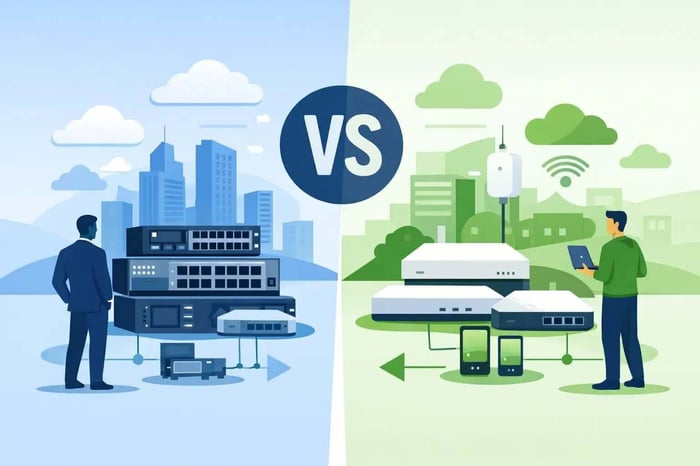
Meraki vs. traditional firewall models
For many SMB and midmarket teams, the branch decision often comes down to a cloud-managed approach versus a more traditional firewall platform.
Cloud-managed options are appealing because they simplify deployment and ongoing administration. If you need to roll out multiple branch offices quickly, standardize policy, and give a small team broad visibility, this model often fits well. It can be especially useful for retail, distributed professional services, and growing businesses that need consistency more than heavy customization.
Traditional firewall platforms can make more sense when you need deeper policy control, more complex routing behavior, or tighter handling of edge cases. They may offer more flexibility, but they usually ask more of the team managing them. If your staff is already stretched thin, that trade-off matters.
This is where product choice becomes less about which firewall is objectively the best and more about which one aligns with your operating model. The best firewall for branch offices is the one your team can support confidently across every site, not just the one with the most advanced brochure.
Where Cisco and Meraki fit
Cisco and Meraki are often part of this conversation because they cover two practical branch priorities well: security and manageability. Meraki is frequently a strong fit for organizations that want fast deployment, centralized cloud management, and straightforward branch standardization. Cisco firewall options may be a better fit when deeper network control and more complex policy handling are required.
The right answer depends on how your branches are built, what security controls you actually use, and how much hands-on administration your team can absorb. For many SMBs, the biggest win is not buying the most sophisticated platform. It is avoiding a mismatch between product complexity and available staff.
A note on licensing and total cost
Branch firewall costs are rarely just hardware costs. Licensing, security subscriptions, management, support, and renewal timing all affect the real budget. A lower entry price can look good until add-on services or multi-year renewals reshape the math.
That is why it helps to compare total operating cost over three to five years, not just appliance price. If a platform saves admin time, shortens outages, and reduces truck rolls to remote sites, that operational value belongs in the evaluation.
Questions to ask before you choose
Before you standardize on any firewall, pressure-test the design against your actual branch environment.
Ask how many sites you expect to add over the next two years. Ask whether every branch truly needs the same policy set. Ask how often non-network staff will need to swap hardware or troubleshoot locally. Ask what happens if the primary circuit fails at 2 p.m. on a Tuesday.
Then look at your internal reality. If your team does not have time to maintain advanced security policies, choose a platform that makes sane defaults and centralized updates easier. If you already have strong network expertise in-house, a more customizable platform may be worth it.
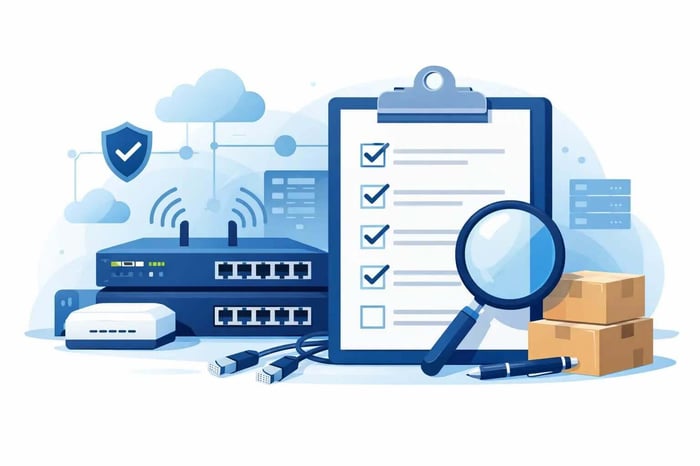
Just as important, validate the configuration before ordering. Firewall projects go sideways when WAN requirements, licensing, SFP compatibility, VLAN design, VPN needs, or throughput assumptions are guessed instead of checked.
| Branch Firewall Priority | Why It Matters |
|---|---|
| Security Protection | Defends against threats, malware, and unauthorized access |
| Centralized Management | Simplifies monitoring and policy changes across sites |
| SD-WAN & Failover | Keeps branches connected during ISP outages |
| VPN Connectivity | Supports secure site-to-site and remote user access |
| Performance Headroom | Prevents bottlenecks as traffic and users grow |
| Ease of Deployment | Reduces setup time and operational complexity |
| Scalability | Supports new locations and future growth |
| Total Cost of Ownership | Includes hardware, licensing, support, and management costs |
How to make the decision with less risk
A smart buying process usually starts with a small set of branch profiles rather than one giant standard. Your retail micro-sites may need one model, while regional offices need another. That keeps costs in line without creating complete platform sprawl.
It also helps to build the shortlist around deployment and support outcomes. Which option can your team roll out faster? Which one reduces site-by-site exceptions? Which one gives clear visibility when users report an issue? Those questions usually lead to a better answer than feature comparisons alone.
If you are buying Cisco or Meraki, working with a partner that can validate design choices before the order is placed can save a lot of cleanup later. Hummingbird Networks has spent more than 20 years helping IT teams quote faster, confirm fit, and avoid ordering mistakes that delay branch projects.
Get a Quote if you already know your branch requirements. Validate My Configuration if you want a second set of eyes before placing the order. Talk to a Strategist if you are still deciding between management models, security tiers, or branch sizing.
The right firewall should make your branch offices quieter - fewer surprises, fewer tickets, and fewer reasons to explain to leadership why a small remote site became a big operational problem.
FAQs
What is the most important feature in a branch office firewall?
Centralized management is often the most important feature because it allows IT teams to monitor, configure, and troubleshoot multiple sites efficiently.
Should branch offices use cloud-managed or traditional firewalls?
Cloud-managed firewalls are often ideal for lean IT teams and distributed environments, while traditional firewalls may be better for organizations that require advanced customization and control.
How do I size a firewall for a branch office?
Size the firewall based on internet bandwidth, security services, VPN usage, and expected growth rather than current user count alone.