How to Buy Cisco Licenses Without Mistakes

Table of Contents
The licensing line item is where a lot of Cisco purchases go sideways. Hardware is usually straightforward. Licensing is where teams get stuck comparing terms, wondering what is required versus optional, and trying to avoid a mistake that shows up during deployment. If you are figuring out how to buy Cisco licenses, the goal is not just to place an order. It is to get the right entitlement, for the right term, tied to the right device, without slowing down the project.
That matters more than it used to. Cisco licensing has shifted toward subscriptions and platform-based management in many product families. For an IT manager or network admin with a small team, that means the buying process now affects budgeting, renewals, security features, and support coverage - not just procurement.
How to buy Cisco licenses the right way
The fastest way to buy correctly is to start with the business outcome, not the SKU. Are you refreshing switches for a branch rollout, expanding wireless coverage, renewing security subscriptions, or standardizing an environment after an acquisition? The use case tells you what level of licensing you actually need.
A common mistake is shopping by product name alone. Cisco licenses are often tied to a specific hardware model, deployment type, feature set, user count, or subscription term. Two quotes can look similar and still produce very different results once you get into management options, support eligibility, and renewal timing.
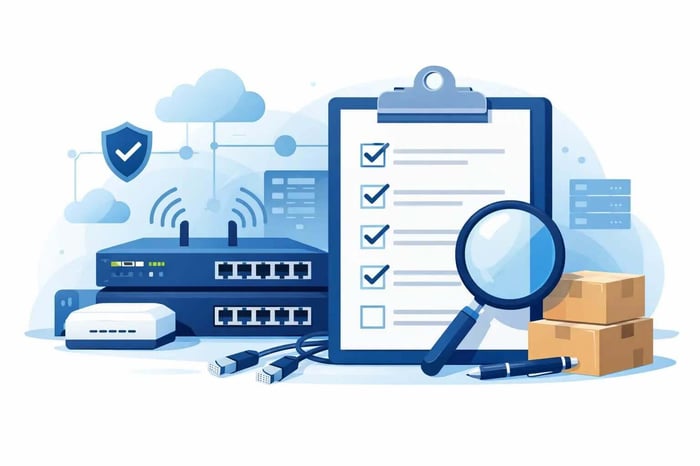
For most SMB and midmarket teams, the buying process works best when you move through five checks in order: identify the hardware or software platform, confirm the required license tier, choose the term length, validate compatibility, and make sure support and renewal dates are clear before approval.
Start with the exact environment
Before asking for pricing, gather the details that affect licensing. That usually includes the Cisco model numbers, quantities, deployment location, whether the equipment is new or already installed, and whether you are co-terminating with existing subscriptions.
If this is a refresh, pull the current installed base and renewal dates. If this is a new deployment, define the must-have features first. Security, cloud management, analytics, advanced routing, and collaboration capabilities can all change the license requirement.
This is also where internal alignment helps. Finance may prefer a longer term for price predictability. Operations may want co-termed renewals to reduce admin overhead. Engineering may need a higher tier to avoid feature gaps later. None of those priorities are wrong, but they need to be decided before the quote is finalized.
Know whether the license is mandatory or optional
Not every Cisco license works the same way. In some product families, the license is essential to operate the hardware as intended. In others, the base functionality is available, but advanced features require an added subscription. The difference affects both cost and risk.
For example, a lower-cost option may seem fine during procurement, then create problems when the team realizes a needed security or visibility feature is missing. On the other hand, buying the highest tier by default can waste budget if your environment will never use those capabilities.
This is where reseller quality really matters. A box-moving seller may simply pass along part numbers. A good Cisco partner will ask what you are trying to achieve, flag mismatches, and explain where you can safely trim cost versus where cutting corners will create problems later.
Common mistakes when buying Cisco licenses
Most licensing issues are not caused by Cisco being impossible to buy from. They happen because the quote was built too quickly, with too little validation.
One common problem is assuming renewal equals replacement. In reality, some subscriptions renew cleanly while others may require changes based on hardware generation, lifecycle status, or current Cisco program rules. Another is mixing license terms across a single environment, which can leave your team managing unnecessary renewal complexity.
A third issue is overlooking support dependencies. In some cases, your licensing decision affects access to updates, support, or platform capabilities your team expects to have. That can become a problem during an outage or audit, when the business assumes everything is covered.
Then there is the simplest error of all: ordering the wrong SKU. That usually happens when part numbers are copied from an old quote, pulled from an outdated spreadsheet, or selected without confirming the exact model and term. Fixing that after the purchase slows everyone down.
Watch for lifecycle and timing issues
Cisco product lines evolve often enough that timing matters. If a platform is nearing end of sale or already in a transition period, licensing options can change. You may still be able to buy what you need, but the smartest choice might be to shift to a newer platform instead of extending an older one.
This is not always obvious from the part number. It is one reason many IT teams ask for a quote review instead of treating licensing like a commodity purchase.
What information to have before you request a quote
A clean quote usually starts with a clean request. If you want pricing that is accurate the first time, provide the details your reseller needs to validate the order.
At minimum, it helps to have:
- Product model numbers or a current inventory list
- Quantities and deployment sites
- Desired license term
- Required features or business requirements
- Current renewal or expiration dates
- Whether this is net new, add-on, renewal, or migration
That may sound basic, but it saves time. It also gives the quoting team enough context to spot missing pieces before procurement signs off.
If you are not sure what term or tier makes sense, that is normal. The best next step is not guessing. It is asking for configuration validation before the PO goes out.
Choosing the right term and pricing approach
Cisco licenses are often available in multiple term lengths. The right choice depends on how your business budgets technology and how stable your environment is likely to be over the next few years.
A shorter term can make sense if you expect major architecture changes, office moves, or an acquisition. It gives you flexibility, but your renewal cycle comes back sooner. A longer term often improves cost predictability and reduces administrative churn, which matters when your IT team is already stretched thin.
There is also the question of standardization. Some organizations want all renewals aligned to a single date. Others are fine with separate dates if it means moving faster on a current project. Neither approach is universally better. It depends on whether your bigger pain point is budget planning or day-to-day management.
For US-based SMBs, pricing is rarely just about the list price. Deal registration, partner discounts, renewal timing, and configuration accuracy all affect the final number. That is why a fast, expert-backed quote tends to produce better results than trying to piece together SKUs alone.
When to use a Cisco partner instead of self-service
If the purchase is small and straightforward, self-service may be enough. But once the order includes multiple sites, mixed hardware generations, renewals, migrations, or any uncertainty about features, expert review pays for itself in time saved and mistakes avoided.
A strong Cisco partner helps in three ways. First, they validate that the licenses match your hardware and intended use. Second, they explain trade-offs clearly, so you can choose the right tier without overbuying. Third, they keep the quote process moving, which matters when a deployment window is tight or a renewal deadline is close.
That is where a specialist like Hummingbird Networks tends to be most useful - not just for sourcing, but for removing the friction that slows down purchasing in the first place.
A practical way to buy with less risk
If you want a cleaner process, treat how to buy Cisco licenses as part of design validation, not just procurement. Ask for the quote to be reviewed against the actual environment. Confirm what is required, what is optional, what renews when, and what happens if you expand later. Make sure someone is accountable for checking the details before the order is placed.
That extra step is usually what separates a smooth deployment from a week of avoidable back-and-forth. Get a Quote. Validate My Configuration. If the answer is not clear yet, Talk to a Strategist before you buy.
The best Cisco license purchase is the one your team does not have to revisit under pressure later.
FAQs
What information do I need before buying Cisco licenses?
Gather your hardware model numbers, required features, deployment details, renewal dates, and preferred license term to ensure accurate licensing.
How do I choose the right Cisco license tier?
Choose the license tier based on the features your environment actually requires, such as security, cloud management, analytics, or advanced networking capabilities.
Why is license validation important before purchasing?