SIP Gateway Options for Multi-Site Networks: Cisco vs. Adtran

Most SIP gateway decisions don't start with the gateway. They start with an inventory: which paging systems, fax lines, and elevator phones stay analog, which lines move to IP, and whose hardware should bridge the two. Cisco and Adtran both build for that hybrid setup, but they split the job differently. Below, we work through the analog-vs-IP decision first, then put the Cisco VG-series and Adtran Total Access lines side by side.
What a SIP Gateway Does in a Hybrid Network
Picture your network as two sides connected by one piece of hardware: your legacy PBX and analog lines on one, your IP network and VoIP call manager on the other. The SIP gateway sits in between, translating traffic so both sides can talk without you having to rip out equipment that still works.
Most IT teams assume a SIP gateway is a stopgap they'll retire once the VoIP migration finishes. In practice, it rarely works that way. Paging systems, fax lines, and a handful of analog circuits tend to stick around long after the rest of the network goes IP, so the gateway usually becomes a permanent part of the architecture, not a bridge you eventually remove.
The Analog Gear It Keeps Running
Going VoIP rarely means every analog line disappears the day the migration finishes. Plenty of equipment behind your gateway has no real IP equivalent, or the swap costs more than it saves. Here's what typically stays on analog circuits even in networks that call themselves fully IP:
- Paging systems: no native IP equivalent worth ripping out and replacing on a working system
- Fax lines: still required in healthcare, legal, and manufacturing workflows that depend on faxed documentation
- Lobby and elevator phones: often tied to code requirements that specify analog lines
- Modems and alarm lines: legacy security and monitoring equipment that runs on analog circuits
Keep the Analog Lines or Move Everything to IP
This is the question that brings most IT managers to a SIP gateway comparison in the first place: keep the analog lines running, or migrate everything to IP and eliminate the gateway altogether? The honest answer is that most multi-site organizations land somewhere in the middle, and a SIP gateway is what lets them stay there for as long as it makes sense.
There's no universal right answer here. Weigh the reasons for keeping analog gear against the reasons for going all-IP, then apply them to your own sites, budget, and equipment age. For a deeper look at how the two approaches stack up, see our guide to VoIP vs. analog phone systems.
Reasons to Leave Analog Alone
Not migrated yet isn't a failure state. In a lot of cases, it's the right call for now, and pushing a migration before it makes sense just adds cost and disruption for no real gain. Here's when leaving analog lines in place is the smarter move:
- Working hardware: no reason to replace a paging system or fax line that isn't broken
- Compliance-driven lines: elevator and life-safety phones tied to regulatory requirements that specify analog circuits
- Budget-phased migrations: spreading IP phone rollouts across sites or fiscal years instead of one disruptive cutover
Reasons to Go All-IP
Sticking with analog starts costing more than it saves once your network hits certain points. When that happens, the calculus flips, and moving everything to IP becomes the cheaper, easier path even accounting for the migration cost. These are the signs that tip the scale:
- Multi-site standardization: one IP-based system is easier to manage consistently across locations than a patchwork of analog setups
- Feature needs: call analytics, mobile extensions, and UC integrations that analog lines simply can't support
- End-of-life hardware: aging PBX gear nearing its end-of-sale or end-of-life date, which is a natural point to cut over rather than replace in kind
Cisco's VG-Series Lineup
Cisco's current VG-series lineup, the VG400, VG410, and VG420, is built to work with Cisco IP PBXs and most third-party call managers. All three are designed for a phased migration rather than a rip-and-replace, which fits how most multi-site networks actually move to IP in practice.
If you've looked at Cisco voice gateways before, you may recognize older model numbers like the VG310, VG320, or VG350. Cisco has moved those to end-of-sale and end-of-life status and replaced them with the VG400/410/420 lineup covered here. If a vendor or a dated spec sheet points you toward one of the retired models, treat that as a signal to double-check current availability before you buy.
Picking the Right VG Model for Your Site
Choosing between the three models comes down to port count and site density, not which one is objectively better. Here's how they break down:
- VG400: low-density option with two to eight ports (FXS, or a mix of FXS and FXO), sized for a single small site or branch office
- VG410: rack-mount unit with 24 to 48 FXS ports, built for a mid-sized office
- VG420: high-density option scaling up to 144 ports, suited to a headquarters site or a location consolidating multiple smaller sites
Adtran's Total Access Gateways
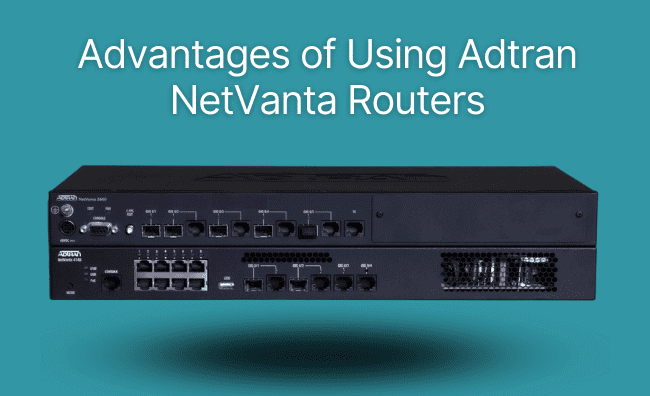
Adtran's Total Access line runs on AOS (Adtran Operating System) and takes a different approach than Cisco's separate-router model. Instead of pairing a standalone gateway with a separate router, firewall, and VPN appliance, Total Access bundles all of that into one box.
That's a genuinely different design philosophy, not a lesser one. Where Cisco's VG-series assumes you already have, or want, a separate router and firewall handling that work, Adtran's approach consolidates it, which can simplify a site's hardware footprint if that's what you're after. Whether that trade-off makes sense depends on what you're already running.
Picking the Right Total Access Model for Your Site
Like the VG-series, Total Access models are sized by port count and site footprint rather than by feature tier. Here's the breakdown:
- Total Access 904, 908, 912, 916, and 924: four to 24 FXS ports, sized to match the site
- 908e, 916e, and 924e: second-generation models with Gigabit Ethernet and higher throughput
- Lifeline FXO variants: keep outbound calling active during a power or network outage
The Firewall, VPN, and QoS Built into Total Access
This is where Adtran's all-in-one approach becomes a real differentiator worth naming, not just a line item on a spec sheet. Every Total Access unit bundles a firewall, VPN, and QoS traffic shaping alongside the SIP gateway function, and an optional SBC (Session Border Controller) feature pack normalizes SIP trunking when you're working with more than one provider.
Cisco or Adtran: What Actually Tips the Decision
By this point you've seen the specs on both sides, so this isn't a which-one-is-better call. It's a which-one-fits-what-you've-already-got call, and none of the factors below point toward a universal winner. Each just points a specific kind of network toward one vendor's approach over the other's:
- Existing infrastructure: a Cisco IP PBX and Cisco gear already in place points toward staying in-family with the VG-series
- All-in-one preference: wanting router, firewall, and VPN bundled with the gateway points toward Adtran's Total Access line
- Port density: the VG420 and Total Access 924/924e both scale into the higher end of the port-count range, so growth alone usually isn't the deciding factor
- Stock and pricing: Hummingbird Networks carries both lines in depth, so current availability and configuration-specific pricing are worth confirming either way. See Hummingbird Networks' full lineup of business phones and gateways for current options.
Buying Your SIP Gateway from Hummingbird Networks
Once you've picked Cisco or Adtran, the practical part is sourcing the right configuration and getting support when you need it. Hummingbird Networks carries both lines, backs them with IT support, processes same-day orders placed by 6pm ET, and offers financing if the budget needs it.
Still deciding between Cisco and Adtran? Contact Hummingbird Networks and we'll help you find the right fit.