
Servers & Storage
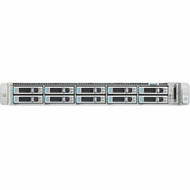
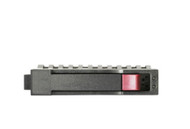
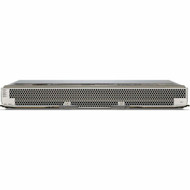
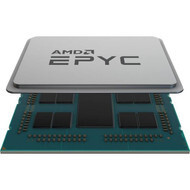

Build, expand, and maintain business computing infrastructure with servers, storage, memory, drives, and server components designed for professional IT environments. Hummingbird Networks offers server and storage solutions for business applications, virtualization, databases, file services, infrastructure workloads, data storage, backup, and enterprise computing.
From rack servers and enterprise storage to hard drives, solid state drives, server memory, RAID controllers, and replacement components, organizations can select infrastructure based on workload performance, capacity, scalability, availability, and compatibility requirements.
Explore servers and storage from leading technology manufacturers for small business, enterprise, branch, campus, data center, and distributed IT environments.
Servers & Storage for Business & Enterprise IT
Servers and storage provide the computing and data infrastructure behind many of the applications and services organizations use every day.
Depending on the environment, server infrastructure can support:
- Business applications
- Virtual machines
- Databases
- File and print services
- Directory services
- Application hosting
- Web applications
- Private cloud infrastructure
- Data storage
- Backup and recovery
- Development and testing
- Network and security applications
- Data center workloads
The appropriate infrastructure depends on application requirements, processor performance, memory capacity, storage capacity, storage performance, network connectivity, redundancy, physical space, power, and future growth.
Servers
Business and enterprise servers provide dedicated computing resources for applications, data, virtualization, and infrastructure services.
Hummingbird Networks offers servers for organizations building new computing environments, expanding existing infrastructure, replacing aging systems, or adding capacity for new workloads.
Server configurations can vary significantly in processor architecture, memory capacity, storage bays, network connectivity, expansion capability, physical size, and redundancy.
Enterprise Servers
Enterprise servers are designed to support demanding applications and business-critical workloads where performance, scalability, manageability, and availability are important.
Common enterprise server requirements can include:
- Multi-core processors
- Multiple processor sockets
- Large memory capacity
- ECC server memory
- Multiple storage bays
- RAID support
- High-speed network connectivity
- PCIe expansion
- Redundant power supplies
- Hot-pluggable components
- Remote management
- Rack-mountable designs
Exact capabilities depend on the server platform and configuration.
Rack Servers
Rack servers are designed to install within standardized equipment racks, allowing organizations to consolidate computing systems into structured IT environments.
Common server form factors include 1U, 2U, and larger rack-mounted systems.
Rack servers can be appropriate for:
- Data centers
- Server rooms
- Enterprise IT environments
- Branch infrastructure
- Virtualization clusters
- Application hosting
- Storage-intensive workloads
Organizations should consider rack depth, available rack units, airflow, power, cabling, and service access when selecting rack-mounted server hardware.
1U vs. 2U Servers
Rack server height is commonly measured in rack units, abbreviated as U.
1U Servers
A 1U server uses one rack unit of vertical space. These systems can provide high compute density when organizations need to install multiple servers within a rack.
2U Servers
A 2U server uses two rack units of vertical space. The larger chassis can provide additional room for storage bays, expansion cards, cooling, processors, memory, and other components depending on the platform.
The appropriate form factor depends on workload requirements rather than rack density alone.
Cisco UCS Servers
Cisco Unified Computing System, commonly known as Cisco UCS, combines enterprise computing with technologies designed for data center and infrastructure environments.
Cisco server platforms can support applications, virtualization, storage-intensive workloads, private cloud infrastructure, and other enterprise computing requirements.
Available Cisco server hardware can include rack-mounted systems, barebone configurations, storage-oriented platforms, drives, memory, adapters, and replacement components.
Organizations already operating Cisco networking and data center infrastructure may also consider Cisco UCS when developing a broader infrastructure architecture.
HPE ProLiant Servers
HPE ProLiant servers provide business and enterprise computing platforms for a wide range of workloads.
HPE ProLiant DL rack servers are available across different configurations designed around processor performance, memory, storage, expansion, and workload requirements.
Available server generations and configurations can support Intel and AMD processor architectures depending on the system.
Organizations should evaluate the exact ProLiant platform, processor configuration, memory architecture, drive support, storage controller, networking, and expansion requirements before selecting a server.
Servers for Virtualization
Virtualization allows a physical server to host multiple virtual machines, helping organizations consolidate applications and use computing resources more efficiently.
Server requirements for virtualization can include:
- High core-count processors
- Large memory capacity
- Fast server storage
- High-speed networking
- Storage redundancy
- Multiple network interfaces
- Expansion capability
The appropriate configuration depends on the number of virtual machines, workload characteristics, availability requirements, and virtualization platform.
Servers for Business Applications
Organizations can use dedicated servers for line-of-business applications, databases, communications systems, directory services, file services, and other workloads.
Application requirements should guide server selection. A lightly used infrastructure service can have very different processor, memory, and storage requirements than a transactional database or heavily virtualized environment.
Server Storage
Storage is a critical component of server performance and capacity.
Server storage can use different drive technologies and interfaces depending on the workload, platform, and performance requirements.
Common options include:
- Hard disk drives
- Solid state drives
- SAS drives
- SATA drives
- NVMe drives
- 2.5-inch drives
- 3.5-inch drives
- Hot-pluggable drives
- Read-intensive SSDs
- Mixed-use SSDs
Hard Drives
Hummingbird Networks offers hard drives and solid state drives for compatible servers, storage systems, network appliances, and enterprise infrastructure.
Drive selection involves more than capacity. Organizations should verify interface, form factor, workload rating, performance, endurance, drive format, hot-plug support, and compatibility with the host system.
HDD Storage
Hard disk drives use magnetic storage technology and remain useful where organizations need substantial storage capacity and predictable enterprise storage characteristics.
HDDs can be used for:
- Bulk data storage
- File repositories
- Backup storage
- Archive workloads
- Capacity-focused server configurations
- Storage arrays
Enterprise hard drives are available with different capacities, rotational speeds, interfaces, form factors, and workload characteristics.
Solid State Drives
Solid state drives use flash memory rather than spinning magnetic media.
SSDs can provide significantly different performance characteristics from traditional hard drives and are widely used for applications requiring faster access to data.
Enterprise SSDs can be optimized for different workload profiles, including read-intensive and mixed-use applications.
HDD vs. SSD
Choosing between HDD and SSD storage depends on the workload.
Hard drives can be useful when capacity is a primary requirement, while solid state drives can provide higher storage performance and lower access latency for demanding applications.
Many server and storage environments use a combination of drive technologies based on application requirements, capacity, performance, endurance, and infrastructure design.
SAS Drives
Serial Attached SCSI, commonly known as SAS, is widely used in enterprise server and storage environments.
SAS drives can be available as both hard disk drives and solid state drives.
Organizations selecting SAS storage should verify:
- Supported SAS generation and speed
- Drive form factor
- Storage controller compatibility
- Drive capacity
- Workload requirements
- Hot-plug support
- Server or storage platform compatibility
SATA Drives
Serial ATA, commonly known as SATA, is another storage interface used across servers and storage systems.
SATA HDDs and SSDs can provide practical storage options for workloads where their performance and availability characteristics meet application requirements.
As with any server drive, the interface alone does not guarantee compatibility with a particular system.
NVMe SSDs
NVMe storage uses PCI Express connectivity to provide high-performance access to solid state storage.
Enterprise NVMe SSDs can be useful for workloads that benefit from high throughput and low storage latency.
Potential applications include:
- Databases
- Virtualization
- Analytics
- High-performance applications
- Data-intensive workloads
- High-performance storage tiers
Organizations should verify the server's supported NVMe form factors, PCIe generation, drive bays, backplane, storage architecture, and firmware requirements.
2.5-Inch vs. 3.5-Inch Server Drives
Servers and storage systems commonly use 2.5-inch and 3.5-inch drive form factors.
2.5-Inch Drives
Smaller 2.5-inch drives can allow systems to support a greater number of drive bays within a given chassis size and are common in performance-oriented enterprise server configurations.
3.5-Inch Drives
3.5-inch drives are frequently used in capacity-oriented configurations where larger hard drives are required.
The correct form factor depends on the server chassis, drive cage, backplane, carrier, and storage configuration.
Hot-Plug Server Drives
Hot-pluggable drive architectures allow supported drives to be physically removed and installed without completely powering down the host system.
This capability can simplify drive replacement and maintenance in environments designed for continuous availability.
Hot-plug capability depends on the complete server, drive carrier, backplane, storage controller, operating environment, and configuration.
Server Memory
Memory capacity can directly affect the number and size of applications, databases, virtual machines, and other workloads a server can support.
Hummingbird Networks offers server memory for compatible enterprise computing platforms and infrastructure devices.
Server memory can include:
- DDR4 memory
- DDR5 memory
- ECC memory
- Registered DIMMs
- Server memory modules
- Memory upgrade kits
DDR4 & DDR5 Server Memory
DDR4 and DDR5 represent different generations of system memory used across server platforms.
A server is designed for a specific memory architecture, so DDR generations are not interchangeable simply because they perform the same general function.
Memory compatibility can depend on:
- Server model
- Processor generation
- Memory generation
- DIMM type
- Module capacity
- Memory speed
- Rank
- Population rules
- Number of processors installed
ECC Server Memory
Error Correcting Code memory, commonly called ECC memory, is widely used in business and enterprise servers.
ECC memory is designed to detect and correct certain memory errors, making it an important technology for systems where data integrity and reliable operation matter.
Compatibility should be verified against the exact server platform and processor configuration.
Registered Server Memory
Registered DIMMs, commonly called RDIMMs, are used in many enterprise server platforms to support larger and more scalable memory configurations.
Organizations upgrading memory should follow the manufacturer's supported DIMM types and population rules for the exact server.
How Much Server Memory Do You Need?
The required amount of memory depends primarily on the applications and workloads running on the server.
Factors can include:
- Operating system requirements
- Number of virtual machines
- Database size
- Application memory requirements
- Concurrent users
- Caching requirements
- Future workload growth
Virtualization and memory-intensive databases can require substantially more RAM than basic infrastructure services.
Server Parts & Accessories
Servers and storage systems can require additional hardware for initial configuration, expansion, upgrades, maintenance, and replacement.
Explore server parts and accessories for compatible server and storage infrastructure components.
Available components can include:
- Storage controllers
- RAID controllers
- Drive enclosures
- Server rails
- Drive and storage accessories
- Controller batteries
- Optical drives
- Expansion components
- Replacement hardware
RAID Controllers
RAID controllers manage compatible storage devices and can provide different approaches to performance, capacity, and drive redundancy.
Depending on the controller and configuration, supported RAID levels can include RAID 0, RAID 1, RAID 5, RAID 6, RAID 10, and additional configurations.
The appropriate RAID design depends on workload requirements, drive count, storage capacity, performance, fault tolerance, and recovery objectives.
Drive Enclosures & Storage Expansion
Drive enclosures can provide additional storage bays for compatible infrastructure.
Storage expansion can be useful when organizations need to increase capacity without replacing an entire server or storage platform.
Compatibility depends on factors such as host interfaces, controllers, drive types, supported capacities, cabling, firmware, and the existing storage architecture.
Server Storage Controllers
Storage controllers connect and manage drives within compatible servers and storage systems.
Controller selection can affect:
- Supported drive interfaces
- RAID functionality
- Storage performance
- Cache capacity
- Number of supported drives
- Internal and external connectivity
- Data protection capabilities
Always verify controller compatibility with the server, backplane, drives, firmware, and intended storage configuration.
Barebone Servers
Barebone server systems provide a foundation that can be configured with compatible processors, memory, storage, network adapters, and other components.
They can be useful for organizations that require specific configurations rather than a predefined server build.
Before purchasing a barebone system, identify which components are included and which must be added separately.
Server Networking
Servers depend on network infrastructure to connect users, applications, storage, other servers, and external services.
Network requirements can range from standard Gigabit Ethernet connectivity to higher-speed data center links depending on workload and traffic requirements.
Organizations building server environments should consider:
- Network interface speed
- Number of network interfaces
- Redundancy
- VLAN architecture
- Link aggregation
- Storage networking
- Virtualization traffic
- Management networks
- Backup traffic
Explore network switches when building the wired infrastructure connecting servers and storage to the rest of the network.
Server & Storage Redundancy
Business-critical infrastructure should be designed around the availability requirements of the applications it supports.
Redundancy can exist at multiple levels, including:
- Storage drives
- RAID configurations
- Power supplies
- Network connections
- Servers
- Storage systems
- Applications
- Sites
No single redundancy feature replaces a complete availability, backup, and disaster recovery strategy.
Servers for Data Centers
Data center server deployments often prioritize compute density, scalability, redundancy, centralized management, high-speed networking, power efficiency, and serviceability.
Organizations should evaluate server infrastructure together with:
- Rack capacity
- Power requirements
- Cooling
- Network architecture
- Storage architecture
- UPS protection
- Cable management
- Physical security
Servers for Small & Midsize Businesses
Smaller organizations can use dedicated server infrastructure for applications, file storage, directory services, databases, backup, virtualization, and other workloads where local computing resources are required.
Server selection should be based on workload requirements and expected growth rather than simply choosing the highest available specifications.
A properly sized system can provide room for expansion while avoiding unnecessary complexity.
Servers for Branch & Distributed Environments
Branch offices and distributed organizations may deploy servers locally when applications, data, operational requirements, or connectivity conditions justify on-site computing resources.
Branch infrastructure planning should consider remote management, physical space, power protection, networking, redundancy, and the availability of local technical support.
Server Backup & Data Protection
Storage redundancy and backup serve different purposes.
RAID can help maintain access to data when certain drive failures occur, depending on the RAID configuration. It does not replace independent backups.
A complete data protection strategy can include:
- Local backup
- Off-site backup
- Cloud backup
- Application-aware backup
- Snapshots
- Replication
- Disaster recovery planning
Backup architecture should be designed according to the organization's recovery point and recovery time requirements.
Power Protection for Servers & Storage
Servers and storage systems can support business-critical applications and data, making reliable power an important infrastructure consideration.
UPS systems can provide temporary battery backup and power protection during outages and other electrical events.
Organizations should size power protection according to the combined load of servers, storage, networking equipment, and other critical infrastructure that must remain available.
Explore power and cooling solutions when planning server-room and data-center infrastructure.
Server Racks & Physical Infrastructure
Rack-mounted servers, storage systems, switches, UPS systems, and related equipment require appropriate physical infrastructure.
Server rack planning should account for:
- Rack height
- Rack depth
- Equipment weight
- Rail compatibility
- Power distribution
- Airflow
- Cable management
- Service clearance
- Future expansion
Explore racks and infrastructure when designing the physical environment supporting servers and storage.
How to Choose Servers & Storage
Start with workload requirements and work outward to the hardware needed to support them.
Identify the Workload
Determine which applications, virtual machines, databases, storage services, or infrastructure functions the system must support.
Determine Processor Requirements
Evaluate processor architecture, core count, clock speed, socket count, and application licensing considerations.
Determine Memory Requirements
Calculate the memory required by the operating system, applications, virtual machines, and expected future growth.
Determine Storage Capacity
Estimate current data requirements while accounting for growth, RAID overhead, spare capacity, backup, and retention.
Determine Storage Performance
Workloads with high transaction rates or demanding I/O requirements may benefit from enterprise SSD or NVMe storage.
Choose the Storage Interface
Verify whether the server and controller support SAS, SATA, NVMe, or a combination of storage technologies.
Plan for Redundancy
Consider storage, power, networking, server, and application redundancy according to business availability requirements.
Check Expansion Capacity
Review available drive bays, memory slots, processor sockets, PCIe slots, network interfaces, and other expansion options.
Verify Component Compatibility
Server components are highly platform-specific. Verify drives, memory, controllers, rails, power supplies, and accessories against the exact server model.
Plan for Future Growth
Consider whether additional users, applications, virtual machines, and stored data will require more compute, memory, storage, or networking resources over the expected service life of the system.
Build a Complete Server & Storage Infrastructure
A reliable computing environment requires more than a server alone.
A complete deployment can include:
- Business and enterprise servers
- Hard disk drives
- Solid state drives
- NVMe storage
- Server memory
- RAID and storage controllers
- Drive enclosures
- Server parts and accessories
- Network switches
- Transceivers and connectivity
- UPS battery backup
- Power distribution
- Server racks
- Cooling and airflow management
- Backup and data protection
Planning compute, memory, storage, networking, power, and physical infrastructure together can help organizations avoid bottlenecks and compatibility problems as the environment grows.
Why Buy Servers & Storage from Hummingbird Networks?
Server and storage infrastructure contains many interdependent components, making compatibility and workload requirements important throughout the purchasing process.
Hummingbird Networks offers business and enterprise servers, drives, server memory, storage components, and related IT infrastructure from leading technology manufacturers.
Customers can turn to our team for:
- Business and enterprise servers
- Cisco UCS server solutions
- HPE ProLiant server solutions
- Server hard drives
- Enterprise SSDs
- SAS, SATA, and NVMe storage
- Server memory
- RAID and storage controllers
- Drive enclosures
- Server parts and accessories
- Networking and physical infrastructure
- Product and compatibility guidance
Whether you are replacing a server, increasing storage capacity, adding memory, refreshing a data center, or building new computing infrastructure, Hummingbird Networks can help identify equipment based on workload and compatibility requirements.
Frequently Asked Questions About Servers & Storage
What is a server?
A server is a computing system designed to provide applications, data, services, or other resources to users and systems across a network.
What is enterprise server storage?
Enterprise server storage includes hard drives, solid state drives, storage controllers, drive enclosures, and related technologies used to store and access data in business and enterprise computing environments.
What is the difference between a server and storage?
A server provides computing resources for applications and services, while storage provides capacity for data. Servers typically contain local storage and can also connect to additional storage infrastructure.
What is a rack server?
A rack server is designed to install in a standardized equipment rack. Rack servers are commonly used in server rooms, data centers, enterprise environments, and other locations where multiple IT systems are installed together.
What is the difference between a 1U and 2U server?
A 1U server occupies one rack unit, while a 2U server occupies two. A larger chassis can provide additional room for drives, expansion, cooling, processors, memory, or other components depending on the server design.
What is a barebone server?
A barebone server provides a server platform that may require additional processors, memory, drives, adapters, or other components before deployment. Always check what is included with the exact configuration.
What is Cisco UCS?
Cisco Unified Computing System is Cisco's enterprise computing platform for data center and infrastructure workloads. Cisco UCS includes server platforms and supporting technologies for enterprise computing environments.
What is HPE ProLiant?
HPE ProLiant is a family of business and enterprise servers available across different rack, processor, memory, storage, and workload configurations.
Should I use HDD or SSD storage in a server?
The choice depends on workload requirements. HDDs can provide substantial capacity, while SSDs can provide higher storage performance and lower access latency. Many environments use different drive technologies for different storage tiers and applications.
What is the difference between SAS and SATA drives?
SAS and SATA are different storage interfaces used in servers and storage systems. SAS is widely used in enterprise infrastructure, while SATA is also used for many server and storage workloads. Compatibility and workload requirements should determine which interface is appropriate.
What is NVMe storage?
NVMe is a storage protocol designed for solid state storage using PCI Express connectivity. Enterprise NVMe drives can provide high throughput and low latency for demanding applications.
What does hot-plug mean for a server drive?
A hot-plug architecture allows supported drives to be installed or removed while the host system remains powered. The server, backplane, controller, carrier, operating environment, and configuration must all support the intended operation.
What is ECC server memory?
ECC memory is designed to detect and correct certain memory errors. It is widely used in servers where reliable operation and data integrity are important.
Can I mix DDR4 and DDR5 server memory?
No. Server platforms are designed around specific memory generations and architectures. DDR4 and DDR5 are not interchangeable.
Can I install any server memory with the same capacity?
No. Server memory compatibility can depend on memory generation, DIMM type, speed, rank, processor, population rules, and the exact server model.
What is RAID?
RAID combines or organizes multiple drives according to a selected storage configuration. Different RAID levels can provide different combinations of performance, usable capacity, and drive fault tolerance.
Does RAID replace server backups?
No. RAID can provide storage redundancy in supported configurations, but it does not protect against every form of data loss. Organizations should maintain an independent backup and recovery strategy.
How much RAM does a server need?
Server memory requirements depend on the operating system, applications, virtual machines, databases, number of users, and expected growth. Virtualization and memory-intensive workloads can require substantially larger memory configurations.
How do I know whether a hard drive is compatible with my server?
Verify the server model, supported interface, form factor, drive carrier, backplane, controller, capacity limitations, firmware requirements, and manufacturer compatibility information.
How do I choose a server for virtualization?
Evaluate processor cores, memory capacity, storage performance and capacity, network connectivity, redundancy, expansion, and the requirements of the intended virtualization platform and virtual machines.
What network speed should a server use?
The appropriate network speed depends on workload traffic, virtualization, storage networking, backup requirements, user demand, and the rest of the network infrastructure. Server environments can range from standard Gigabit Ethernet to substantially higher-speed connections.
Do servers need UPS battery backup?
Business-critical servers and storage systems are commonly protected by appropriately sized UPS infrastructure to provide temporary battery power and power protection during electrical disruptions.
Can Hummingbird Networks help identify compatible server components?
Yes. Providing the manufacturer, exact server or storage model, existing configuration, and required upgrade can help identify compatible drives, memory, controllers, accessories, and other server components.
Shop Servers & Storage
Build and maintain business computing infrastructure with servers, hard drives, SSDs, server memory, storage controllers, drive enclosures, and server components for professional IT environments.
From Cisco UCS and HPE ProLiant servers to enterprise SAS, SATA, and NVMe storage, memory upgrades, and replacement server hardware, Hummingbird Networks can help organizations source infrastructure for applications, virtualization, data storage, server rooms, and enterprise data centers.