
Cables
Get The Best Pricing. Fast.
Send us your part numbers, BoM, or project details. We'll respond quickly with accurate pricing.
Have Questions?Talk To Our Team Today
Get quick answers and help choosing the right option.
Connect switches, servers, wireless access points, storage systems, firewalls, security cameras, power equipment, and other critical IT infrastructure with business and enterprise cables from Hummingbird Networks. Available connectivity includes Ethernet cables, fiber optic cables, Direct Attach Copper and Active Optical Cables, power cables, specialty cables, and media converters for office networks, server rooms, data centers, campuses, edge locations, security systems, and industrial environments.
The correct cable is an essential part of network performance and equipment reliability. Cable category, connector type, bandwidth, transmission distance, shielding, fiber mode, PoE requirements, environmental rating, and equipment compatibility can all determine whether a connection performs as intended.
Hummingbird Networks offers connectivity solutions from Cisco, HPE, Ubiquiti, Eaton Tripp Lite Series, Hummingbird Networks, APC, and other leading technology manufacturers for copper, fiber, high-speed data, power, and specialized equipment connections.
Network, Fiber, Data & Power Cables for Business IT
Modern IT environments depend on several different types of cabling.
A complete infrastructure can require:
- Ethernet patch cables
- Bulk Ethernet cable
- Fiber optic patch cables
- Fiber trunk cables
- Direct Attach Copper cables
- Active Optical Cables
- Server and storage cables
- Power cords
- UPS and PDU cables
- Access-control cabling
- Specialty equipment cables
- Media converters
The appropriate connection depends on the equipment interfaces, required data rate, distance, installation environment, and application.
Ethernet Cables
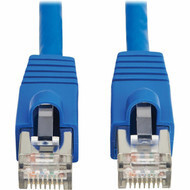
Ethernet cables provide copper network connectivity for computers, switches, routers, wireless access points, phones, cameras, servers, printers, and other IP devices.
Hummingbird Networks offers Ethernet connectivity across multiple performance categories, lengths, colors, shielding types, jacket designs, and form factors.
Explore Ethernet Cables for copper network patch cables and related connectivity.
What Is an Ethernet Cable?
An Ethernet cable is a twisted-pair network cable used to carry data between compatible Ethernet devices.
Common Ethernet cable connections include:
- Computer to switch
- Server to switch
- Wireless access point to switch
- IP camera to switch
- VoIP phone to switch
- Router to switch
- Patch panel to switch
Many Ethernet cables use RJ45-style modular connectors.
Cat5e Ethernet Cables
Category 5e cabling remains widely deployed in existing Gigabit Ethernet networks.
Cat5e can support common business networking applications when installed within its supported performance and distance requirements.
Organizations upgrading network infrastructure should consider both current requirements and expected future bandwidth before choosing between Cat5e and newer cable categories.
Cat6 Ethernet Cables
Cat6 is widely used for business Ethernet connectivity and provides additional performance headroom compared with Cat5e.
Cat6 cables are commonly used for:
- Gigabit Ethernet
- Business workstations
- Network switches
- Wireless access points
- VoIP phones
- Security cameras
- Servers
- PoE devices
Current Hummingbird Networks inventory includes Cat6 patch cables in many lengths and configurations.
Cat6a Ethernet Cables
Cat6a is commonly selected for modern structured cabling and 10 Gigabit Ethernet applications.
Cat6a can be particularly useful for:
- 10 Gigabit Ethernet
- WiFi 6 and WiFi 7 access points
- Multi-Gigabit switching
- High-power PoE
- Server connectivity
- High-performance business networks
Cat6a cabling is available in shielded and unshielded configurations depending on installation requirements.
Cat8 Ethernet Cables
Cat8 is a high-performance shielded copper Ethernet category designed for demanding short-distance applications.
Current Hummingbird Networks inventory includes Eaton Tripp Lite Series Cat8 Ethernet cables rated for high-speed network applications and PoE.
Cat8 can support data rates up to 40 Gigabit Ethernet within the distances defined for Category 8 cabling.
Cat5e vs. Cat6 vs. Cat6a vs. Cat8
The primary differences between Ethernet cable categories involve supported frequency, bandwidth, distance, shielding options, and intended applications.
Cat5e: Common in existing Gigabit Ethernet networks.
Cat6: Widely used for Gigabit Ethernet and other business network applications.
Cat6a: Commonly used for 10 Gigabit Ethernet and modern structured-cabling installations.
Cat8: Designed for high-bandwidth short-distance copper networking.
The best cable category depends on the required speed, link distance, PoE level, installation environment, and expected infrastructure lifecycle.
Ethernet Patch Cables
Ethernet patch cables are preterminated network cables commonly used between:
- Patch panels and switches
- Computers and wall outlets
- Servers and switches
- Network appliances and switches
- PoE devices and network equipment
Patch cables are available in many lengths so organizations can avoid unnecessary cable slack inside racks and work areas.
Snagless Ethernet Cables
Snagless Ethernet cables use connector designs that help protect the RJ45 locking tab from catching on other cables or equipment.
These designs can be useful in dense racks where patch cables are frequently installed or removed.
Slim Ethernet Cables
Slim Ethernet patch cables use smaller-diameter cable construction than many standard patch cords.
They can help reduce cable congestion in high-density patching environments.
When selecting slim cables, verify the required Ethernet speed, PoE application, conductor construction, and equipment requirements.
Shielded Ethernet Cables
Shielded Ethernet cables include conductive shielding intended to reduce exposure to electromagnetic or radio-frequency interference when used as part of a correctly designed system.
Shielded cabling can be useful in:
- Industrial environments
- Equipment rooms
- High-density electrical environments
- Locations with substantial electromagnetic interference
Shielded cabling should be paired with compatible shielded connectors and appropriate grounding.
Unshielded Ethernet Cables
Unshielded Twisted Pair, commonly called UTP, is widely used in offices, schools, retail locations, and conventional commercial networks.
UTP Ethernet cables are available across common categories including Cat5e, Cat6, and Cat6a.
Ethernet Cables for PoE
Power over Ethernet allows compatible network devices to receive data and electrical power through Ethernet cabling.
PoE applications can include:
- Wireless access points
- Security cameras
- VoIP phones
- Access-control devices
- Sensors
- Building automation systems
Cable category, conductor size, bundle size, temperature, link length, and PoE power level can all influence cable selection.
Ethernet Cables for PoE+
IEEE 802.3at PoE+ supports higher power than standard PoE and is commonly used with business wireless access points, cameras, and other network devices.
Use cabling and connectors appropriate for the required Ethernet speed and PoE application.
Ethernet Cables for PoE++
IEEE 802.3bt PoE++ uses all four twisted pairs to support higher-power devices.
Higher-power PoE deployments should consider cable quality, conductor gauge, bundling, ambient temperature, and installation requirements.
Fiber Optic Cables
Fiber optic cables transmit network data using light rather than electrical signals traveling through copper conductors.
Fiber is widely used for high-speed networking, longer distances, campus backbones, data centers, switch uplinks, telecommunications, and electrically noisy environments.
Explore Fiber Optic Cables for multimode, singlemode, patch, breakout, trunk, and other optical connectivity.
Why Use Fiber Optic Cabling?
Fiber optic connectivity can provide advantages including:
- High bandwidth
- Long transmission distances
- Electrical isolation between endpoints
- Resistance to electromagnetic interference
- High-density connectivity
- Support for modern high-speed Ethernet
Singlemode Fiber Optic Cables
Singlemode fiber uses a small optical core and is designed for longer-distance optical transmission.
Singlemode fiber is commonly used for:
- Campus backbones
- Building-to-building links
- Data centers
- Telecommunications
- Carrier connections
- Long-distance Ethernet
Common modern singlemode infrastructure uses OS2 fiber.
Multimode Fiber Optic Cables
Multimode fiber is commonly used for shorter high-speed optical links inside buildings and data centers.
Common multimode fiber types include:
- OM1
- OM2
- OM3
- OM4
- OM5
The correct multimode fiber depends on transceiver type, wavelength, Ethernet speed, and transmission distance.
Singlemode vs. Multimode Fiber
Singlemode and multimode fiber use different optical characteristics and are not interchangeable without compatible optical equipment.
Singlemode: Commonly selected for longer distances.
Multimode: Commonly selected for shorter links inside buildings and data centers.
Always match fiber type with the transceivers installed at both ends of the link.
OS2 Singlemode Fiber
OS2 is a widely used singlemode fiber specification for modern optical networks.
It can support long-distance Ethernet links when paired with compatible singlemode transceivers.
OM3 Multimode Fiber
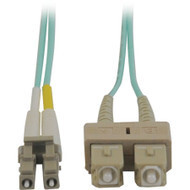
OM3 is laser-optimized multimode fiber commonly associated with aqua-colored cable jackets.
It is used in many 10 Gigabit and higher-speed multimode Ethernet installations at supported distances.
OM4 Multimode Fiber
OM4 provides enhanced multimode performance and is commonly used in modern data center and high-speed network environments.
Current Hummingbird Networks inventory includes OM4 fiber cables supporting very high-speed applications, including 400G optical cabling designs.
Fiber Patch Cables
Fiber patch cables provide short optical connections between compatible equipment.
Applications can include:
- Switch to patch panel
- Switch to switch
- Server to switch
- Storage networking
- Transceiver to fiber panel
LC Fiber Cables
LC connectors are widely used in modern enterprise and data center optical networks because of their compact size.
LC connections are common on SFP, SFP+, SFP28, and other optical transceiver deployments.
SC Fiber Cables
SC connectors are used throughout telecommunications, enterprise networking, and legacy fiber infrastructure.
Hummingbird Networks carries fiber cables supporting combinations such as LC-to-SC and SC-to-SC connectivity.
ST Fiber Cables
ST connectors are common in older enterprise, industrial, campus, and legacy optical infrastructure.
Fiber patch cables can provide LC-to-ST, SC-to-ST, and ST-to-ST connectivity where required.
MTP & MPO Fiber Cables
MTP and MPO multi-fiber connectors support multiple optical fibers in a single connector.
They are commonly used for:
- High-density data centers
- 40 Gigabit Ethernet
- 100 Gigabit Ethernet
- 400 Gigabit Ethernet
- Fiber trunks
- Breakout connectivity
Fiber Breakout Cables
Fiber breakout cables divide one higher-density optical connection into several lower-density interfaces.
For example, high-speed MTP or MPO connectivity can break out into multiple LC duplex connections depending on the networking architecture.
Fiber Trunk Cables
Fiber trunk cables provide multi-fiber connectivity between network locations such as racks, rows, telecommunications rooms, and data center zones.
Trunks can reduce the number of individual fiber cables required for high-density infrastructure.
Plenum Fiber Cables
Plenum-rated fiber cables are designed for installation in compatible environmental air spaces where applicable building requirements call for plenum-rated cable.
Always select the jacket rating required for the installation location.
LSZH Fiber Cables
Low Smoke Zero Halogen, commonly abbreviated LSZH, cable jackets are designed to emit reduced smoke and halogen gases during combustion compared with conventional jacket materials.
LSZH cables can be specified in facilities where this characteristic is required.
DAC & AOC Cables
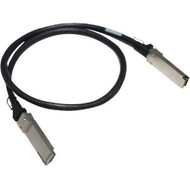
Direct Attach Copper and Active Optical Cables provide high-speed connections between compatible switches, servers, storage systems, and network devices.
They combine the cable and pluggable interface into an integrated assembly, eliminating the need to purchase separate transceivers for each end in supported applications.
Explore DAC & AOC Cables for high-speed SFP, SFP+, SFP28, SFP56, QSFP+, QSFP28, and related connectivity.
What Is a DAC Cable?
DAC stands for Direct Attach Copper.
A DAC cable uses copper conductors with compatible transceiver-style connectors permanently attached to both ends.
DAC is commonly used for short-distance connections inside racks or between nearby equipment.
Passive DAC Cables
Passive DAC cables use copper conductors without active signal-processing electronics inside the cable assembly.
They can provide low-power, low-latency connectivity for supported short-distance applications.
Active DAC Cables
Active DAC cables include signal-conditioning electronics that can support greater distances than comparable passive copper assemblies in certain applications.
Compatibility should be verified with the exact network equipment.
What Is an AOC Cable?
AOC stands for Active Optical Cable.
An AOC uses optical fiber and integrated electronics with transceiver-style connectors attached at both ends.
AOCs can provide greater reach and lower cable weight than copper DACs in compatible high-speed networking applications.
DAC vs. AOC
DAC and AOC cables are both used for direct high-speed device connections.
DAC: Uses copper and is especially common for short rack-level links.
AOC: Uses optical fiber and can support longer distances with lighter cable construction.
The right choice depends on distance, equipment compatibility, cable routing, cost, power consumption, and network speed.
10G DAC Cables
10 Gigabit DAC cables commonly use SFP+ interfaces and are widely deployed between servers and switches or between nearby switches.
They can provide a simple alternative to separate optical transceivers and fiber patch cables for short-distance links.
25G DAC & AOC Cables
25 Gigabit Ethernet commonly uses SFP28 connectivity.
Current Hummingbird Networks inventory includes SFP28 direct-attach cables for compatible Cisco, Ubiquiti, and other network environments.
40G DAC & AOC Cables
40 Gigabit Ethernet commonly uses QSFP+ interfaces.
Hummingbird Networks offers both copper direct-attach and optical cable solutions for compatible 40G network equipment.
50G DAC & AOC Cables
50 Gigabit network connectivity can use interfaces such as SFP56 depending on the equipment platform.
Current Hummingbird Networks inventory includes HPE 50G SFP56 direct-attach copper cables in multiple lengths.
100G DAC & AOC Cables
100 Gigabit Ethernet commonly uses QSFP28 interfaces.
Current Hummingbird Networks inventory includes Cisco, HPE, Ubiquiti, and compatible 100G direct-attach and active optical cable solutions.
400G High-Speed Cabling
Modern data centers can use 400 Gigabit Ethernet for high-capacity switch, server, and network backbone connectivity.
Hummingbird Networks currently offers high-density OM4 fiber cabling designed for 400G optical deployments.
SFP+ Cables
SFP+ is widely used for 10 Gigabit Ethernet.
Direct-attach SFP+ cables provide integrated short-distance connectivity between compatible SFP+ ports.
SFP28 Cables
SFP28 is commonly associated with 25 Gigabit Ethernet.
Compatible SFP28 DAC and optical cable assemblies can connect switches, servers, and other supported devices.
SFP56 Cables
SFP56 interfaces are used on selected 50 Gigabit Ethernet platforms.
Connector compatibility and supported cable coding should be checked against the exact switch or server adapter.
QSFP+ Cables
QSFP+ interfaces are commonly used for 40 Gigabit Ethernet.
QSFP+ DAC and AOC cables can provide high-speed links without separate pluggable optics in supported deployments.
QSFP28 Cables
QSFP28 interfaces are widely used for 100 Gigabit Ethernet.
Current Hummingbird Networks inventory includes QSFP28 copper and optical cable assemblies from multiple networking manufacturers.
DAC & AOC Compatibility
High-speed direct-attach cables should be verified for compatibility with the equipment at both ends.
Important factors include:
- Manufacturer
- Switch or server model
- Port type
- Ethernet speed
- Cable coding
- Maximum supported length
Hummingbird Networks also offers compatible DAC and AOC cable options for supported networking platforms.
Power Cables
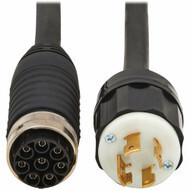
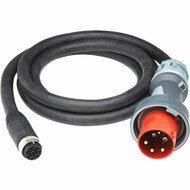
Power cables connect servers, switches, UPS systems, PDUs, storage equipment, network appliances, and other electrical devices to compatible power sources.
Business IT environments can require multiple power connector standards depending on voltage, amperage, equipment type, and region.
Explore Power Cables for compatible IT and power-infrastructure connections.
Server Power Cables
Servers commonly use IEC power connections between their power supplies and rack PDUs, UPS systems, or facility power.
Common connector families can include:
- IEC C13
- IEC C14
- IEC C19
- IEC C20
Connector, voltage, current, and cable rating should all match the equipment.
C13 to C14 Power Cords
C13-to-C14 cords are commonly used to connect servers, network switches, and other equipment to compatible rack PDUs or UPS outlets.
They are widely used in rack-based IT environments.
C19 to C20 Power Cords
C19 and C20 connections are commonly used for higher-power servers, switches, PDUs, and other enterprise equipment.
Current Hummingbird Networks inventory includes APC C19-to-C20 rack power cords for compatible PDU environments.
UPS Power Cables
UPS systems can require input cords, equipment power cords, battery-extension cables, and other specialized electrical connections.
The correct cable must match the UPS model, voltage, battery system, and electrical architecture.
PDU Power Cables
Rack PDUs provide power distribution to servers and other equipment.
Power cables should be selected according to:
- PDU outlet type
- Equipment inlet
- Voltage
- Current rating
- Cable length
Locking Power Cables
Locking power cables are designed to reduce accidental disconnection from compatible outlets or equipment.
They can be useful in racks where maintaining secure power connections is especially important.
Power Extension Cables
Power extension cables increase the distance between compatible power equipment and connected devices.
Specialized UPS battery-extension cables can also connect compatible external battery packs to UPS systems.
Use extension cables approved for the exact equipment and electrical load.
Power Cable Length
Selecting an appropriate power-cord length can reduce clutter inside racks.
A cable should be long enough for safe routing without tension but should not create excessive loops that interfere with airflow or maintenance.
Specialty Cables
Not every IT connection fits into standard Ethernet, fiber, or power categories.
Specialty cables can support access control, proprietary network connections, console interfaces, storage systems, security devices, equipment interconnects, and other technology applications.
Explore Specialty Cables for specialized business and infrastructure connectivity.
Access Control Cables
Physical-security systems can require dedicated wiring for door locks, magnetic locks, electric strikes, readers, and control systems.
Current Hummingbird Networks inventory includes Ubiquiti door-lock relay cable in bulk 500-foot configurations for compatible access-control environments.
Door Lock Relay Cables
Door-lock relay cable can carry control or power connections between compatible access-control equipment and door hardware.
Applications can include:
- Electric strikes
- Magnetic locks
- Door-control relays
- Access-control systems
Cable gauge, conductor count, fire rating, and access-control hardware requirements should be verified before installation.
Plenum Specialty Cables
Specialty cabling can be available with plenum-rated jackets for supported installations in environmental air spaces.
Current Ubiquiti access-control cabling sold by Hummingbird Networks includes plenum-rated options.
Storage Cables
Servers and storage systems can use specialized interfaces such as SAS and other direct storage connections.
Connector type, generation, lane count, cable length, and device compatibility should be matched carefully.
SAS Cables
Serial Attached SCSI, commonly abbreviated SAS, is used for enterprise storage connectivity.
SAS cable designs can connect:
- Servers to storage systems
- Controllers to drive enclosures
- Storage shelves
- Other compatible SAS devices
Console Cables
Console cables provide direct administrative access to compatible network equipment.
They can be used for initial configuration, troubleshooting, and recovery when normal network management is unavailable.
Console interfaces vary by manufacturer and equipment generation.
Equipment-Specific Cables
Some networking, server, storage, security, and power products require manufacturer-specific cabling.
Always verify the exact part number and equipment compatibility when the connection is proprietary or specialized.
Media Converters
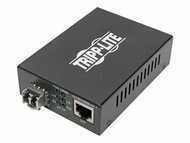
Media converters connect network segments that use different physical media or interfaces.
Common applications include converting copper Ethernet to fiber optic connectivity.
Explore Media Converters for compatible network-media conversion solutions.
What Is a Media Converter?
A media converter allows two different physical network media types to communicate when the Ethernet technologies are compatible.
A common example is:
Copper RJ45 Ethernet → Media Converter → Fiber Optic Ethernet
This can extend networks beyond copper distance limits or provide fiber connectivity to equipment that only has copper Ethernet ports.
Copper to Fiber Media Converters
Copper-to-fiber media converters connect standard twisted-pair Ethernet to fiber optic cabling.
They can be useful for:
- Long-distance Ethernet links
- Building-to-building networks
- Industrial environments
- Campus networks
- Security systems
- Remote equipment
SFP Media Converters
An SFP-based media converter includes an SFP slot so the optical interface can be selected using a compatible transceiver.
This can provide flexibility across:
- Singlemode fiber
- Multimode fiber
- Different wavelengths
- Different optical distances
Current Hummingbird Networks inventory includes Ubiquiti media-converter solutions with RJ45 Ethernet and SFP connectivity.
PoE Media Converters
Selected media converters can support Power over Ethernet on the copper side of the connection.
This can allow a fiber link to connect to a compatible PoE-powered endpoint or PoE network architecture depending on the product design.
Media Converter vs. Network Switch
A media converter primarily changes the physical media used for a network connection.
A network switch provides multiple active Ethernet ports and forwards traffic between devices.
Some network switches include both copper and fiber interfaces, eliminating the need for a separate media converter in those deployments.
Cables for Network Switches
Network switches can use several cable types depending on port configuration.
Connections can include:
- RJ45 Ethernet patch cables
- Fiber optic patch cables
- SFP+ DAC cables
- SFP28 DAC or AOC cables
- QSFP+ cables
- QSFP28 cables
- Power cords
Cables for Wireless Access Points
Wireless access points commonly use Ethernet cabling for both network connectivity and PoE power.
Modern high-performance access points can require:
- Cat6 or Cat6a cabling
- Multi-Gigabit Ethernet
- PoE+
- PoE++
Explore Wireless Access Points when planning complete wireless infrastructure.
Cables for Security Cameras
IP cameras frequently use Ethernet and PoE so one cable can carry both network traffic and electrical power.
Cable selection should account for:
- Camera data rate
- PoE requirements
- Indoor or outdoor installation
- Cable length
- Environmental rating
Cables for Servers
Servers can require several cable types, including:
- Ethernet cables
- Fiber optic cables
- DAC or AOC cables
- Power cords
- Storage cables
- Management cables
High-performance servers can use multiple network interfaces operating at 10G, 25G, 50G, 100G, or higher speeds.
Cables for Storage Systems
Enterprise storage can use Ethernet, fiber, SAS, and other specialized interfaces depending on the platform.
Storage cabling should match controller interfaces, network speeds, redundancy requirements, and equipment manufacturer specifications.
Cables for Firewalls
Firewalls can use copper Ethernet, fiber transceivers, DAC cables, and power cables depending on the appliance.
High-performance firewall uplinks should be matched to the required Ethernet speed and supported transceiver or cable type.
Cables for Data Centers
Data centers use a mixture of copper, fiber, DAC, AOC, and power cabling.
Data center cable selection should consider:
- Bandwidth
- Distance
- Cable density
- Airflow
- Power consumption
- Fiber type
- Rack layout
- Equipment compatibility
- Future network speeds
Cables for Network Closets
Network closets commonly contain Ethernet patch cables, fiber uplinks, switch power cords, console cables, and other equipment connections.
Appropriate cable lengths and organized routing can help reduce congestion around patch panels and switches.
Cables for Server Rooms
Server rooms can require data, storage, power, management, and fiber backbone connectivity.
Cable infrastructure should be planned together with rack layout, switching, power distribution, and cooling.
Cables for Campus Networks
Campus networks can use copper Ethernet within buildings and fiber optic cabling between telecommunications rooms and buildings.
Singlemode fiber is commonly selected where longer distances or future optical scalability are important.
Cables for Branch Offices
Branch offices can use Ethernet patch cables, fiber uplinks, firewall connections, wireless-access-point cabling, and power cords.
Standardizing commonly used cable types and lengths can simplify local maintenance.
Cables for Industrial Networks
Industrial Ethernet environments can require shielded cabling, rugged connectors, fiber optic links, or specialized environmental ratings.
Installation considerations can include:
- Electrical interference
- Temperature
- Moisture
- Dust
- Vibration
- Mechanical protection
Network Cable Speed
Network cable speed depends on the complete link, including:
- Cable type
- Connector type
- Distance
- Network equipment
- Transceiver technology
Installing a cable rated for a high speed does not increase performance if the connected network ports operate at a lower speed.
1 Gigabit Ethernet Cables
Gigabit Ethernet is widely supported over Cat5e, Cat6, Cat6a, fiber, and other compatible media.
The correct cable depends on network topology and distance.
2.5G & 5G Multi-Gigabit Ethernet
Multi-Gigabit Ethernet can provide greater bandwidth over compatible twisted-pair infrastructure.
This is increasingly useful for high-performance wireless access points and other devices that can exceed 1 Gbps of network throughput.
10 Gigabit Ethernet Cables
10 Gigabit Ethernet can use several physical media, including:
- Cat6a copper
- Compatible Cat6 at supported distances
- Multimode fiber
- Singlemode fiber
- SFP+ DAC
- SFP+ AOC
25 Gigabit Ethernet Cables
25 Gigabit Ethernet is commonly used for server and data center connections.
SFP28 DAC, AOC, and optical transceiver connections are common implementations.
40 Gigabit Ethernet Cables
40 Gigabit Ethernet commonly uses QSFP+ connectivity with fiber, DAC, or AOC cable solutions.
50 Gigabit Ethernet Cables
50 Gigabit Ethernet can use SFP56 and other high-speed interfaces depending on the networking platform.
100 Gigabit Ethernet Cables
100 Gigabit Ethernet is commonly deployed using QSFP28 optical, DAC, or AOC connectivity.
Equipment compatibility should be checked carefully because high-speed interfaces can have platform-specific requirements.
400 Gigabit Ethernet Cables
400 Gigabit Ethernet is increasingly used in high-density data center, cloud, AI, and high-performance computing environments.
High-fiber-count MTP/MPO assemblies and modern multimode or singlemode optical architectures can support these deployments.
Cable Length & Network Performance
Every cable technology has supported transmission-distance limits.
Distance depends on:
- Ethernet standard
- Cable category
- Fiber type
- Transceiver type
- Signal technology
Do not assume that two cables using the same connector support the same maximum distance.
Ethernet Cable Distance
Standard twisted-pair Ethernet channels are commonly designed around a maximum channel length of approximately 100 meters, or 328 feet.
Specific link requirements can vary according to Ethernet speed and cabling architecture.
Fiber Cable Distance
Fiber optic distance varies dramatically according to fiber type, wavelength, transceiver, and Ethernet standard.
Some multimode links cover data center and building distances, while compatible singlemode systems can operate over kilometers.
DAC Cable Distance
DAC cables are primarily designed for relatively short high-speed links.
Passive DAC is typically used for the shortest connections, while active copper designs can support greater distances depending on the interface.
AOC Cable Distance
Active Optical Cables can support longer direct connections than many copper DAC cables while retaining integrated transceiver-style connectors.
Choosing Copper vs. Fiber
Copper and fiber each offer advantages.
Copper Ethernet: Familiar RJ45 connectivity, PoE support, and cost-effective access networking.
Fiber optic: High bandwidth, longer distance, electrical isolation, and strong resistance to electromagnetic interference.
Many business networks use copper at the access layer and fiber for uplinks or backbones.
Copper vs. DAC
Conventional Ethernet copper cables use RJ45 interfaces, while DAC cables typically use integrated SFP or QSFP-family connectors.
DAC is primarily used for high-speed equipment-to-equipment connections rather than conventional office Ethernet endpoints.
Fiber vs. AOC
A conventional fiber link generally uses separate transceivers and a removable fiber cable.
An AOC integrates the optical components and cable into a single assembly.
Conventional optics can provide greater modularity, while AOCs can simplify supported direct connections.
Cable Jacket Ratings
Cable jackets are designed for different installation environments.
Common descriptions can include:
- CM
- CMR
- CMP
- LSZH
- Outdoor-rated
The required cable rating depends on installation location and applicable building requirements.
CM Cable
CM is a general-purpose communications cable rating used in supported commercial installations.
CMR Riser Cable
CMR-rated cable is designed for compatible vertical riser applications between floors.
CMP Plenum Cable
CMP-rated cable is designed for compatible plenum environmental air spaces.
Use plenum cable when required by the installation environment and applicable codes.
LSZH Cables
Low Smoke Zero Halogen cables use jacket materials designed to reduce smoke and halogen gas emissions during combustion.
LSZH requirements can be important in selected data centers, transportation environments, and international installations.
Outdoor Network Cables
Outdoor cable can require jackets and construction designed for environmental exposure.
Installation planning should consider:
- UV exposure
- Moisture
- Temperature
- Conduit
- Grounding
- Surge protection
Indoor vs. Outdoor Cable
Standard indoor network cable should not automatically be used outdoors.
Outdoor-rated cables are designed for environmental conditions that can degrade conventional indoor cable jackets.
Cable Shielding
Network cable shielding can help reduce electromagnetic interference when implemented correctly.
Common cable descriptions include UTP, F/UTP, STP, and other shielding architectures.
UTP Cables
UTP stands for Unshielded Twisted Pair.
It is widely used in conventional office and commercial Ethernet networks.
STP Cables
STP is commonly used as a general description for shielded twisted-pair cabling.
Shielded cable is useful in selected environments with higher electromagnetic interference.
Cable Color Coding
Different cable colors can help identify connection roles.
Organizations can use colors for:
- Production networks
- Management networks
- Wireless access points
- Security cameras
- VoIP phones
- Uplinks
- Power redundancy
Color coding should complement clear labels and network documentation.
Cable Labeling
Clear labels can reduce troubleshooting time and prevent accidental disconnections.
Labels can identify:
- Source device
- Destination device
- Switch port
- Patch-panel port
- Rack
- Power source
Cable Management
Choosing the correct cable is only part of building maintainable infrastructure.
Proper cable routing can help protect connectors, improve airflow, and simplify equipment replacement.
Explore Cable Management for rack cable organizers, vertical managers, retainers, and routing hardware.
Patch Panels & Cable Infrastructure
Permanent Ethernet and fiber cabling often terminates at patch panels before connecting to active network equipment.
Explore Patch Panels & Connectors for structured-cabling termination hardware.
Cables & Transceiver Modules
Fiber optic cables must be matched with compatible optical transceivers at both ends of the connection.
Important factors include:
- Transceiver form factor
- Ethernet speed
- Fiber mode
- Connector type
- Wavelength
- Link distance
Explore Transceiver Modules when building optical network links.
Cable Compatibility
Physical connector fit does not always guarantee electrical, optical, or protocol compatibility.
Before ordering a cable, verify:
- Device manufacturer
- Device model
- Port type
- Network speed
- Connector type
- Required cable length
- Cable category or fiber type
- PoE requirements
- Environmental rating
How to Choose an Ethernet Cable
Determine the Required Network Speed
Identify whether the connection will operate at 1G, 2.5G, 5G, 10G, or another Ethernet speed.
Determine the Required Length
Choose enough length for proper routing without excessive slack.
Check PoE Requirements
Verify whether the cable will power an access point, camera, phone, or other PoE device.
Choose Shielded or Unshielded
Select according to the environment and structured-cabling architecture.
Check the Jacket Rating
Make sure the cable jacket is suitable for the installation location.
How to Choose a Fiber Optic Cable
Choose Singlemode or Multimode
Match the cable to the transceivers at both ends of the link.
Identify the Fiber Type
Determine whether the application requires OS2, OM3, OM4, or another fiber specification.
Identify the Connectors
Match LC, SC, ST, MTP/MPO, or other connectors to the equipment.
Determine the Distance
Verify that the fiber and optics support the required link length.
Check the Jacket Rating
Select plenum, LSZH, or other required cable construction for the environment.
How to Choose a DAC or AOC Cable
Identify the Port Type
Determine whether the equipment uses SFP+, SFP28, SFP56, QSFP+, QSFP28, or another interface.
Identify the Required Speed
Verify 10G, 25G, 40G, 50G, 100G, or other link requirements.
Measure the Distance
Passive DAC, active DAC, and AOC have different practical distance ranges.
Verify Equipment Compatibility
Confirm that both connected devices support the specific cable.
How to Choose a Power Cable
Identify the Equipment Inlet
Determine the connector required by the server, switch, UPS, PDU, or other device.
Identify the Power Source Outlet
Match the other cable end to the UPS, PDU, or facility power connection.
Verify Voltage & Current
The cable must be electrically rated for the application.
Select an Appropriate Length
Avoid both excessive tension and unnecessary cable slack.
Cable Selection Checklist
Before purchasing a cable, verify:
- Application
- Equipment manufacturer
- Equipment model
- Port type
- Connector on each end
- Network speed
- Required distance
- Copper or fiber
- Fiber mode
- Cable category
- Shielding
- PoE requirements
- Cable jacket rating
- Indoor or outdoor environment
- Color
- Equipment compatibility
Planning Cable Infrastructure
Cabling should be planned as part of the complete IT environment.
Consider:
- Network switches
- Servers
- Storage
- Wireless access points
- Security cameras
- Patch panels
- Racks
- Power distribution
- Cable management
- Future bandwidth requirements
Planning for Future Network Speeds
Cable infrastructure can remain in service longer than many network switches and servers.
When installing new permanent cabling, organizations should consider whether the selected cable category or fiber type will support expected future network upgrades.
Cable Testing
Network cabling can be tested to identify wiring faults and performance problems.
Testing can help identify:
- Open conductors
- Short circuits
- Incorrect pinouts
- Fiber loss
- Damaged cables
- Performance failures
Replacing Damaged Cables
Cables with damaged connectors, crushed jackets, severe bends, exposed conductors, or intermittent connections should be investigated and replaced when necessary.
Network problems caused by physical cabling can appear as intermittent packet loss, link negotiation problems, reduced speed, or complete loss of connectivity.
Cable Bend Radius
All cable types have limits on how tightly they should be bent.
Fiber optic, DAC, AOC, Ethernet, and power cables should be routed according to manufacturer bend-radius requirements.
Cable Strain Relief
Cables should not hang from equipment connectors under significant weight.
Appropriate support and cable management can reduce mechanical stress on network, fiber, storage, and power ports.
Why Buy Cables from Hummingbird Networks?
Cable selection directly affects network performance, reliability, serviceability, and equipment compatibility. The correct connection requires more than finding two connectors that physically fit.
Hummingbird Networks offers cable and connectivity solutions for office networks, server rooms, data centers, wireless networks, security systems, power infrastructure, storage, edge computing, and industrial environments.
Customers can turn to our team for:
- Ethernet cables
- Cat5e cables
- Cat6 cables
- Cat6a cables
- Cat8 cables
- PoE Ethernet cables
- Singlemode fiber cables
- Multimode fiber cables
- LC, SC, ST, and MTP/MPO fiber cables
- DAC cables
- AOC cables
- 10G, 25G, 40G, 50G, 100G, and high-speed connectivity
- Power cables
- UPS and PDU power cords
- Specialty cables
- Access-control cables
- Media converters
- Cisco connectivity
- HPE connectivity
- Ubiquiti connectivity
- Eaton Tripp Lite Series cables
- Hummingbird Networks compatible connectivity
- Product and compatibility guidance
Whether you need a short Cat6 patch cable for a network switch, Cat6a for a Multi-Gigabit access point, singlemode fiber across a campus, a 100G QSFP28 direct-attach cable in a data center, or a compatible power cord for rack equipment, Hummingbird Networks can help identify connectivity based on speed, distance, interface, environment, and equipment requirements.
Frequently Asked Questions About Cables
What types of cables does Hummingbird Networks sell?
Hummingbird Networks offers Ethernet cables, fiber optic cables, DAC and AOC cables, power cables, specialty cables, and related network-connectivity products.
What Ethernet cable should I use?
The correct Ethernet cable depends on network speed, distance, PoE requirements, shielding, installation environment, and future performance requirements.
What is the difference between Cat5e and Cat6?
Cat6 provides higher specified performance than Cat5e and additional headroom for modern business networking applications.
What is the difference between Cat6 and Cat6a?
Cat6a is designed to support 10 Gigabit Ethernet over standard structured-cabling channel distances and provides higher specified performance than Cat6.
What is Cat8 cable?
Cat8 is a shielded high-performance copper Ethernet category designed for high-speed short-distance networking applications.
What cable should I use for 10 Gigabit Ethernet?
Options include Cat6a copper, compatible fiber optic cabling, SFP+ DAC, and SFP+ AOC depending on equipment and distance.
What cable should I use for 25 Gigabit Ethernet?
25G connections commonly use SFP28 DAC, AOC, or compatible optical transceivers and fiber.
What cable should I use for 40 Gigabit Ethernet?
40G commonly uses QSFP+ DAC, AOC, or compatible multimode or singlemode optical connectivity.
What cable should I use for 100 Gigabit Ethernet?
100G commonly uses QSFP28 direct-attach, active optical, or compatible fiber optic connections.
Can Ethernet cable carry power?
Yes. Compatible Ethernet cabling can carry Power over Ethernet for access points, cameras, phones, and other supported powered devices.
What is the best cable for PoE?
The appropriate cable depends on PoE power level, Ethernet speed, length, bundle size, environment, and installation requirements. Cat6 and Cat6a are commonly used in modern PoE networks.
Can Cat6a support PoE++?
Appropriately specified Cat6a cabling can be used with high-power PoE applications when the complete installation meets equipment and cabling requirements.
What is the maximum length of an Ethernet cable?
Standard twisted-pair Ethernet channels are commonly designed around a maximum total channel length of approximately 100 meters or 328 feet.
What is fiber optic cable?
Fiber optic cable transmits data using light through optical fibers rather than electrical signals over copper conductors.
What is the difference between singlemode and multimode fiber?
Singlemode fiber is commonly used for longer-distance links, while multimode fiber is commonly used for shorter high-speed connections inside buildings and data centers.
What is OS2 fiber?
OS2 is a widely used singlemode fiber specification for modern long-distance optical networks.
What is OM3 fiber?
OM3 is laser-optimized multimode fiber used in many high-speed enterprise and data center links.
What is OM4 fiber?
OM4 is higher-performance multimode fiber commonly used for high-speed data center and enterprise optical connectivity.
What is the difference between LC and SC fiber connectors?
LC is a smaller-form-factor connector commonly used with modern transceivers, while SC is a larger connector used across enterprise and telecommunications infrastructure.
What is MTP or MPO fiber?
MTP and MPO connectors contain multiple optical fibers in a single high-density connector and are widely used for high-speed data center links.
What is a DAC cable?
A Direct Attach Copper cable is an integrated copper cable assembly with SFP or QSFP-family connectors attached to both ends.
What is an AOC cable?
An Active Optical Cable uses optical fiber and integrated electronics with transceiver-style connectors permanently attached to the cable.
What is the difference between DAC and AOC?
DAC uses copper and is commonly selected for short connections. AOC uses optical fiber and can provide longer reach and lower cable weight in supported applications.
Do I need transceivers with a DAC cable?
No. A DAC includes the pluggable interfaces as part of the integrated cable assembly.
Do I need transceivers with an AOC?
No. The optical electronics and pluggable interfaces are integrated into the AOC assembly.
Should I use DAC or separate fiber transceivers?
DAC can be practical for short supported links, while separate optics and fiber can provide more modularity and greater distance.
Are DAC cables compatible with every switch?
No. Verify cable speed, form factor, coding, and compatibility with the exact switch or server platform.
What is an SFP+ DAC cable?
An SFP+ DAC is a direct-attach cable commonly used for short 10 Gigabit Ethernet links.
What is an SFP28 cable?
SFP28 cable assemblies are commonly used for 25 Gigabit Ethernet connectivity.
What is a QSFP28 cable?
QSFP28 cable assemblies are widely used for 100 Gigabit Ethernet connections.
What is a media converter?
A media converter connects compatible network segments using different physical media, such as copper Ethernet and fiber optic cable.
Why would I use a media converter?
A media converter can add fiber connectivity or extend Ethernet beyond copper distance limits without replacing equipment that only has copper network ports.
What is an SFP media converter?
An SFP media converter includes an SFP slot so administrators can choose a compatible optical transceiver for the required fiber type and distance.
What is a specialty cable?
Specialty cables cover applications outside conventional Ethernet, fiber, or standard power connectivity, including access control, storage, console, and equipment-specific connections.
Does Hummingbird Networks sell access-control cable?
Yes. Current inventory includes Ubiquiti door-lock relay cable for compatible access-control installations.
What is a C13 to C14 power cord?
C13-to-C14 cables are commonly used to connect servers and other IT equipment to compatible rack PDUs and UPS systems.
What is a C19 to C20 power cord?
C19-to-C20 power cords are commonly used for higher-power rack equipment and compatible PDUs.
What does plenum-rated cable mean?
Plenum-rated cable is designed for installation in compatible environmental air spaces where applicable requirements call for plenum cable.
What does LSZH mean?
LSZH stands for Low Smoke Zero Halogen and describes cable jacket materials designed to produce reduced smoke and halogen emissions during combustion.
What is shielded Ethernet cable?
Shielded Ethernet cable includes conductive shielding intended to reduce electromagnetic interference when used in a properly designed shielded cabling system.
Do I need shielded Ethernet cable?
It depends on the environment. Conventional offices often use unshielded cabling, while industrial or electrically noisy environments can benefit from shielded designs.
What does UTP mean?
UTP stands for Unshielded Twisted Pair.
Can I use an indoor Ethernet cable outdoors?
Standard indoor cable should not automatically be used outdoors. Use cable designed for the environmental conditions of the installation.
Does cable color affect performance?
No. Cable color is primarily useful for organization and identification when the construction and electrical specifications are otherwise the same.
Why should network cables be labeled?
Labels help administrators identify cable destinations and reduce the chance of disconnecting the wrong equipment during maintenance.
Can cable management affect network reliability?
Yes. Proper routing can reduce connector strain, prevent cable damage, preserve airflow, and simplify troubleshooting.
Does Hummingbird Networks carry Cisco DAC and AOC cables?
Yes. Hummingbird Networks currently carries Cisco high-speed direct-attach and active optical cable products for compatible networking equipment.
Does Hummingbird Networks carry HPE DAC and AOC cables?
Yes. Current inventory includes HPE 25G, 40G, 50G, 100G, and other compatible high-speed cable solutions.
Does Hummingbird Networks carry Ubiquiti cables?
Yes. Current inventory includes Ubiquiti Ethernet patch cables, SFP28 uplink cables, DAC cables, access-control cabling, and related connectivity.
Does Hummingbird Networks carry Eaton Tripp Lite Series cables?
Yes. Hummingbird Networks carries a broad Eaton Tripp Lite Series cable portfolio including Ethernet, fiber, power, storage, and specialized connectivity.
Does Hummingbird Networks offer its own cables?
Yes. Hummingbird Networks offers compatible Ethernet, fiber, DAC, AOC, and related connectivity products for supported networking environments.
Can Hummingbird Networks help me choose the correct cable?
Yes. Providing the equipment manufacturer and model, port type, required speed, connection distance, connector types, PoE requirements, and installation environment can help identify appropriate cable options.
Shop Business & Enterprise Cables
Complete network, server, storage, security, wireless, and power deployments with Ethernet cables, fiber optic cables, DAC and AOC cables, power cords, specialty cabling, and media converters designed for modern IT environments.
From Cat6 and Cat6a Ethernet to high-speed fiber, 25G and 100G direct-attach connectivity, server power cords, access-control cable, and copper-to-fiber conversion, Hummingbird Networks can help organizations select cables based on bandwidth, distance, interface, PoE, environment, and equipment compatibility.