
Racks & Infrastructure
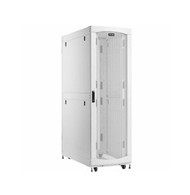 Racks & Enclosures
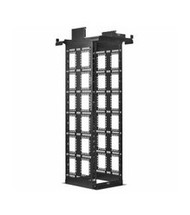 Rack & Enclosure Accessories
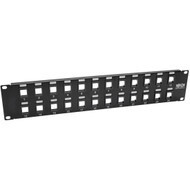 Patch Panels & Connectors
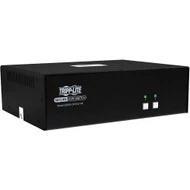 KVM Switches & Consoles
 Cable Management
Get The Best Pricing. Fast.
Send us your part numbers, BoM, or project details. We'll respond quickly with accurate pricing.
Have Questions?Talk To Our Team Today
Get quick answers and help choosing the right option.
Organize, protect, mount, connect, and manage business IT equipment with racks and infrastructure solutions from Hummingbird Networks. Available physical infrastructure includes server racks, network enclosures, wall-mount cabinets, rack accessories, patch panels, KVM switches and consoles, cable-management systems, blanking panels, mounting hardware, and related equipment for network closets, server rooms, edge locations, and data centers.
Racks and infrastructure provide the physical foundation that supports servers, switches, firewalls, storage systems, UPS equipment, patching, power distribution, cabling, and other critical technology. A properly designed rack environment helps improve equipment organization, serviceability, airflow, cable routing, physical protection, and future expansion.
Hummingbird Networks offers rack and physical infrastructure solutions from manufacturers including APC, Eaton, Eaton Tripp Lite Series, Ubiquiti, Fortinet, HPE, Netgear, and other leading IT infrastructure brands.
Racks & Physical Infrastructure for Business IT
Physical IT infrastructure provides the mounting, organization, protection, connectivity, and access systems required to support business technology.
A complete rack environment can include:
- Server racks
- Network racks
- Rack enclosures
- Wall-mount cabinets
- Open-frame racks
- Industrial enclosures
- Rack shelves
- Mounting rails
- Blanking panels
- Patch panels
- Keystone jacks and connectors
- KVM switches
- Rack LCD consoles
- Horizontal cable management
- Vertical cable management
- Cable retainers and routing accessories
The appropriate infrastructure depends on equipment size, rack depth, weight, airflow, cabling, power distribution, physical security, maintenance requirements, and expected future growth.
Why Racks & Infrastructure Matter
Servers, switches, storage systems, firewalls, UPS systems, patch panels, and other IT equipment must be physically supported and organized.
Well-planned rack infrastructure can help organizations:
- Use available floor space efficiently
- Protect equipment from accidental damage
- Improve airflow
- Organize network cabling
- Simplify equipment maintenance
- Improve physical security
- Support power distribution
- Maintain clear equipment identification
- Improve service access
- Prepare for future equipment growth
Physical infrastructure should be planned together with networking, servers, power, cooling, and cabling rather than added after the equipment has already been purchased.
Racks & Enclosures
Racks and enclosures provide standardized mounting structures for servers, network switches, storage, UPS systems, power distribution, patch panels, and other rack-mounted hardware.
Available designs can include:
- Full-height server racks
- Network cabinets
- Wall-mount enclosures
- Open-frame racks
- Industrial enclosures
- Outdoor enclosures
- Heavy-duty server cabinets
Explore Racks & Enclosures for physical mounting and equipment-protection solutions.
Server Racks
Server racks are designed to support rack-mounted computing, storage, networking, power, and related infrastructure.
A server rack can contain:
- 1U and 2U servers
- Storage arrays
- Network switches
- Firewalls
- Rack PDUs
- UPS systems
- KVM consoles
- Patch panels
Server-rack selection should consider rack height, depth, width, equipment weight, airflow, power distribution, cable routing, and service clearances.
Network Racks
Network racks are commonly used for switches, routers, firewalls, patch panels, fiber enclosures, communications equipment, and related network hardware.
Network racks can be shallower than server racks when the installed equipment does not require full server depth.
Important considerations include:
- Switch depth
- Patch-panel quantity
- Cable density
- PoE power requirements
- UPS placement
- Rack airflow
- Future ports and equipment
Server Rack vs. Network Rack
Server and network racks use similar standardized mounting concepts, but their physical requirements can differ.
Server racks: Often require greater depth, higher weight capacity, substantial airflow, and support for servers, storage, UPS equipment, and rack PDUs.
Network racks: Often emphasize switches, patch panels, fiber equipment, routers, firewalls, and cable management.
Some environments use the same enclosure for both networking and computing equipment.
Rack Enclosures
A rack enclosure is a cabinet-style rack with structural framing and external panels or doors.
Enclosures can provide:
- Equipment protection
- Physical security
- Controlled cable routing
- Defined airflow paths
- Organized power distribution
- Improved appearance
Rack enclosures are widely used in data centers, server rooms, offices, industrial locations, and edge computing environments.
Open-Frame Racks
Open-frame racks provide equipment mounting without a fully enclosed cabinet.
Advantages can include:
- Easy equipment access
- Excellent passive airflow
- Reduced cabinet weight
- Flexible cable routing
- Lower physical footprint in some installations
Open-frame racks are commonly used in telecommunications rooms, network closets, laboratories, and controlled-access spaces.
2-Post Racks
2-post racks use two vertical mounting rails and are commonly used for patch panels, switches, routers, lightweight network equipment, and telecommunications hardware.
They provide easy front and rear cable access but can be less appropriate for deep or heavy servers without suitable mounting support.
4-Post Racks
4-post racks provide front and rear mounting rails that can support deeper and heavier IT equipment.
They are widely used for:
- Servers
- Storage systems
- UPS systems
- Large switches
- KVM consoles
- Other deep rack equipment
2-Post vs. 4-Post Rack
A 2-post rack can be practical for telecommunications and networking equipment that does not require rear support.
A 4-post rack generally provides better support for deep and heavy servers, storage, UPS systems, and enterprise equipment.
The correct rack should be selected based on equipment depth, mounting method, weight, and manufacturer requirements.
Wall-Mount Racks & Cabinets
Wall-mount racks and cabinets provide compact equipment mounting for locations where a full floor-standing rack is unnecessary or impractical.
They can be useful for:
- Small network closets
- Branch offices
- Retail locations
- Security systems
- Remote sites
- Classrooms
- Small telecommunications rooms
Equipment depth and weight are particularly important when selecting a wall-mounted enclosure.
Wall-Mount Network Enclosures
Wall-mounted network enclosures can provide physical protection for switches, patch panels, firewalls, routers, and related infrastructure.
Available designs can include locking doors, removable panels, cable-access openings, ventilation, and different rack-unit capacities.
Industrial Enclosures
Industrial IT environments can require enclosures designed for dust, moisture, physical exposure, or other challenging conditions.
Current Hummingbird Networks inventory includes Eaton Tripp Lite Series SmartRack industrial enclosures designed around NEMA-rated protection for compatible applications.
Outdoor IT Enclosures
Outdoor and semi-exposed infrastructure can require enclosures designed to protect equipment from environmental conditions beyond those found in conventional offices.
Selection should consider:
- Environmental rating
- Temperature
- Moisture
- Dust
- Sun exposure
- Cooling
- Equipment depth
- Cable entry
NEMA-Rated Enclosures
NEMA enclosure ratings describe protection against environmental conditions for compatible electrical and electronic equipment.
Current Hummingbird Networks rack inventory includes NEMA 4 industrial enclosures from Eaton Tripp Lite Series.
The required NEMA rating depends on the environment and application.
Heavy-Duty Server Racks
High-density computing can require racks capable of supporting substantial equipment weight.
Heavy-duty enclosures can be useful for:
- Dense server deployments
- AI servers
- GPU servers
- Storage arrays
- Large UPS systems
- High-density rack power
Current Hummingbird Networks inventory includes Eaton SmartRack heavy-duty enclosures designed for modern high-density server and AI infrastructure.
AI Server Racks
AI and accelerated-computing servers can create greater rack demands because of their weight, depth, electrical consumption, cabling, and cooling requirements.
When planning racks for AI servers, consider:
- Rack weight capacity
- Server depth
- Rack width
- Power density
- PDU placement
- Cooling
- High-speed networking
- Cable density
Rack Units Explained
Rack-mounted equipment height is commonly measured in rack units, abbreviated U.
One rack unit equals 1.75 inches of vertical rack space.
Examples include:
- 1U network switches
- 1U servers
- 2U servers
- 2U UPS systems
- 4U equipment
The rack's total U capacity determines how much vertical equipment space is available.
What Does 1U Mean?
1U represents one standard rack unit of vertical height.
1U equipment is approximately 1.75 inches high and commonly includes switches, servers, patch panels, KVM consoles, and other compact rack hardware.
What Does 2U Mean?
2U equipment occupies two rack units, or approximately 3.5 inches of vertical rack space.
2U form factors are common for servers, UPS systems, storage appliances, and other equipment requiring more internal space.
What Is a 42U Rack?
A 42U rack provides 42 standard rack units of mounting height.
42U has traditionally been a common full-height data center rack size, although other heights are widely used.
45U & 48U Racks
Taller 45U and 48U enclosures can provide additional vertical equipment capacity.
Current Hummingbird Networks inventory includes Eaton SmartRack 45U and 48U heavy-duty server enclosures for high-density infrastructure.
How Much Rack Space Do I Need?
Calculate the rack units required by all planned equipment, then leave appropriate room for:
- Future expansion
- Patch panels
- Cable management
- Rack PDUs
- KVM equipment
- Blanking panels
- Cooling and airflow
A rack filled to its exact capacity on day one can be difficult to expand and maintain.
Rack Depth
Rack depth is critical for servers, UPS systems, storage, and other deep equipment.
Rack depth should account for:
- Equipment chassis depth
- Rail length
- Power connectors
- Network cabling
- Rear service clearance
- Airflow
A rack can have enough vertical space but still be unusable if it is too shallow for the equipment.
Standard-Depth vs. Deep Server Racks
Standard-depth racks can support conventional rack servers and networking equipment.
Extra-deep racks can be useful for modern servers, storage, power equipment, and high-density systems that require greater chassis and cable clearance.
Current Hummingbird Networks inventory includes both standard-depth and deep SmartRack enclosures.
Extra-Wide Server Racks
Extra-wide enclosures can provide additional side space for cable routing, vertical PDUs, and high-density connectivity.
This can be helpful in racks containing large quantities of Ethernet, fiber, power, or storage cabling.
Rack Width
Standard IT equipment is typically designed around 19-inch mounting rails, but the external cabinet width can be greater.
Wider cabinets can provide additional room for:
- Vertical cable management
- High-density fiber
- Power distribution
- Cable bundles
19-Inch Racks
The 19-inch rack standard is widely used across servers, networking, storage, telecommunications, UPS systems, and related IT equipment.
Rack accessories, shelves, patch panels, switches, and other infrastructure should be checked for compatibility with the intended mounting standard.
Rack Weight Capacity
Equipment weight can become substantial when a rack contains servers, UPS batteries, storage arrays, transformers, and high-density power equipment.
Before selecting a rack, consider:
- Static weight rating
- Rolling or dynamic weight rating
- Floor capacity
- Equipment placement
- Center of gravity
Heavy equipment should be installed according to rack and equipment manufacturer requirements.
Rack Stability
Rack stability is especially important when heavy equipment is extended on sliding rails.
Anti-tip features, floor anchoring, stabilization hardware, and correct equipment placement can reduce tipping risk.
Organizations should avoid extending multiple heavy rack devices at the same time unless the rack design specifically supports it.
Rack Doors
Rack enclosures can use front and rear doors to provide physical protection while maintaining required airflow.
Door designs can include:
- Perforated doors
- Mesh doors
- Solid doors
- Locking doors
- Split rear doors
The correct door design depends on cooling, access, security, and physical space.
Perforated Rack Doors
Perforated doors allow airflow through the rack while providing a physical barrier around equipment.
They are common in server and data center environments using front-to-back equipment airflow.
Locking Server Racks
Locking rack doors and side panels can help restrict physical access to installed IT equipment.
Physical rack security can be useful in:
- Shared offices
- Colocation environments
- Public areas
- Retail locations
- Branch offices
- Industrial sites
Rack Physical Security
Physical security is part of infrastructure security.
Depending on the rack and environment, security can include:
- Locking front doors
- Locking rear doors
- Locking side panels
- Controlled room access
- Electronic access monitoring
- Environmental sensors
Rack Airflow
Rack design has a direct effect on equipment cooling.
Servers and network equipment require a clear path for cool intake air and hot exhaust air.
Rack airflow planning should consider:
- Equipment airflow direction
- Door perforation
- Blanking panels
- Cable obstruction
- PDU placement
- Room cooling
Front-to-Back Rack Airflow
Many servers and network switches draw cool air from the front and exhaust hot air from the rear.
Rack layouts should support that airflow rather than allowing hot exhaust to circulate back into equipment intakes.
Blanking Panels
Blanking panels cover unused rack spaces.
In addition to improving appearance, they can help reduce hot-air recirculation in properly designed front-to-back cooling environments.
Current Hummingbird Networks inventory includes Eaton and Ubiquiti blanking panels for compatible rack applications.
Rack Cooling
High-density racks can require active cooling or airflow management beyond passive ventilation.
Rack cooling can include:
- Fan panels
- Exhaust fans
- Airflow ducts
- Blanking panels
- In-row cooling
- Environmental monitoring
Explore Cooling Solutions for equipment and room-level thermal management.
Rack & Enclosure Accessories
Rack accessories help adapt, organize, secure, mount, and maintain equipment within racks and enclosures.
Accessories can include:
- Rack shelves
- Rail kits
- Mounting brackets
- Blanking panels
- Rack doors
- Side panels
- Casters
- Leveling feet
- Grounding hardware
- Equipment trays
- Rack-mount kits
Explore Rack & Enclosure Accessories for compatible mounting and infrastructure hardware.
Rack Shelves
Rack shelves allow non-rackmount equipment to be installed inside compatible racks.
Shelves can support items such as:
- Desktop network appliances
- Small UPS systems
- Modems
- Media converters
- Other non-rackmount electronics
Shelf depth and weight capacity should be matched to the equipment.
Fixed Rack Shelves
Fixed shelves remain stationary inside the rack and provide simple support for compatible equipment.
They can be useful where equipment does not require frequent rear access.
Sliding Rack Shelves
Sliding shelves allow supported equipment to extend from the rack for maintenance or access.
Rack stability and shelf weight capacity should be considered carefully when using sliding hardware.
Rack Rails
Rack rails support compatible servers, UPS systems, storage arrays, and other equipment.
Rail compatibility can depend on:
- Equipment model
- Rack depth
- 2-post or 4-post mounting
- Square-hole or threaded rack design
- Equipment weight
Server Rail Kits
Servers commonly use model-specific rail kits that allow the chassis to slide into and out of the rack.
Server rail compatibility should be verified using the exact server model and rack dimensions.
Rack-Mount Kits
Rack-mount kits allow compatible equipment that may otherwise be desktop or appliance-based to install in a standardized rack.
Current Hummingbird Networks inventory includes rack-mount trays and mounting solutions for compatible Fortinet, Eaton, Ubiquiti, and other equipment.
Firewall Rack-Mount Kits
Some firewalls and security appliances use dedicated mounting trays or brackets rather than integrated rack ears.
Current Hummingbird Networks infrastructure inventory includes Fortinet rack-mount trays for compatible firewall systems.
Patch Panels & Connectors
Patch panels provide centralized termination and organization for network cabling.
They allow permanent horizontal cabling to terminate at an organized rack or wall location while shorter patch cables connect ports to network switches.
Explore Patch Panels & Connectors for copper and compatible structured-cabling infrastructure.
What Is a Patch Panel?
A patch panel is a passive connectivity device that provides multiple cable termination points in a rack, cabinet, or wall-mounted installation.
Patch panels can help:
- Organize network cabling
- Simplify moves and changes
- Protect permanent cable runs
- Improve labeling
- Maintain structured cabling
Ethernet Patch Panels
Ethernet patch panels support structured copper network cabling.
Available designs can support cabling categories such as:
- Cat5e
- Cat6
- Cat6a
- Cat8 on compatible connectivity hardware
The patch panel, jacks, cable, connectors, and patch cords should all be selected according to the required network category and performance.
Keystone Patch Panels
Keystone patch panels accept modular keystone jacks or couplers.
This allows installers to configure the panel with the exact connector types required for the installation.
Current Hummingbird Networks inventory includes Eaton Tripp Lite Series wall-mount patch panels for compatible keystone jacks.
Keystone Jacks
Keystone jacks provide modular network termination points for compatible wall plates and patch panels.
Current Hummingbird Networks inventory includes Cat6a and Cat8 keystone connectivity products.
Shielded Network Connectors
Shielded connectivity can be used with compatible shielded twisted-pair cabling where additional electromagnetic interference control is required.
The entire channel should be designed consistently, including cable, jacks, patch panels, patch cords, and grounding.
Patch Panels for Network Closets
Patch panels are a core component of organized network closets.
A typical structured-cabling path can be:
Work Area → Horizontal Cable → Patch Panel → Patch Cable → Network Switch
This separates permanent building cabling from shorter switch patching.
Patch Panel vs. Network Switch
A patch panel and network switch perform completely different functions.
Patch panel: Passive cable termination and organization.
Network switch: Active Ethernet networking device that forwards data between connected systems.
Patch panels are commonly installed immediately above or below switches for organized connectivity.
KVM Switches & Consoles
KVM systems allow administrators to access multiple servers or computers using centralized keyboard, video, and mouse controls.
KVM infrastructure can reduce the amount of dedicated console equipment required inside a server rack.
Explore KVM Switches & Consoles for local and remote server-management solutions.
What Is a KVM Switch?
KVM stands for Keyboard, Video, and Mouse.
A KVM switch allows one keyboard, display, and pointing device to control multiple connected servers or computers.
KVM systems can be particularly useful for:
- Server rooms
- Data centers
- Laboratories
- Remote branch infrastructure
- Equipment testing
Rackmount KVM Switches
Rackmount KVM switches install within standard IT racks and provide centralized physical access to multiple servers.
Available systems can support different server counts and connection technologies.
KVM over IP
KVM over IP allows administrators to access supported servers remotely through an IP network.
Depending on the KVM platform, remote administrators can access server console output even when the operating system is unavailable.
This can be valuable for remote troubleshooting and server management.
Rack LCD Consoles
Rack LCD consoles integrate a display, keyboard, and pointing device into a compact rack-mounted drawer.
When maintenance is required, the console can slide out of the rack and provide local access to connected servers.
Current Hummingbird Networks inventory includes APC rack LCD consoles in 17-inch and 19-inch configurations.
KVM Console with Integrated Switch
Some rack consoles include an integrated KVM switch, combining the display and input devices with multi-server switching in a single rack unit.
This can save rack space and simplify server-management cabling.
Cable Management
Cable management organizes Ethernet, fiber, power, KVM, console, and other cabling within racks and equipment rooms.
Good cable management can improve:
- Airflow
- Troubleshooting
- Equipment access
- Cable identification
- Rack appearance
- Future expansion
Explore Cable Management for horizontal and vertical routing solutions.
Horizontal Cable Management
Horizontal cable managers route patch cables across the width of a rack.
They are commonly installed near:
- Patch panels
- Network switches
- Fiber shelves
- Other rack connectivity
Horizontal managers can help reduce cable strain and maintain cleaner patching paths.
Vertical Cable Management
Vertical cable managers route large cable bundles along the side of a rack.
They are particularly useful in high-density network racks with many patch-panel and switch connections.
Current Hummingbird Networks inventory includes APC NetShelter vertical cable-management components for compatible racks.
Cable Retainers
Cable retainers help keep cable bundles inside defined pathways and prevent patch cords from spreading into service or airflow areas.
Current APC rack infrastructure inventory includes cable retainers and vertical cable-manager accessories.
Why Cable Management Matters
Unmanaged cabling can create more than an appearance problem.
Poor cable organization can contribute to:
- Blocked airflow
- Difficult troubleshooting
- Accidental cable disconnection
- Strain on connectors
- Limited equipment access
- Difficult future expansion
Cable Management & Airflow
Large cable bundles can block server and switch exhaust paths.
Power and network cables should be routed so they do not obstruct:
- Fan intakes
- Equipment exhausts
- Rack doors
- Cooling vents
- Service access
Cable Management for Patch Panels
Patch panels can create high cable density because every port can have a patch cable connecting it to a network switch.
Horizontal and vertical managers can help maintain bend radius, port visibility, and organized cable routing.
Copper & Fiber Cable Management
Copper and fiber cabling have different physical requirements.
Fiber optic cables can require greater attention to minimum bend radius and connector protection.
Cable managers should provide enough space for the type and quantity of cables being installed.
Rack Infrastructure for Servers
Servers require physical infrastructure capable of supporting their size, weight, cooling, cabling, and service requirements.
Server-rack planning should include:
- Rack units
- Server depth
- Rail compatibility
- Equipment weight
- Power distribution
- Network connectivity
- Cooling
- Service clearance
Rack Infrastructure for Network Switches
Network switches are commonly installed in 19-inch racks alongside patch panels and cable management.
Switch-rack planning should account for:
- Switch depth
- Front or rear port orientation
- Airflow direction
- PoE power
- Fiber and copper connectivity
- Patch-panel placement
- Cable-management capacity
Rack Infrastructure for Firewalls
Firewalls can be installed directly in racks or use model-specific rack-mount kits.
Rack planning should provide adequate airflow, power, network cabling, and service access.
Compact security appliances can require dedicated mounting trays or brackets rather than conventional integrated rack ears.
Rack Infrastructure for UPS Systems
Rackmount UPS systems can be substantially heavier than switches and servers of similar height because of their internal batteries.
UPS rack planning should consider:
- Rack weight capacity
- Rail compatibility
- Rack depth
- Battery expansion
- Airflow
- Power connections
Explore Power & Cooling when planning UPS, power distribution, and thermal infrastructure.
Rack Power Distribution
Rack PDUs distribute electrical power to servers, storage, switches, security appliances, and other rack-mounted equipment.
Vertical 0U PDUs can preserve rack units while providing outlets along the height of the rack.
PDU placement should be coordinated with cable routing and service access.
Rack Infrastructure for Data Centers
Data centers can contain large quantities of computing, networking, power, and cabling infrastructure.
Data center rack planning should consider:
- Rack height
- Rack depth
- Floor layout
- Hot and cold aisles
- Power density
- Cooling
- Structured cabling
- Fiber pathways
- Physical security
- Equipment weight
Rack Infrastructure for Network Closets
Network closets commonly combine racks, switches, patch panels, routers, firewalls, UPS equipment, and cable management.
A network closet should provide enough physical capacity for current equipment and future connectivity growth.
Rack Infrastructure for Server Rooms
Server rooms can require deeper and heavier-duty racks than basic telecommunications closets.
Server-room rack planning should coordinate:
- Servers
- Storage
- Networking
- UPS systems
- PDUs
- KVM access
- Cabling
- Cooling
Rack Infrastructure for Edge Computing
Edge environments often require compact and secure physical infrastructure for equipment installed outside traditional data centers.
Edge rack considerations can include:
- Wall mounting
- Small footprint
- Physical security
- Remote access
- Environmental protection
- UPS backup
- Cooling
Rack Infrastructure for Retail
Retail locations can require compact racks for network switches, security equipment, firewalls, routers, point-of-sale infrastructure, and communications systems.
Locking wall-mount cabinets can help protect equipment in locations without dedicated server rooms.
Rack Infrastructure for Security Systems
Physical security infrastructure can include network video recorders, PoE switches, storage systems, access-control equipment, and patching.
Rack enclosures can help centralize these systems while providing organized power and network connectivity.
Rack Infrastructure for Branch Offices
Branch offices can use compact wall-mount cabinets or floor-standing racks depending on equipment quantity and depth.
Planning should include:
- Network switching
- Firewall equipment
- Wireless infrastructure
- Local servers
- UPS backup
- Structured cabling
Rack Infrastructure for High-Density Networks
High-density networks can create substantial cable and power requirements even when the equipment itself uses relatively little vertical rack space.
High-density rack planning should consider:
- Patch-panel count
- Switch-port count
- Vertical cable managers
- Fiber connectivity
- PoE power
- Airflow
Rack Infrastructure & Structured Cabling
Structured cabling connects work areas and network devices to centralized telecommunications spaces.
The rack acts as a central organization point for patch panels, network switches, fiber equipment, and cable-management systems.
A properly designed rack can make future network moves, additions, and changes significantly easier.
Equipment Placement in a Rack
Equipment should be placed according to weight, airflow, cabling, service requirements, and logical organization.
Common planning principles include:
- Place heavy equipment lower in the rack
- Keep patch panels near related switches
- Maintain clear airflow
- Leave service access around cables
- Use blanking panels where appropriate
- Keep power and data cabling organized
Where Should a UPS Go in a Rack?
Rackmount UPS systems are commonly installed toward the lower portion of the rack because of their weight.
Actual installation should follow UPS and rack manufacturer requirements.
Where Should Patch Panels Go?
Patch panels are commonly installed near the network switches they serve.
Horizontal cable managers can be placed between or around patch panels and switches to maintain organized patching.
Where Should Network Switches Go?
Switch placement depends on patch-panel organization, airflow, cable lengths, and equipment access.
Many network racks alternate patch panels, cable managers, and switches to simplify patching.
Top-of-Rack Networking
Top-of-rack network designs place switches near the top of server racks so servers can connect to local switching with relatively short cables.
This architecture can reduce long horizontal cabling between server racks and network aggregation equipment.
Rack Labeling
Clear rack and cable labeling can simplify troubleshooting and maintenance.
Organizations can label:
- Rack numbers
- Rack units
- Patch-panel ports
- Switch ports
- Power feeds
- Server names
- Cable destinations
Rack Documentation
Rack documentation helps administrators understand equipment placement, connectivity, power, and available capacity.
Useful documentation can include:
- Rack elevation diagrams
- Equipment inventory
- Power mapping
- Patch-panel mapping
- Network connections
- Serial numbers
- Warranty information
Rack Capacity Planning
Rack capacity involves more than counting open rack units.
Available capacity can be limited by:
- Electrical power
- Cooling
- Weight
- Depth
- Cabling
- Network ports
A rack can have unused U space while already being at its practical power or cooling limit.
Planning for Future Rack Growth
Physical infrastructure should provide reasonable expansion capacity.
Future growth can require:
- Additional servers
- Additional switches
- More patch-panel ports
- Additional power outlets
- Additional cable-management capacity
- Greater cooling
Rack Power & Cooling Planning
Power and cooling should be planned together with rack capacity.
As more equipment is installed, both electrical demand and heat output generally increase.
A complete rack design should therefore coordinate:
- UPS capacity
- PDU capacity
- Branch circuits
- Equipment wattage
- Airflow
- Room cooling
APC NetShelter Infrastructure
APC NetShelter is a broad family of rack and physical infrastructure products for server rooms, data centers, networking, and enterprise IT.
Current Hummingbird Networks APC infrastructure includes:
- Rack enclosures
- Rack accessories
- Cable managers
- KVM systems
- Rack LCD consoles
- Power distribution
Eaton SmartRack Infrastructure
Eaton SmartRack products support physical IT infrastructure across offices, network closets, server rooms, edge sites, and data centers.
Current Hummingbird Networks inventory includes Eaton SmartRack:
- Server enclosures
- Heavy-duty racks
- AI server racks
- Industrial enclosures
- Outdoor enclosures
- Rack accessories
Eaton Tripp Lite Series Rack Infrastructure
Eaton Tripp Lite Series provides racks, enclosures, patch panels, KVM equipment, cable management, rack accessories, and related physical infrastructure.
The product portfolio supports environments ranging from small network installations to server rooms and enterprise data centers.
Ubiquiti Rack Infrastructure
Ubiquiti offers rack accessories and mounting hardware designed to complement compatible UniFi and networking environments.
Current Hummingbird Networks inventory includes Ubiquiti rack blanking panels and other physical mounting products.
Fortinet Rack Infrastructure
Fortinet security appliances can use model-specific rack trays and mounting kits.
Current Hummingbird Networks inventory includes Fortinet rack-mount trays for compatible firewall systems.
How to Choose a Rack or Enclosure
Start with the equipment being installed and the environment where the rack will operate.
Calculate Required Rack Units
Add the U height of all planned equipment and include space for patching, cable management, KVM equipment, and future expansion.
Measure Equipment Depth
Identify the deepest server, UPS, storage, or other device and verify sufficient clearance for rails and cabling.
Calculate Equipment Weight
Ensure the rack can support the combined weight of installed hardware.
Choose Open or Enclosed
Determine whether physical security and equipment protection justify a fully enclosed cabinet.
Consider Wall or Floor Mounting
Smaller network installations can use wall-mounted racks, while servers and high-density infrastructure generally require floor-standing systems.
Plan Airflow
Confirm equipment airflow direction, door ventilation, blanking requirements, and room cooling.
Plan Power Distribution
Determine where UPS systems and PDUs will be installed.
Plan Cable Management
Allow sufficient horizontal and vertical cable pathways for current and future connectivity.
Consider Physical Security
Determine whether locking doors, side panels, or restricted access are required.
Plan for Growth
Allow reasonable capacity for additional equipment, cabling, and power requirements.
Rack Selection Checklist
Before purchasing a rack or enclosure, verify:
- Rack-unit capacity
- Equipment depth
- Rack depth
- Rack width
- Weight capacity
- 2-post or 4-post mounting
- Wall or floor installation
- Door configuration
- Side-panel configuration
- Airflow
- Cable-management capacity
- PDU placement
- UPS placement
- Rail compatibility
- Physical security
- Environmental requirements
- Future expansion
Building a Complete Rack Environment
A complete rack installation can include:
- Rack or enclosure
- Servers
- Network switches
- Storage systems
- Firewalls
- Patch panels
- Horizontal cable management
- Vertical cable management
- UPS battery backup
- Rack PDUs
- KVM access
- Blanking panels
- Cooling
- Environmental monitoring
Planning these components together can reduce compatibility problems and produce a cleaner, more maintainable IT environment.
Why Buy Racks & Infrastructure from Hummingbird Networks?
Physical IT infrastructure requires careful matching of rack height, depth, weight capacity, mounting hardware, airflow, cable routing, power distribution, equipment dimensions, and future expansion requirements.
Hummingbird Networks offers racks and infrastructure for network closets, server rooms, edge environments, offices, security systems, industrial installations, and enterprise data centers.
Customers can turn to our team for:
- Server racks
- Network racks
- Rack enclosures
- Wall-mount racks
- Industrial enclosures
- Rack accessories
- Rack-mount kits
- Patch panels
- Keystone connectivity
- KVM switches
- Rack LCD consoles
- Cable management
- APC NetShelter infrastructure
- Eaton SmartRack infrastructure
- Eaton Tripp Lite Series rack solutions
- Product and compatibility guidance
Whether you are building a small network closet, organizing a server room, protecting edge equipment, adding structured cabling, or deploying high-density server infrastructure, Hummingbird Networks can help identify physical infrastructure based on equipment, space, power, cooling, connectivity, and maintenance requirements.
Frequently Asked Questions About Racks & Infrastructure
What is an IT rack?
An IT rack is a standardized mounting structure used to install servers, network switches, storage systems, patch panels, UPS equipment, and other technology infrastructure.
What is a server rack?
A server rack is designed to support rack-mounted servers and related computing, storage, networking, and power equipment.
What is a network rack?
A network rack is commonly used for switches, routers, firewalls, patch panels, fiber equipment, and telecommunications infrastructure.
What is a rack enclosure?
A rack enclosure is a rack cabinet with structural framing and external doors or panels that provide equipment protection and controlled access.
What is the difference between a rack and enclosure?
A rack can be open-frame or enclosed. An enclosure generally includes doors or side panels around the mounting structure.
What is a 19-inch rack?
A 19-inch rack is the standard mounting format used by a wide range of servers, network equipment, patch panels, UPS systems, and other IT hardware.
What does U mean in server racks?
U stands for rack unit. One rack unit equals 1.75 inches of vertical mounting height.
What is a 42U rack?
A 42U rack provides 42 standard rack units of vertical mounting space.
What is a 48U rack?
A 48U rack provides 48 standard rack units and can support more equipment vertically than a shorter rack.
How do I know how many rack units I need?
Add the rack-unit requirements of all planned equipment and include additional room for patch panels, cable management, KVM equipment, blanking panels, and future expansion.
How deep should a server rack be?
The rack must be deep enough for the chassis, rails, power connectors, cabling, and service clearance of the deepest installed equipment.
What is the difference between a 2-post and 4-post rack?
A 2-post rack uses two mounting rails and is common for networking and telecommunications equipment. A 4-post rack provides front and rear support and is generally better suited to deep or heavy servers, storage, and power equipment.
Can servers go in a 2-post rack?
Some servers can use compatible 2-post mounting kits, but many deep or heavy servers are designed for 4-post racks. Verify the server and rail requirements.
What is a wall-mount rack?
A wall-mount rack attaches to a wall and provides compact mounting for compatible network, security, communications, and other IT equipment.
Can I put a server in a wall-mount rack?
Only if the server depth, weight, mounting system, and enclosure ratings support the installation. Many full-depth enterprise servers require floor-standing 4-post racks.
What is an open-frame rack?
An open-frame rack provides mounting rails without a fully enclosed cabinet, offering easy access and passive airflow.
What is a NEMA enclosure?
A NEMA-rated enclosure is designed to provide a defined level of environmental protection according to its NEMA rating.
What is a rack shelf?
A rack shelf provides support for equipment that does not have its own rack-mounting hardware.
What is a server rail kit?
A server rail kit mounts a compatible server into a rack and can allow the chassis to slide out for maintenance.
Are server rail kits universal?
No. Many server rails are model-specific and also depend on rack depth and mounting-hole design.
What is a blanking panel?
A blanking panel covers unused rack spaces and can help reduce hot-air recirculation in properly designed rack cooling environments.
Why are blanking panels important?
Blanking panels can improve airflow by preventing hot exhaust air from passing through unused rack spaces back toward equipment intakes.
What is a patch panel?
A patch panel provides organized termination points for network cabling and allows shorter patch cords to connect permanent cabling to network switches.
What is the difference between a patch panel and switch?
A patch panel is passive cabling infrastructure. A network switch is an active networking device that forwards Ethernet traffic.
What is a keystone patch panel?
A keystone patch panel accepts modular keystone jacks or couplers so installers can configure network connectivity according to the application.
What is a KVM switch?
A KVM switch allows one keyboard, monitor, and mouse to control multiple servers or computers.
What does KVM stand for?
KVM stands for Keyboard, Video, and Mouse.
What is KVM over IP?
KVM over IP allows supported servers to be accessed remotely through a network connection.
What is a rack LCD console?
A rack LCD console integrates a display, keyboard, and pointing device into a compact rack-mounted drawer for local server access.
Why is cable management important in a server rack?
Cable management helps improve airflow, service access, troubleshooting, cable identification, and protection from accidental disconnection.
What is horizontal cable management?
Horizontal cable managers route patch cables across the width of a rack, often near patch panels and switches.
What is vertical cable management?
Vertical cable managers route cable bundles along the side of a rack and are useful in high-density networking environments.
Can poor cable management cause overheating?
Yes. Large or poorly routed cable bundles can block equipment intakes and exhaust paths, reducing cooling effectiveness.
Where should heavy equipment go in a rack?
Heavy equipment is commonly installed lower in the rack to improve stability, subject to rack and equipment manufacturer requirements.
Where should a UPS go in a rack?
Rackmount UPS systems are commonly placed toward the lower portion of the rack because of their weight, although exact placement should follow manufacturer requirements.
Do server racks need cooling?
Rack equipment requires adequate airflow and room cooling. High-density racks can require active airflow management or dedicated cooling.
Can rack doors restrict airflow?
Yes. Door design and perforation can affect airflow. Server racks commonly use highly perforated doors to support front-to-back cooling.
How much weight can a server rack hold?
Weight capacity varies widely by rack. Check both the rack's rated capacity and the facility floor requirements before installing heavy equipment.
What rack should I use for network switches?
Select a rack based on switch depth, quantity, patch panels, cable management, power distribution, airflow, and future expansion.
What rack should I use for servers?
Enterprise servers generally require a 4-post rack with sufficient depth, weight capacity, rail compatibility, airflow, power distribution, and service clearance.
Does Hummingbird Networks sell APC NetShelter rack infrastructure?
Yes. Hummingbird Networks carries APC NetShelter rack, cable-management, KVM, power, and related infrastructure products.
Does Hummingbird Networks sell Eaton SmartRack products?
Yes. Hummingbird Networks carries Eaton SmartRack racks, enclosures, industrial cabinets, heavy-duty server racks, accessories, and related physical infrastructure.
Can Hummingbird Networks help me choose a rack?
Yes. Providing equipment types, rack-unit requirements, equipment depth, weight, power, cooling, cabling, and physical-space requirements can help identify appropriate rack and infrastructure options.
Shop Racks & Infrastructure
Build organized, serviceable, and scalable physical IT environments with server racks, network enclosures, rack accessories, patch panels, KVM solutions, and cable-management products for business and enterprise technology.
From Eaton SmartRack and APC NetShelter infrastructure to mounting solutions, structured-cabling hardware, KVM management, and rack cable organization, Hummingbird Networks can help organizations select physical infrastructure based on equipment size, mounting, weight, airflow, connectivity, power, security, and future expansion requirements.