
Wireless Networking
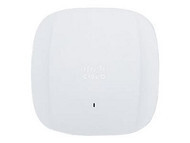
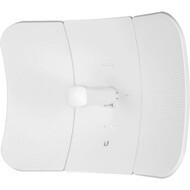
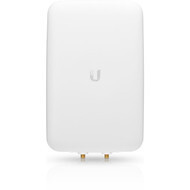

Build reliable, secure, and scalable wireless networks with business and enterprise wireless networking equipment from Hummingbird Networks. Explore wireless access points, point-to-point and point-to-multipoint wireless solutions, antennas, and supporting infrastructure for offices, campuses, branch locations, warehouses, hospitality environments, outdoor networks, and other demanding deployments.
Modern wireless networks support far more than laptops and smartphones. Businesses increasingly depend on WiFi for voice and video, cloud applications, mobile devices, IoT equipment, security systems, operational technology, guest access, and other business-critical applications.
Whether you are expanding wireless coverage, increasing network capacity, replacing older access points, connecting separate buildings, deploying outdoor WiFi, or planning a larger wireless infrastructure upgrade, Hummingbird Networks can help you identify equipment that fits your coverage, performance, management, and deployment requirements.
Shop Business & Enterprise Wireless Networking Equipment
Wireless networking requirements vary considerably depending on the physical environment, number of connected devices, applications being used, available wired infrastructure, security policies, and expected growth.
Explore our primary wireless networking categories:
Wireless controllers and cloud-based management platforms can also play an important role in larger deployments by helping administrators configure, monitor, and manage multiple access points from a centralized location.
Wireless Access Points
Wireless access points connect WiFi-enabled devices to the wired network and are the foundation of most business and enterprise wireless deployments.
Unlike a basic consumer wireless router, business access points are typically designed to operate as part of a larger network. Depending on the platform, they can support centralized management, multiple SSIDs, VLANs, guest networking, advanced security, roaming, radio optimization, and high-density client environments.
Wireless access points can be deployed in offices, schools, hotels, healthcare facilities, warehouses, retail locations, campuses, manufacturing environments, outdoor spaces, and many other locations.
Indoor Wireless Access Points
Indoor access points are designed for offices, classrooms, conference areas, hotels, healthcare facilities, retail environments, and other interior spaces.
When selecting indoor access points, consider coverage area, building materials, ceiling height, device density, applications, mounting location, available Ethernet cabling, PoE requirements, and the wireless standards supported by client devices.
Outdoor Wireless Access Points
Outdoor access points are designed for wireless coverage in exterior or environmentally demanding locations. They may be used around campuses, warehouses, loading areas, hospitality properties, recreational facilities, outdoor workspaces, transportation environments, and other locations where traditional indoor equipment is not appropriate.
Outdoor deployments require additional attention to environmental ratings, mounting, antenna design, operating temperature, weather exposure, cabling, grounding, power delivery, and the intended coverage area.
High-Density Wireless Access Points
High-density environments can place significant demands on wireless infrastructure. Conference rooms, classrooms, auditoriums, stadiums, hospitality spaces, healthcare environments, and large offices may contain many wireless devices within a relatively small area.
In these environments, wireless design should focus on capacity as well as coverage. A strong signal alone does not guarantee good performance when many devices are competing for available airtime.
WiFi Standards: Wi-Fi 5, Wi-Fi 6, Wi-Fi 6E & Wi-Fi 7
Wireless standards have evolved to support increasing device counts, higher throughput, lower latency, improved efficiency, and more demanding applications.
Wi-Fi 5
Wi-Fi 5, based on IEEE 802.11ac, remains in use in many existing wireless environments. It primarily operates in the 5 GHz band and can continue to provide adequate performance for many legacy devices and lower-demand applications.
Organizations maintaining older wireless infrastructure may encounter Wi-Fi 5 access points during phased upgrades or when supporting environments with established client equipment.
Wi-Fi 6
Wi-Fi 6, based on IEEE 802.11ax, was designed to improve wireless efficiency and performance, particularly in environments with many connected devices.
Wi-Fi 6 access points are widely used across business, enterprise, education, healthcare, retail, hospitality, and other environments where organizations need reliable wireless connectivity for growing numbers of users and devices.
Wi-Fi 6E
Wi-Fi 6E extends Wi-Fi 6 capabilities into the 6 GHz spectrum where permitted and supported. Access to additional spectrum can provide more available channels and reduce congestion in environments with compatible devices.
Organizations considering Wi-Fi 6E should evaluate client-device compatibility, regulatory availability, coverage requirements, and whether their wired switching infrastructure can support the potential increase in wireless throughput.
Wi-Fi 7
Wi-Fi 7 represents the latest generation of enterprise wireless technology and is designed to support higher throughput, increased efficiency, and demanding next-generation applications.
Organizations evaluating Wi-Fi 7 should consider the entire network path rather than the access point alone. Multi-gigabit Ethernet switching, appropriate PoE capacity, cabling, uplink bandwidth, and compatible client devices can all influence the performance that a Wi-Fi 7 deployment can deliver.
Understanding 2.4 GHz, 5 GHz & 6 GHz WiFi
Modern wireless networks may use multiple frequency bands, each with different characteristics.
2.4 GHz
The 2.4 GHz band generally provides good range and wall penetration but offers less available spectrum and is shared by many wireless and non-wireless devices. It can remain useful for IoT devices, legacy equipment, and applications where range is more important than maximum throughput.
5 GHz
The 5 GHz band provides more channel capacity than 2.4 GHz and is widely used for modern business WiFi. It can support higher-performance applications and greater wireless capacity, although propagation characteristics differ from the lower-frequency 2.4 GHz band.
6 GHz
The 6 GHz band is available to compatible Wi-Fi 6E and Wi-Fi 7 equipment where permitted. It provides additional spectrum that can help support high-performance wireless deployments and reduce contention with devices operating in older bands.
The ideal wireless design often uses multiple bands based on client capabilities, coverage requirements, interference, application needs, and the physical environment.
Point-to-Point & Point-to-Multipoint Wireless
Wireless point-to-point and point-to-multipoint solutions can provide network connectivity where installing physical cabling or fiber is difficult, expensive, or impractical.
Point-to-Point Wireless
A point-to-point wireless link connects two locations over a wireless bridge. Common applications include connecting separate buildings, extending a network across a campus, linking remote facilities, or providing connectivity across areas where trenching fiber or copper would be difficult.
Point-to-point deployments can be useful for:
- Building-to-building network connections
- Campus connectivity
- Warehouse and industrial sites
- Remote facilities
- Security camera backhaul
- Outdoor network extensions
Point-to-Multipoint Wireless
A point-to-multipoint wireless network allows a central location to communicate with multiple remote endpoints. These systems can be used where multiple buildings, facilities, cameras, or remote locations require connectivity back to a central network.
Successful PtP and PtMP deployments depend on factors including distance, line of sight, frequency, antenna selection, mounting height, interference, environmental conditions, required bandwidth, and regulatory requirements.
Wireless Antennas
Wireless antennas influence how radio frequency energy is transmitted and received and can have a major impact on wireless coverage and performance.
The appropriate antenna depends on the access point or radio, frequency band, desired coverage pattern, installation environment, distance, mounting position, and application.
Omnidirectional Antennas
Omnidirectional antennas are designed to distribute wireless coverage broadly around the antenna. They are commonly used when devices need connectivity across a wide area surrounding the installation point.
Directional Antennas
Directional antennas focus wireless energy toward a more specific area or direction. They can be useful for point-to-point links, targeted coverage, long-distance connections, aisles, corridors, outdoor areas, and other applications where a focused signal pattern is beneficial.
Internal vs. External Antennas
Many wireless access points include integrated antennas for simplified installation and predictable coverage patterns. Other access points use external antenna connectors, allowing organizations to select antennas for specialized coverage requirements.
When using external antennas, verify compatibility with the wireless platform, connector type, supported frequency bands, regulatory requirements, and the intended deployment.
How to Choose Wireless Networking Equipment
Choosing wireless equipment based only on advertised speed can lead to disappointing results. Wireless performance depends on the complete environment, including access point placement, radio conditions, client devices, wired infrastructure, power availability, and network design.
Consider the following factors when planning a business wireless network.
Coverage Area
Determine where wireless connectivity is required and identify potential obstacles such as walls, floors, shelving, machinery, glass, concrete, metal, and other materials that can affect radio propagation.
Larger spaces do not simply require a more powerful access point. In many cases, effective coverage requires multiple access points placed strategically throughout the environment.
Number of Users & Devices
Wireless networks should be designed around both coverage and capacity. Consider how many laptops, phones, tablets, scanners, cameras, IoT devices, and other wireless clients may connect simultaneously.
A conference area containing 100 active devices has very different requirements from a storage room with only a handful of wireless sensors, even if both spaces are physically similar in size.
Applications
Email and basic web browsing place different demands on a wireless network than video conferencing, cloud applications, voice communications, large file transfers, real-time collaboration, surveillance, or specialized business applications.
Understanding the applications being used can help determine required capacity, latency, coverage, and network prioritization.
Access Point Density
Adding more access points does not automatically create a better wireless network. Access points need appropriate placement, channel planning, transmit power, and capacity design to avoid unnecessary interference and contention.
High-density deployments require careful planning around the number of radios and clients operating within the same physical area.
Wired Network Capacity
Wireless access points ultimately depend on the wired network behind them. Newer high-performance access points may benefit from multi-gigabit Ethernet connections and higher-speed switch uplinks.
When upgrading wireless infrastructure, evaluate the existing network switches, cabling, uplinks, and internet or WAN capacity to identify possible bottlenecks.
Power over Ethernet
Many business wireless access points receive electrical power through their Ethernet connection using Power over Ethernet.
Before deploying access points, verify that the switch provides the required PoE standard and sufficient total power capacity. Where an appropriate PoE switch is not available, a compatible PoE injector may be an option for certain installations.
Management Requirements
Consider whether the organization needs local management, a dedicated wireless controller, centralized administration, or cloud-based network management.
Businesses with multiple sites may place greater value on centralized visibility and remote administration, while other organizations may prefer on-premises management based on their infrastructure and operational requirements.
Security
Business wireless networks should be designed with security in mind. Depending on the platform and environment, capabilities may include enterprise authentication, guest networks, network segmentation, role-based access, encryption, device policies, monitoring, and integration with broader network security systems.
Wireless security should be considered as part of the organization's overall network security strategy rather than as an isolated feature of the access point.
Cloud-Managed vs. Controller-Based Wireless Networking
Business wireless networks can be managed using several different architectures.
Cloud-Managed Wireless
Cloud-managed wireless platforms allow administrators to configure and monitor compatible access points through a centralized cloud interface.
This approach can be particularly useful for organizations with multiple branches, retail locations, schools, offices, or other distributed sites because IT teams can manage wireless infrastructure without being physically present at every location.
Controller-Based Wireless
Controller-based wireless architectures use centralized control to coordinate and manage multiple access points. Depending on the platform, controllers can provide configuration, policy, monitoring, radio management, roaming support, and other functions across the wireless environment.
Controller requirements vary by manufacturer and product family, so organizations should evaluate hardware, software, licensing, redundancy, and management requirements when planning the deployment.
Locally Managed Wireless
Some wireless platforms can be managed locally without a dedicated external controller or cloud subscription. This approach may be appropriate for smaller deployments or organizations with specific management preferences.
Wireless Networking for Different Environments
Small Business WiFi
Small businesses often need dependable wireless coverage, straightforward management, strong security, guest access, and the ability to support an increasing number of mobile and connected devices.
Ease of deployment and administration can be particularly important for organizations without dedicated networking staff.
Enterprise Wireless Networks
Enterprise wireless environments may require centralized administration, network segmentation, high availability, advanced security, high-density client support, roaming, automation, and integration with broader wired and security infrastructure.
Campus & Education WiFi
Schools, colleges, and universities often need wireless connectivity across classrooms, administrative spaces, libraries, outdoor areas, residence facilities, auditoriums, and other high-density environments.
These deployments may need to support large numbers of student, staff, institutional, and guest devices while maintaining security and consistent connectivity.
Warehouse & Manufacturing Wireless
Warehouses and manufacturing facilities can present challenging wireless environments due to large spaces, high ceilings, shelving, machinery, moving inventory, building materials, and specialized operational devices.
Wireless infrastructure may support scanners, tablets, IoT equipment, cameras, mobile workstations, automation systems, and other operational technology.
Healthcare Wireless Networks
Healthcare environments can depend on wireless connectivity for clinical applications, communications, mobile workstations, patient services, administrative systems, and connected devices.
Reliable coverage, network segmentation, security, roaming, capacity, and availability can all be important considerations.
Retail & Hospitality WiFi
Retail stores, restaurants, hotels, and hospitality environments may require wireless connectivity for employees, point-of-sale systems, guest networks, mobile devices, operational systems, cameras, and other connected equipment.
Organizations with multiple locations may also benefit from centralized or cloud-based wireless management.
Outdoor & Campus Wireless
Outdoor wireless deployments can provide connectivity around campuses, courtyards, parking areas, recreational facilities, industrial sites, hospitality properties, and remote locations.
Outdoor network design should account for weather exposure, mounting, environmental ratings, antenna patterns, power, cabling, interference, line of sight, and the distances involved.
Wireless Networking Brands
Hummingbird Networks offers wireless networking products from leading technology manufacturers including Cisco, Meraki, HPE Aruba Networking, Aruba Instant On, Fortinet, Ubiquiti, NETGEAR, ADTRAN, and other networking brands.
Different manufacturers emphasize different approaches to wireless architecture, cloud management, controllers, security, access point design, outdoor networking, and centralized administration.
There is no single wireless networking brand that is ideal for every organization. The right choice depends on your existing infrastructure, deployment size, management preferences, security requirements, wireless standards, client devices, performance expectations, scalability, and budget.
Explore our IT and networking brands to learn more about the manufacturers available from Hummingbird Networks.
Build the Wired Infrastructure Behind Your WiFi
Wireless performance depends heavily on the wired infrastructure supporting each access point. A high-performance access point cannot deliver its full potential if the Ethernet connection, switch uplink, PoE capacity, cabling, or upstream network becomes a bottleneck.
A complete wireless deployment may also require:
- Network switches with appropriate Ethernet speeds and PoE capacity
- Ethernet or fiber cabling for access point connectivity and uplinks
- PoE injectors where switch-based PoE is unavailable
- Routers or gateways for WAN and internet connectivity
- Network security infrastructure
- Mounting hardware and installation accessories
- UPS power protection for critical network equipment
Planning the wired and wireless infrastructure together can help prevent bottlenecks and make future expansion easier.
Why Buy Wireless Networking Equipment from Hummingbird Networks?
Selecting wireless equipment involves more than choosing an access point with the highest advertised speed. Coverage, capacity, WiFi generation, antenna design, client density, management, PoE requirements, switching infrastructure, compatibility, security, licensing, and deployment environment can all influence the right purchasing decision.
Hummingbird Networks helps businesses and organizations source wireless networking products and supporting infrastructure from leading technology manufacturers.
Customers can turn to our team for:
- Business and enterprise wireless networking equipment
- Indoor and outdoor wireless access points
- Point-to-point and point-to-multipoint wireless solutions
- Wireless antennas and supporting equipment
- Products from leading networking manufacturers
- Help identifying compatible wireless hardware
- Solutions for wireless upgrades and infrastructure refreshes
- Business and enterprise technology purchasing assistance
Whether you are replacing a single access point, improving coverage, connecting multiple buildings, or planning a larger wireless network deployment, our team can help you evaluate products based on your technical and business requirements.
Frequently Asked Questions About Wireless Networking
What equipment is needed for a business WiFi network?
A business wireless network typically includes wireless access points, Ethernet switching, cabling, routing or gateway infrastructure, and network security. Depending on the deployment, it may also require wireless controllers, external antennas, PoE injectors, outdoor radios, UPS protection, and other supporting equipment.
What is the difference between a wireless access point and a wireless router?
A wireless access point primarily provides WiFi connectivity to an existing network. A wireless router typically combines routing, internet gateway, switching, and wireless functions in a single device. Business and enterprise environments often use separate access points, switches, routers, and security appliances to provide greater scalability and management flexibility.
How many wireless access points does my business need?
The number of access points depends on the physical space, building materials, number of users and devices, applications, client density, desired coverage, available channels, and radio conditions. Square footage alone is not enough to accurately determine access point requirements.
What is the difference between Wi-Fi 6 and Wi-Fi 7?
Wi-Fi 7 is a newer wireless generation designed to support increased throughput, efficiency, and advanced wireless capabilities compared with Wi-Fi 6. Actual performance depends on access point configuration, client-device compatibility, available spectrum, wired network capacity, radio conditions, and the surrounding infrastructure.
Do I need Wi-Fi 7?
Not every organization needs Wi-Fi 7 immediately. It may be appropriate when deploying new infrastructure, supporting high-performance applications, preparing for newer client devices, or planning for long-term wireless growth. Wi-Fi 6 and Wi-Fi 6E can continue to meet the needs of many business environments.
What is the difference between 2.4 GHz, 5 GHz and 6 GHz WiFi?
The frequency bands offer different combinations of coverage, available spectrum, channel capacity, and client compatibility. 2.4 GHz generally provides greater range but less available spectrum, 5 GHz is widely used for modern business WiFi, and 6 GHz provides additional spectrum for compatible Wi-Fi 6E and Wi-Fi 7 devices where supported.
What is a wireless controller?
A wireless controller provides centralized management and coordination for compatible wireless access points. Depending on the platform, it can help manage configuration, policies, monitoring, radio settings, roaming, and other wireless network functions.
What is cloud-managed WiFi?
Cloud-managed WiFi allows compatible access points and wireless infrastructure to be configured and monitored through a cloud-based management platform. This can simplify administration for organizations with multiple locations or limited on-site IT resources.
What is point-to-point wireless?
Point-to-point wireless connects two locations using a wireless bridge. It is commonly used to connect separate buildings, extend campus networks, provide network access to remote facilities, or create links where installing physical cable or fiber would be difficult.
What is point-to-multipoint wireless?
Point-to-multipoint wireless allows one central location to communicate with multiple remote locations or endpoints. It can be useful for campuses, remote facilities, surveillance systems, outdoor networks, and other distributed environments.
Do wireless access points need Ethernet cables?
Most business and enterprise access points connect to the wired network through Ethernet. Many also receive electrical power through the same cable using Power over Ethernet. Exact connectivity requirements depend on the access point model and deployment.
Do I need a PoE switch for wireless access points?
A PoE switch is often the most convenient way to power business access points, but the switch must support the required PoE standard and provide enough total power for all connected devices. Compatible PoE injectors can be used in certain environments where switch-based PoE is unavailable.
Should I use indoor or outdoor access points?
Use access points designed for the environment in which they will be installed. Outdoor or harsh environments may require equipment with appropriate environmental protection, temperature ratings, mounting hardware, and antenna configurations.
What type of wireless antenna do I need?
The appropriate antenna depends on the frequency band, wireless equipment, desired coverage pattern, distance, mounting location, and application. Omnidirectional antennas provide broader surrounding coverage, while directional antennas concentrate wireless energy toward a particular area or destination.
Can wireless equipment from different brands work together?
Client devices can generally connect to standards-based WiFi networks from many different manufacturers. However, centralized management, controller functions, roaming features, proprietary technologies, licensing, accessories, and advanced network features may depend on using compatible equipment from the same platform or manufacturer.
Which wireless networking brand is best?
There is no single wireless manufacturer that is best for every organization. Cisco, Meraki, HPE Aruba Networking, Aruba Instant On, Fortinet, Ubiquiti, NETGEAR, ADTRAN, and other manufacturers address different management, performance, security, coverage, scalability, and budget requirements.
Can Hummingbird Networks help me choose wireless networking equipment?
Yes. Hummingbird Networks can help businesses and organizations evaluate wireless access points, outdoor wireless equipment, antennas, and related infrastructure based on coverage, capacity, client density, WiFi standards, management, PoE requirements, compatibility, and deployment environment.
Shop Wireless Networking Equipment for Your Business
Build or upgrade your wireless network with access points, point-to-point and point-to-multipoint wireless systems, antennas, and supporting infrastructure for small business, enterprise, campus, branch, warehouse, outdoor, and distributed environments.
Whether you are improving WiFi coverage, increasing network capacity, upgrading to a newer wireless standard, connecting separate buildings, or planning a larger wireless refresh, Hummingbird Networks can help you identify wireless networking equipment that fits your environment and requirements.