Meraki Cameras: Smarter Business Video Security

Table of Contents
A camera project can look simple until the IT team has to answer the questions that actually determine success: Which doors need coverage? How long must footage be retained? Can the network support it? Who will manage alerts after installation? Meraki cameras are designed to reduce that operational load by putting video management, camera health, and analytics into the same cloud-managed approach many businesses already use for Meraki networking.
For IT managers supporting 100 to 250 employees, that matters. Physical security often becomes one more system a lean team is expected to own, alongside Wi-Fi, switching, identity, endpoints, and help desk tickets. The right camera platform should improve visibility without creating another server, storage array, or management console that needs constant attention.
Why Meraki Cameras Fit Lean IT Teams
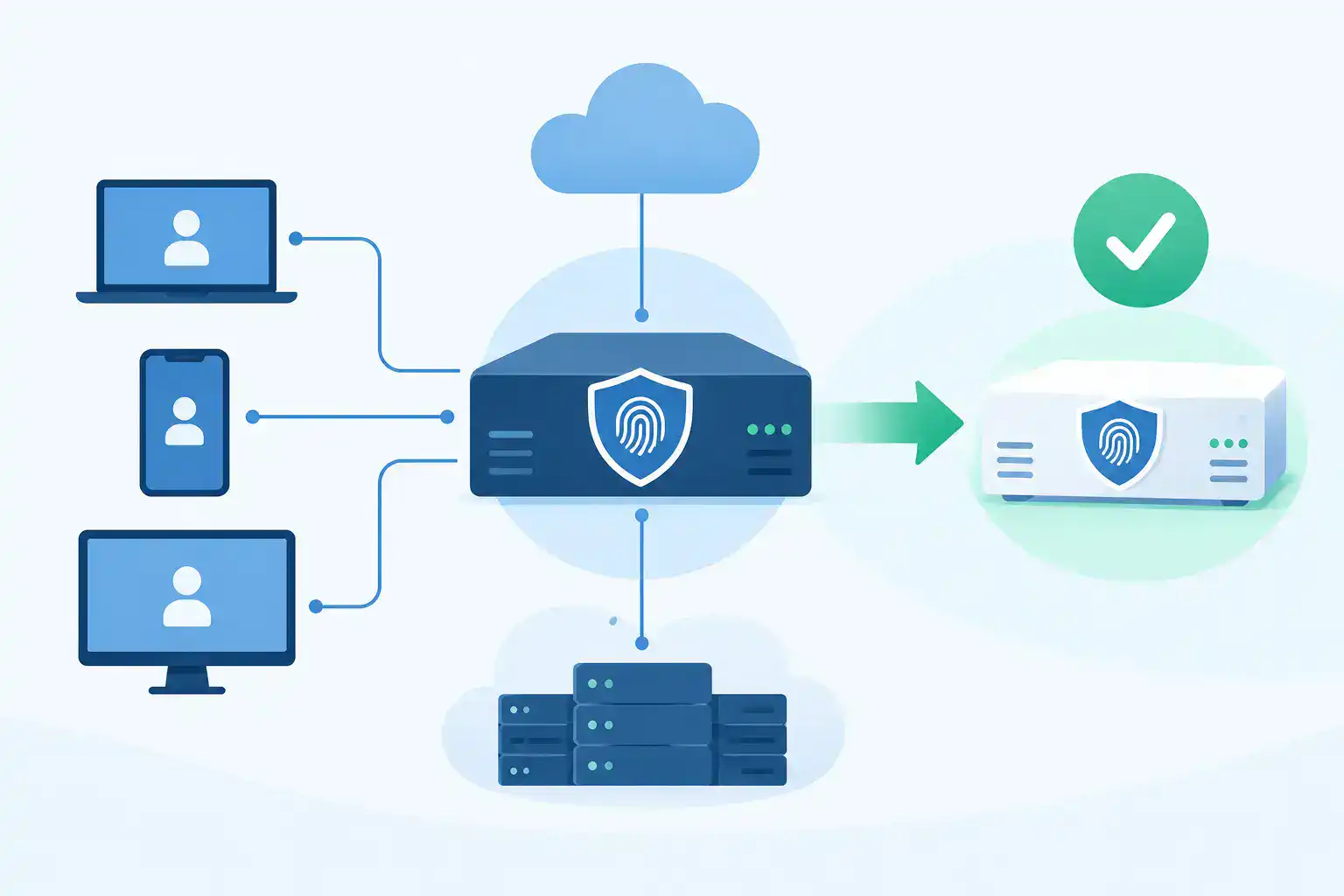
Meraki cameras, also called Meraki MV cameras, combine video capture, onboard storage, and cloud-based management. Rather than sending every video stream to a traditional network video recorder, the camera stores footage locally and makes it available through the Meraki dashboard. The dashboard provides centralized access to live and recorded video, user permissions, alerts, and camera status.
That architecture removes several common points of friction. There is no separate recorder to size, patch, back up, and replace. A distributed retail location or manufacturing floor can be managed alongside other locations without requiring a local video server at each site. When a camera goes offline, storage fills up, or a device loses network connectivity, the IT team can see it from one place.
The value is not that cloud management makes every video deployment effortless. Site surveys, cable pathways, lighting, retention requirements, and privacy policies still require careful work. It does mean the day-two management burden is usually lower than a conventional recorder-based design.
Where the Platform Makes the Most Sense
Meraki cameras work particularly well where teams need dependable coverage across multiple locations but do not want to operate dedicated surveillance infrastructure. Common examples include retail stores, professional offices, warehouses, light manufacturing sites, and technology service firms with distributed facilities.
A retail operator may need to review point-of-sale areas, entrances, stock rooms, and loading zones from a central office. A manufacturer may need coverage around shipping doors, restricted areas, and production access points. Professional services firms often prioritize reception, exterior entrances, and after-hours access. In each case, the camera system is most useful when it helps answer a real operational question quickly, not when it produces more video than anyone has time to review.
The platform may be less attractive when a project requires highly specialized cameras, unusually long retention periods, very limited upstream connectivity, or a large existing investment in another video management system. It can also be a poor fit if policy requires all video to remain within a specific on-premises environment. Those constraints do not automatically rule it out, but they should be addressed before selecting hardware.
What to Plan Before Choosing Meraki Cameras
The model number is not the starting point. Start with the risk, area, and outcome each camera must support. A camera at a front entrance has different requirements than one mounted over a loading dock or in a low-light parking area.
Coverage and image detail
Ask what a person reviewing footage must be able to see. General activity monitoring requires less detail than identifying faces, reading labels, or investigating a cash-handling incident. Mounting height, camera angle, backlighting, and distance from the subject can matter as much as resolution.
Wide-angle cameras can cover a large open lobby, but they may not provide the detail needed at the far edge of the image. Varifocal or specialized models may make more sense for a gate, corridor, or loading area. A site walk and a simple coverage plan prevent the common mistake of buying cameras that are technically capable but poorly placed.
Retention and licensing
Meraki MV cameras use onboard storage, so retention is tied to the camera model, recording settings, activity level, and video quality. Higher resolution and busier scenes generally consume storage faster. Do not treat a stated retention target as a guarantee without validating the actual environment.
Licensing is also part of the design, not an afterthought. The correct license term and quantity should align with the camera count and the organization’s budgeting approach. A quote that separates camera hardware from licensing may look lower initially while leaving a material requirement unresolved. Confirm renewal timing, co-termination preferences, and whether all devices will be licensed on the same schedule.
Network and power readiness
Most deployments use Power over Ethernet, which simplifies installation but makes switch capacity important. Confirm available PoE budget, port availability, uplink capacity, and cable runs before equipment arrives. Outdoor locations may need weather-rated enclosures, surge protection, and a plan for temperature exposure.
Although video is stored at the camera, live viewing and remote access still use network bandwidth. The impact depends on how many users view video at once, camera settings, and whether sites rely on constrained WAN or cellular connections. A reasonable design considers normal usage and incident-time usage, when several people may need to review footage simultaneously.
Privacy and access controls
Video often captures employees, visitors, customers, and business processes. That makes role-based access, retention policy, and camera placement governance essential. Limit access to people with a legitimate business need. Document who can export footage, how long it is retained, and where cameras are not permitted.
For multi-site organizations, standardized naming and permissions make a real difference. A reviewer should be able to find “Dallas Warehouse - Dock Door 3” without guessing which location or device label is correct. Small operational details determine whether footage is useful during an actual incident.
Analytics Should Support a Decision
Meraki cameras can provide analytics and search tools that help teams find relevant events faster than manually scrubbing hours of video. Depending on the model and configuration, capabilities can include motion search, object detection, occupancy-related insights, and alerts tied to activity in defined areas.
These features are useful when they are attached to a specific workflow. For example, an alert on after-hours activity at a loading bay can notify the right person. A search tool can help a store manager locate an event near a register during a defined time window. Occupancy data can inform space planning when the business has a clear question it wants to answer.
Analytics are not a substitute for a security process. False alerts, changing light conditions, busy environments, and poorly defined detection zones can create noise. Configure a small number of meaningful alerts first, test them in real conditions, and adjust thresholds before expanding the policy across every site.
A Practical Deployment Approach
A successful project usually begins with a pilot area or one representative site. This reveals installation constraints, real retention behavior, and viewing patterns before the organization commits to a broader rollout. It is especially useful when a business is replacing an aging analog system or combining locations that were previously managed independently.
Use the pilot to validate these four areas:
- Camera placement against real lighting, traffic flow, and blind spots.
- PoE and switching capacity under normal operation.
- Retention expectations based on actual activity and recording settings.
- User access, alerting, and incident-review workflows.
After the pilot, document the approved camera standards by use case. An entrance camera, parking lot camera, interior overview camera, and detail-focused loading dock camera may each have a preferred model and installation pattern. Standardization simplifies future ordering, support, and replacement planning.
It also helps to coordinate the camera rollout with broader network work. If switches are near end of life, wireless coverage is changing, or a new site is opening, addressing cabling, power, VLANs, and uplinks together reduces repeat visits and schedule risk.
Avoiding Costly Procurement Mistakes
The most expensive camera order is often not the one with the highest unit price. It is the one that arrives with the wrong license term, insufficient PoE capacity, missing mounts, or cameras unsuited to the site. Those gaps create project delays, rush freight, and difficult conversations with stakeholders waiting for coverage.
Before placing an order, validate the full bill of materials: camera models, licenses, mounting accessories, compatible switches, power requirements, and any environmental protection needed for outdoor deployments. If the project is phased, make sure the licensing and standardization plan supports later expansion rather than forcing a redesign.
For organizations that need a second set of eyes, Hummingbird Networks can help validate a Meraki camera configuration before purchase, combining practical product guidance with fast quoting and procurement support. That is particularly useful when IT is balancing a camera deployment against a broader Cisco or Meraki refresh.
Build for the Incident You Hope Never Happens
The right video system does not earn its value on installation day. It earns it when a manager needs to understand what happened at a door, register, loading area, or office after the fact - without waiting for someone to find a recorder, export files, or decipher an inconsistent camera map.
Start with the questions your team must answer, design the coverage and retention around those needs, and validate the hardware, licensing, and network details before the order is submitted. If you are planning a deployment or refresh, get a quote or validate your configuration before small assumptions become expensive delays.
FAQs
What are Meraki cameras?
Meraki cameras are cloud-managed security cameras that combine onboard video storage, centralized management, and analytics through the Cisco Meraki Dashboard.
Do Meraki cameras require an NVR?
No, Meraki MV cameras use onboard storage and cloud-based management, eliminating the need for a traditional network video recorder.