
Cisco Switches
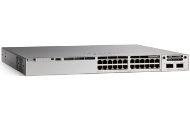 Cisco Catalyst Series Switches
 Cisco Nexus Series Switches
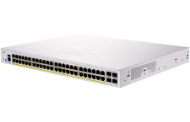 Cisco Small Business Series Switches
 Cisco MDS Series Switches
Cisco UCS Series Switches
Cisco UCS FAB Interconnect Series Switches
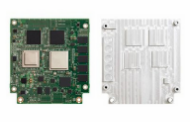 Cisco Embedded Service Switches
Get The Best Pricing. Fast.
Send us your part numbers, BoM, or project details. We'll respond quickly with accurate pricing.
Have Questions?Talk To Our Team Today
Get quick answers and help choosing the right option.
Shop Cisco switches for business networks, branch offices, campuses, data centers, and storage environments at Hummingbird Networks. Explore Cisco Catalyst, Nexus, MDS, small business, and specialized switching solutions, with help selecting the hardware, licenses, and accessories that fit your deployment.
The right switch starts with your network requirements. Port counts, PoE budgets, uplink speeds, stacking, software features, and management options can differ substantially between Cisco families and models. A lower hardware price may not tell you what the complete solution will cost or whether it supports the features you need.
With more than 20 years as a Cisco partner, Hummingbird Networks helps IT teams and MSPs work through those details. Send us your part numbers, bill of materials, or project requirements for assistance with product selection, competitive project pricing, availability, and procurement.
Request a Cisco Switch Quote | Speak to an Expert
Explore Cisco Switch Families
Cisco Catalyst Switches
Cisco Catalyst switches serve business, branch, and campus networking requirements. The portfolio includes small-business platforms such as the Catalyst 1200 and 1300 Series, enterprise access platforms such as the Catalyst 9200 and 9300 Series, and modular or higher-capacity options for larger networks. Choose a series based on its role, supported features, and operational requirements. Capabilities are not identical across the Catalyst portfolio.
Cisco Nexus Switches
Cisco Nexus switches are designed for data center Ethernet networking. Selection depends on server and storage traffic, port density, link speeds, redundancy, and your network architecture. For a deployment using NX-OS or Cisco Application Centric Infrastructure, verify the exact hardware, software, and licensing requirements before ordering.
Cisco MDS Switches
Cisco MDS switches address storage area networking requirements, including Fibre Channel SAN connectivity. Review storage and server interfaces, required port speeds, expansion plans, and interoperability with your existing SAN. MDS and Nexus products have different primary roles and should not be selected solely by comparing their port counts.
Cisco Small Business Switches
Cisco Small Business switches include platforms for straightforward office connectivity. The Business 110 Series provides unmanaged switching, while the Business 220 Series offers smart-switch management. Compare those capabilities with the relevant Catalyst small-business options, and confirm model availability and lifecycle status for your project.
Cisco Embedded Service Switches
Cisco Embedded Service switches support integration into specialized systems where form factor, space, power, or environmental requirements guide the design. These products are intended for integration projects, so confirm the required boards, interfaces, enclosure design, and operating conditions.
Cisco UCS Fabric Interconnects
Cisco UCS Fabric Interconnects provide connectivity and management within supported Cisco Unified Computing System environments. Check server and chassis compatibility, Ethernet and storage connectivity, management mode, and software support when selecting a platform or planning an upgrade.
Which Cisco Switching Platform Fits Your Project?
| Your Requirement | Where to Start | What to Verify |
|---|---|---|
| Office or branch connectivity | Catalyst small-business options or Cisco Business switches | Management features, ports, PoE, and growth requirements |
| Enterprise campus access | Relevant Catalyst access series | Access speeds, PoE budget, uplinks, stacking, and licensing |
| Campus aggregation or core | Relevant Catalyst aggregation or core platforms | Architecture, routing features, capacity, and redundancy |
| Data center Ethernet fabric | Cisco Nexus | Server-facing interfaces, fabric design, software mode, and optics |
| Fibre Channel SAN | Cisco MDS | Storage compatibility, port activation, speeds, and expansion |
| Cisco UCS infrastructure | Cisco UCS Fabric Interconnects | Supported servers, management mode, software, and connectivity |
| Embedded integration | Cisco Embedded Service switches | Board configuration, interfaces, enclosure, and environmental needs |
Compare More Than Port Counts
Start with the devices and applications the switch must support, then work through the complete configuration:
- Access ports and uplinks: Check connection speeds at both ends, the number of uplinks needed, and anticipated traffic growth.
- PoE capacity: Review both the power available per port and the total power budget with the chosen power supplies.
- Resiliency: Confirm supported stacking, redundant power, and other availability features for the exact model.
- Software and management: Match the operating mode, management platform, license tier, and subscription term to your requirements.
- Physical fit: Review rack space, depth, noise, airflow, power input, and operating environment.
- Deployment components: Verify optics, cables, network modules, mounting hardware, and support coverage before finalizing the order.
Check Cisco Switch Licensing Before You Order
Cisco licensing is not uniform across switch families. Cisco states that Catalyst 1200 and 1300/X Series switches do not require a license purchase. Other platforms may involve feature tiers, term subscriptions, port licenses, or management entitlements. Applicable ordering options can include Cisco Networking Subscription and other platform-specific offers.
Hummingbird Networks can help identify the relevant Cisco switch software and licenses, clarify what is included in the quoted configuration, and identify any account or registration requirements. Confirm the exact hardware and intended deployment rather than assuming a license from another Cisco family will apply.
Include the Right Cisco Switch Accessories
A switch-only quote may leave deployment items unaddressed. Depending on the model and order configuration, your project may also require:
- Cisco transceiver modules matched to the switch, software release, fiber type, and distance.
- Cisco DAC and AOC cables for compatible short-distance connections.
- Cisco stacking cables and the appropriate stacking components.
- Cisco power supplies and fans with the required power capacity and airflow.
- Mounting kits and brackets suited to the equipment and installation.
Send your complete equipment list so we can help check the supporting items alongside the switches.
Why Purchase Cisco Switches from Hummingbird Networks?
Get answers from a direct contact. Work with an account manager who can coordinate product questions, quotes, availability checks, and order updates. You have someone to contact when a project requirement changes or an item needs clarification.
Reduce procurement back-and-forth. We help review part numbers, licensing, and supporting components so your team can work toward a complete purchase. Providing site requirements and installation dates early helps us address questions before the order is placed.
Evaluate pricing and availability together. Request project-specific pricing and current lead-time information. If the preferred equipment does not meet your schedule or budget, we can help assess suitable alternatives and explain the differences that need your approval.
Consider new equipment and Cisco Refresh. Available Cisco Refresh certified remanufactured options may provide another way to meet project requirements. We can help compare the quoted condition, availability, and applicable coverage.
Cisco Switch Purchasing Checklist
For an accurate quote, include the following when available:
- Part numbers and quantities, or a description of the required network role.
- Access-port speeds, uplink requirements, and connected-device counts.
- PoE device types and estimated power requirements.
- Existing switch models, stacking requirements, and management environment.
- Required software features, license terms, and support expectations.
- Optics, cables, power supplies, and installation requirements.
- Ship-to locations, target installation date, and whether Cisco Refresh is an option.
Frequently Asked Questions About Cisco Switches
What is a Cisco network switch?
A Cisco network switch connects devices within a network. Depending on the family and model, it may also provide routing, segmentation, device power, or other services. Select the platform around the role it needs to perform.
Which Cisco switch families should I compare?
Start with Catalyst for business and campus networks, Nexus for data center Ethernet, and MDS for storage area networking. Cisco Business, Embedded Service, and UCS Fabric Interconnect products address additional requirements. The right choice depends on your environment.
What is the difference between Cisco Catalyst and Nexus switches?
Catalyst platforms primarily address business, branch, and campus networking, while Nexus platforms focus on data center Ethernet fabrics. Compare architecture, interfaces, software, and management requirements before choosing between them.
What is the difference between Cisco Nexus and MDS switches?
Nexus products focus on data center Ethernet networking. MDS products focus on storage area networking, including Fibre Channel SANs. Identify the required protocols and connections rather than treating the two families as interchangeable.
Are Cisco Small Business and Catalyst switches the same?
They are separate product families. Cisco Business 110 and 220 switches offer unmanaged and smart switching respectively, while Catalyst includes small-business and enterprise platforms. Features and management tools vary by series.
Is a UCS Fabric Interconnect a standard office switch?
A UCS Fabric Interconnect is designed for connectivity and management within supported Cisco UCS environments. It should be selected using UCS compatibility and deployment requirements, rather than as a general replacement for an office access switch.
When should I consider an embedded Cisco switch?
Consider embedded switching when integrating networking into a specialized system with particular form-factor, interface, or environmental requirements. Confirm the complete integration design, including enclosure and power requirements, before ordering.
How do access, distribution, and core switches differ?
Access switches connect endpoints. Distribution switches aggregate access connections and may apply network policies or routing. Core switches provide connectivity between major network sections. Some designs combine roles, so match the platform to the actual architecture.
Do I need a Layer 2 or Layer 3 switch?
Layer 2 switching handles traffic within a local network segment. Layer 3 capabilities support routing between networks. Required routing protocols, scale, and licensing help determine whether a particular switch is suitable.
Can Cisco switches separate traffic with VLANs?
Many managed Cisco switches support VLANs, but configuration options and scale vary. Confirm the required segmentation, routing between VLANs, and security controls against the exact platform and software feature set.
Can a Cisco switch help prioritize voice and video traffic?
Supported quality-of-service features can prioritize selected traffic when configured appropriately. Review the switch capabilities and the end-to-end network design, since QoS cannot by itself eliminate congestion or application problems.
How many switch ports should I buy?
Count current devices, planned additions, and any ports needed for uplinks or other connections. Allow appropriate expansion capacity, but also check speed and power requirements rather than purchasing solely by total port count.
What is the difference between PoE, PoE+, and PoE++?
These terms describe different Ethernet power capabilities. Match the standard and required power of each connected device to the switch port. The switch must also have sufficient total power available for the planned devices.
Why does the total PoE budget matter?
A switch may have more PoE-capable ports than its installed power supplies can support at maximum load simultaneously. Check the total device demand and the power available with your selected supplies and redundancy configuration.
Which Cisco switch should I use for wireless access points?
Check each access point model’s Ethernet speed, PoE requirements, and intended operating mode. Higher-performance access points may need multigigabit connectivity or higher-power PoE. Size the switch and uplinks around the specific deployment.
Do I need multigigabit access ports?
Multigigabit ports can help when a connected device needs more bandwidth than a 1-Gigabit connection provides. Check the endpoint, switch port, installed cabling, and uplink design to determine whether the additional capacity is useful.
How should I choose switch uplink speeds?
Consider aggregated traffic, application requirements, redundancy, and expected growth. Match both ends of the connection and confirm the supported optics or cables. The number of access ports alone does not determine the right uplink speed.
Are SFP, SFP+, SFP28, and QSFP modules interchangeable?
Do not assume they are interchangeable. Form factor, electrical interface, supported speeds, host-port capabilities, and software support matter. Verify the exact module and switch combination using Cisco compatibility information.
How do I choose compatible Cisco optics?
Check the switch and interface model, software release, link speed, connector, fiber type, wavelength, and distance. Cisco’s optics compatibility resources identify supported combinations. Provide both ends of the link when asking us to help check a selection.
Should I use a DAC, an AOC, or fiber transceivers?
The choice depends on distance, port compatibility, cabling layout, and deployment needs. DACs use copper cable assemblies, AOCs use optical cable assemblies, and separate transceivers allow connections through compatible fiber cabling. Verify support at both endpoints.
Can every Cisco switch be stacked?
No. Stacking support, architecture, and capacity vary by platform. Confirm the exact models, software requirements, and necessary hardware before planning a stack.
Can I mix different Cisco switch models in one stack?
Only combinations supported by the relevant platform should be used. Model variants, software, license requirements, and stacking technology can affect compatibility. Send us the existing stack details before ordering an additional member.
Are stacking cables included with a Cisco switch?
Do not assume they are included. Contents depend on the ordered SKU or bundle. Confirm cable types, lengths, adapters, and quantities against the required stacking design and the quoted configuration.
Do all Cisco switches support redundant power supplies?
No. Some platforms use fixed power arrangements, while others support redundant supplies. Verify the exact model, whether the additional supply is included, and whether the resulting configuration provides the required PoE capacity.
Does a fanless Cisco switch make sense for an office?
A fanless model may suit a noise-sensitive location if its capacity and installation requirements fit the project. Confirm the manufacturer’s ambient temperature, ventilation, mounting, and power specifications rather than enclosing it in an unsuitable space.
Why should I check switch airflow direction?
Equipment airflow should fit the rack and cooling layout. Where a platform offers airflow variants, confirm that the chassis, fan, and power-supply selections are compatible and match the installation requirements.
Do all Cisco switches require a software subscription?
No. Cisco states that Catalyst 1200 and 1300/X Series switches do not require a license purchase. Other platforms have different feature and subscription requirements. Confirm the applicable licensing for the exact product and deployment.
What is the difference between Network Essentials and Network Advantage?
These are network feature tiers used by certain Catalyst platforms. Available features vary by series and release. Review the applicable feature matrix and current ordering options, including any term subscription requirements, before selecting a tier.
Can I manage any Cisco switch through the Meraki dashboard?
No. Dashboard management depends on supported hardware, software, operating mode, and licensing. Similar Cisco or Catalyst names do not establish eligibility. Confirm the supported management path for the exact SKU.
Will I need a Cisco Smart Account?
Some Cisco software and subscription purchases require an appropriate Cisco Smart Account and Virtual Account assignment. Hummingbird Networks can help identify ordering information needed for your configuration so licensing questions can be addressed early.
What is included when I buy a Cisco switch?
Included components vary by SKU, bundle, and equipment condition. Confirm the power supplies, cords, fans, rack hardware, modules, licenses, and cables listed in the quote. A product photograph should not be used as a packing list.
Can Hummingbird Networks help replace an older Cisco switch?
Yes. Share the existing part number, configuration requirements, connected devices, and installation constraints. We can help evaluate suitable options and identify changes involving optics, cabling, power, stacking, management, or licensing.
What is Cisco Refresh?
Cisco Refresh is Cisco’s certified remanufactured equipment program. Available products can provide another purchasing option alongside new equipment. Ask us to check the specific model, availability, pricing, and applicable coverage for your project.
Do all Cisco switches have the same warranty?
No. Warranty terms depend on the product and applicable purchase terms. Cisco Refresh equipment is eligible for the same warranty and support options as the equivalent new product. Confirm the terms for the specific item being quoted.
Is a hardware warranty the same as a support contract?
No. Warranty coverage and support entitlements can differ. Review technical assistance, software access, replacement service, response targets, and coverage duration against the applicable offer instead of assuming a hardware warranty includes every service.
How can I check availability and lead times?
Send the part numbers, quantities, delivery locations, and target installation date. Our team can check availability and communicate the information relevant to your order. Confirm current estimates before committing to a deployment schedule.
What happens if my preferred Cisco switch is unavailable?
We can help assess alternatives against your port speeds, PoE needs, management environment, licensing, and compatibility requirements. An available substitute is not automatically equivalent, so relevant differences should be reviewed before ordering.
What information should I send for a Cisco switch quote?
Provide part numbers and quantities if known, along with uplink speeds, PoE needs, required software features, support requirements, accessories, delivery locations, and timing. For a new design, send your requirements or bill of materials.
Can Hummingbird Networks help with MSP or multiple-location projects?
Yes. We can help coordinate equipment lists and purchasing requirements for MSPs and distributed deployments. Identify each site’s configuration, delivery needs, and schedule so the quote reflects the project requirements.
Can I request project pricing for Cisco switches?
Yes. Send your quantities and project details for a tailored quote. We can help compare the complete configuration, applicable licensing, supporting components, and available new or Cisco Refresh options against your budget.
Why buy Cisco switches from Hummingbird Networks?
You get a direct account contact, more than 20 years of Cisco partner experience, and help coordinating selection, compatibility checks, licensing, quotes, and availability. Our goal is to make your Cisco purchase easier to evaluate and move forward.
Shop Cisco Switches with Help from Hummingbird Networks
Whether you are replacing one switch, expanding an existing environment, or preparing a larger rollout, Hummingbird Networks can help you work through the purchasing details. Send your equipment list or project requirements for help with the configuration, licenses, accessories, pricing, and availability.