
Cisco Wireless Access Points
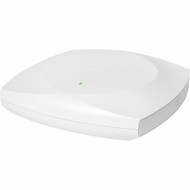

Shop Cisco wireless access points at Hummingbird Networks, including enterprise Wi-Fi 7 access points, Cisco Catalyst Wi-Fi 6 and Wi-Fi 6E access points, indoor wireless APs, outdoor wireless equipment, and specialized industrial wireless solutions. Cisco access points provide Wi-Fi connectivity for compatible business devices across offices, campuses, schools, healthcare facilities, warehouses, and other professional environments.
Whether you are upgrading an existing WLAN, replacing older Cisco Aironet access points, expanding coverage, or building a new enterprise wireless network, selecting the correct access point is essential. Compare Cisco wireless APs by Wi-Fi generation, antenna configuration, client capacity, management architecture, Ethernet uplink speed, and power requirements. For related infrastructure, explore Cisco wireless LAN controllers and compatible Cisco antennas.
Cisco Enterprise Wireless Access Points
Cisco offers wireless access points for a range of business and enterprise WLAN requirements. Depending on the model, supported capabilities may include:
- Wi-Fi 7, Wi-Fi 6E, or Wi-Fi 6 connectivity
- 2.4 GHz and 5 GHz wireless operation
- 6 GHz operation on supported access points
- MU-MIMO and OFDMA
- WPA3 wireless security
- Multigigabit Ethernet uplinks
- Power over Ethernet operation
- Integrated or external antenna configurations
- Controller-based or cloud-managed deployment options
- Indoor, outdoor, and industrial hardware choices
Actual capabilities depend on the access point, software release, licensing, and deployment environment.
Cisco Wi-Fi 7 Access Points
Cisco Wi-Fi 7 access points support IEEE 802.11be technology for compatible enterprise wireless networks. Wi-Fi 7 introduces features such as Multi-Link Operation, higher-order modulation, and wider channels where supported by the hardware, client devices, and regulatory environment.
Cisco Wireless 9171 and 9172 Series
The Cisco Wireless 9171 and 9172 families provide Wi-Fi 7 options for eligible business environments. The CW9171I is a compact dual-radio access point, while the CW9172I offers a tri-radio indoor configuration. The CW9172H is a wall-plate model with additional wired LAN connectivity for supported room-based installations.
Cisco Wireless 9174 Series
Cisco CW9174I and CW9174E access points provide Wi-Fi 7 options for moderate- to high-density environments. The CW9174I uses integrated antennas, while the CW9174E provides external antenna connectivity for supported installations.
Cisco Wireless 9176 Series
Cisco CW9176 access points offer high-performance Wi-Fi 7 connectivity with 10 Gigabit multigigabit Ethernet interfaces. The CW9176I includes integrated omnidirectional antennas, while the CW9176D1 uses integrated directional antennas. Supported radio features and software requirements should be reviewed for each deployment.
Cisco Wireless 9178 and 9179 Series
The Cisco CW9178I is designed for high-density enterprise Wi-Fi 7 applications. The CW9179F targets eligible large-venue deployments with software-configurable directional antenna patterns. These products require careful RF planning and compatible switching infrastructure.
Cisco Wi-Fi 6 Access Points
Cisco Wi-Fi 6 access points use IEEE 802.11ax technology to support efficient wireless operation in business environments. Wi-Fi 6 technologies such as OFDMA and MU-MIMO can improve resource utilization when supported by connected devices.
Relevant Cisco product families include:
- Catalyst 9105: Compact enterprise Wi-Fi 6 access point options.
- Catalyst 9115: Indoor Wi-Fi 6 access points for compatible business networks.
- Catalyst 9120: Enterprise Wi-Fi 6 models with different antenna configurations.
- Catalyst 9124: Outdoor Wi-Fi 6 access points for eligible external installations.
- Catalyst 9130: Enterprise Wi-Fi 6 access points for supported higher-capacity applications.
Some older Catalyst 9100 models have announced end-of-sale milestones. Check Cisco's current product lifecycle information before planning a new deployment around these models.
Cisco Wi-Fi 6E Access Points
Cisco Wi-Fi 6E extends compatible Wi-Fi 6 capabilities into the 6 GHz band where regulations permit. Access points such as selected Catalyst 9136 and Catalyst 9160 Series models provide Wi-Fi 6E options for enterprise networks.
Wi-Fi 6E can provide additional channel availability for compatible devices, but it requires suitable client hardware, regulatory support, and careful RF planning.
Cisco Indoor Wireless Access Points
Indoor Cisco wireless access points are used in offices, meeting rooms, classrooms, libraries, healthcare facilities, and other enclosed business spaces. Model selection should consider ceiling height, building materials, room layout, wireless traffic, and expected client density.
Integrated antenna models are often appropriate for conventional ceiling-mounted installations, while supported external antenna models can provide additional design flexibility.
Cisco Outdoor and Industrial Wireless Access Points
Cisco offers outdoor and industrial access points for environments requiring specialized environmental protection, mounting, or wireless coverage.
Examples include the Catalyst 9124 outdoor family, CW9163E outdoor Wi-Fi 6E models, and Catalyst IW9167 industrial wireless access points. The newer Cisco Wireless 9177 family also provides outdoor Wi-Fi 7 configurations.
Outdoor installations should account for environmental ratings, antenna selection, weather exposure, surge protection, regulatory requirements, and available power.
Cisco Access Point Management Options
Cisco wireless access points operate within different management architectures. Some use compatible wireless LAN controllers, some use cloud management, and selected newer Cisco Wireless products support flexible management options.
Controller-based deployments may use eligible Cisco Catalyst 9800 or newer CW9800 platforms. Cloud-managed deployments may use supported Cisco Meraki management capabilities.
Management flexibility is model-specific. Verify the exact access point hardware, supported software, and subscription requirements before ordering.
Cisco Wireless Access Point Power Requirements
Many Cisco access points use Power over Ethernet. Depending on the model, requirements may include IEEE 802.3af, IEEE 802.3at, IEEE 802.3bt, or another supported power configuration.
Before installation, verify:
- Required PoE standard
- Access point power consumption
- Available switch power budget
- Ethernet uplink speed
- Network cabling
- Any reduced-power operating limitations
High-performance access points may require additional power to enable their complete feature set.
Cisco Wireless Security and Licensing
Depending on the platform, Cisco access points may support WPA3, enterprise authentication, guest access policies, wireless monitoring, and other security capabilities.
Licensing can include Cisco Networking Essentials, Networking Advantage, applicable Cisco DNA entitlements, or eligible Meraki subscriptions. Cisco's Wi-Fi 7 access points, including the Wireless 9176 Series, require appropriate wireless networking subscriptions.
Confirm the software and licensing model associated with the exact access point and management architecture.
How to Choose the Right Cisco Wireless Access Point
- Wireless standard: Choose Wi-Fi 6, Wi-Fi 6E, or Wi-Fi 7 according to your clients and applications.
- Coverage: Evaluate floor plans, building materials, and mounting locations.
- Client density: Estimate simultaneously connected devices and expected traffic.
- Management: Verify controller or cloud management compatibility.
- Antennas: Select integrated or compatible external antenna designs.
- Power: Confirm PoE requirements and available power budgets.
- Uplink: Match Ethernet speeds to the wired infrastructure.
- Licensing: Identify required subscriptions and software versions.
- Lifecycle: Review Cisco end-of-sale and end-of-support notices.
- Part number: Verify the complete manufacturer SKU and regulatory requirements.
Why Buy Cisco Wireless Access Points from Hummingbird Networks?
Hummingbird Networks offers Cisco wireless access point products for business and enterprise networking applications. Compare available Cisco hardware by wireless generation, product family, antenna configuration, and manufacturer part number.
Whether you need a replacement access point or equipment for a new WLAN deployment, choosing the correct hardware and compatible management platform helps support a reliable installation.
Frequently Asked Questions About Cisco Wireless Access Points
Does Cisco offer Wi-Fi 7 access points?
Yes. Cisco offers Wi-Fi 7 models in its Wireless 9170 Series, including CW9172, CW9174, CW9176, and CW9178 products.
What is the difference between Wi-Fi 6 and Wi-Fi 6E?
Wi-Fi 6E extends compatible Wi-Fi 6 operation into the 6 GHz band where local regulations allow.
Do Cisco access points require a controller?
Requirements depend on the model and management architecture. Some use compatible wireless controllers, while others use cloud management.
Can Cisco Wi-Fi 7 access points be cloud-managed?
Selected models support eligible cloud and on-premises management modes, subject to software and licensing requirements.
Do Cisco access points support PoE?
Many models do. The required PoE standard and power budget vary by hardware.
What is a multigigabit access point?
It is an access point with an Ethernet interface supporting speeds above 1 Gbps, such as 2.5, 5, or 10 Gbps, depending on the model.
Are Cisco access points suitable for outdoor use?
Selected Cisco models are designed for outdoor or industrial environments. Standard indoor access points should not be assumed suitable for outdoor installation.
Can I use external antennas?
Only on access points with supported external antenna connections. Check the exact model and antenna compatibility.
Do Cisco access points require subscriptions?
Many enterprise deployments require appropriate software or management subscriptions. Requirements vary by model and platform.
Can I replace an older Cisco Aironet AP with a Catalyst AP?
Often, but compatibility with controllers, software, licenses, mounting hardware, and power infrastructure must be checked.
How many clients can one Cisco AP support?
Capacity depends on the model, radio configuration, client activity, and wireless conditions.
Does Cisco support WPA3?
Selected Cisco wireless access points and software platforms support WPA3. Verify model and software compatibility.
Are Wi-Fi 7 clients required to use a Wi-Fi 7 access point?
No. Supported older Wi-Fi clients can generally connect using compatible wireless standards, although they cannot use Wi-Fi 7-only capabilities.
How do I choose between internal and external antennas?
Choose based on coverage requirements, installation environment, supported hardware, and RF design.
What should I verify before ordering?
Confirm the manufacturer SKU, Wi-Fi standard, management platform, licensing, regulatory eligibility, power requirements, and current lifecycle status.
Shop Cisco Wireless Access Points
Explore Cisco enterprise Wi-Fi 7, Wi-Fi 6E, and Wi-Fi 6 access points for offices, campuses, high-density environments, and supported outdoor applications. Compare available models at Hummingbird Networks to find wireless access point hardware suited to your deployment.