
Cisco Wireless


Get The Best Pricing. Fast.
Send us your part numbers, BoM, or project details. We'll respond quickly with accurate pricing.
Have Questions?Talk To Our Team Today
Get quick answers and help choosing the right option.
Shop Cisco wireless networking solutions at Hummingbird Networks, including enterprise wireless access points, Wi-Fi 7 access points, Wi-Fi 6 and Wi-Fi 6E networking equipment, wireless LAN controllers, antennas, and compatible infrastructure components. Cisco wireless products support business connectivity across offices, enterprise campuses, schools, healthcare facilities, warehouses, retail locations, and other professional environments.
Whether you are upgrading an existing wireless network, replacing aging access points, expanding coverage across multiple buildings, or planning a new enterprise Wi-Fi deployment, selecting compatible hardware and software is essential. Explore Cisco wireless access points, compare Cisco wireless LAN controllers, and browse Cisco antennas for supported wireless networking applications.
Cisco Wireless Networking Solutions for Business and Enterprise
Cisco provides wireless networking technologies for organizations that require secure connectivity, centralized management, and support for modern Wi-Fi standards. Its wireless portfolio includes access points, controller platforms, cloud-managed solutions, software subscriptions, and antenna options for different deployment requirements.
Major Cisco wireless product categories include:
- Cisco Wireless Access Points: Indoor, outdoor, and enterprise access points supporting different Wi-Fi standards.
- Cisco Wi-Fi 7 Access Points: Next-generation access points using IEEE 802.11be technology.
- Cisco Wi-Fi 6 and Wi-Fi 6E Access Points: Wireless products designed for compatible modern business networks.
- Cisco Wireless LAN Controllers: Centralized management platforms for supported access point deployments.
- Cisco Cloud-Managed Wireless: Eligible Meraki and Cisco Wireless products supporting cloud-based administration.
- Cisco Wireless Antennas: Directional, omnidirectional, and specialized antennas for compatible equipment.
- Cisco Wireless Software and Licensing: Applicable management subscriptions and wireless feature entitlements.
Cisco Wireless Access Points
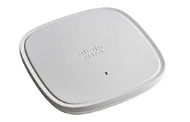
Cisco wireless access points provide Wi-Fi connectivity for compatible laptops, smartphones, tablets, wireless scanners, business devices, and other network clients. Available models differ in wireless technology, antenna configuration, radio capacity, Ethernet uplink speed, power requirements, and management compatibility.
Depending on the model, Cisco access points may support:
- Wi-Fi 6, Wi-Fi 6E, or Wi-Fi 7
- 2.4 GHz and 5 GHz operation
- 6 GHz connectivity on eligible models
- Multiple-input multiple-output (MIMO)
- Multi-user MIMO (MU-MIMO)
- Orthogonal Frequency Division Multiple Access (OFDMA)
- WPA3 wireless security
- Power over Ethernet
- Multigigabit Ethernet connectivity
- Centralized or cloud-based management on supported platforms
Browse our Cisco Wireless Access Points selection to compare available product families, configurations, and manufacturer part numbers.
Cisco Wi-Fi 7 Wireless Access Points
Cisco Wi-Fi 7 access points support IEEE 802.11be technology for compatible business and enterprise wireless networks. Wi-Fi 7 introduces capabilities such as Multi-Link Operation (MLO), wider wireless channels where permitted, and improvements in wireless efficiency.
Cisco Wireless 9170 Series products offer different options for indoor coverage, client density, antenna requirements, and enterprise networking applications.
Cisco CW9172 Series
The Cisco CW9172 family includes Wi-Fi 7 access points for eligible business environments. Different models provide installation options suitable for offices and other indoor spaces.
Cisco CW9174 Series
Cisco CW9174 access points offer Wi-Fi 7 connectivity for supported moderate- to high-density wireless applications, with model-specific antenna configurations.
Cisco CW9176 Series
The Cisco CW9176 family includes high-performance Wi-Fi 7 access points with integrated antenna options. The CW9176I features integrated omnidirectional antennas, while the CW9176D1 provides an integrated directional antenna configuration.
Cisco CW9178 Series
Cisco CW9178 access points are designed for eligible high-density enterprise wireless environments requiring advanced Wi-Fi 7 capabilities.
Cisco CW9179F
The Cisco CW9179F provides a Wi-Fi 7 option designed for supported high-density public venue applications.
Before selecting Wi-Fi 7 hardware, confirm client compatibility, regulatory requirements, PoE power, Ethernet uplink speeds, supported management architecture, and applicable licensing.
Cisco Wi-Fi 6 Wireless Access Points
Cisco Wi-Fi 6 access points use IEEE 802.11ax technology to support efficient wireless connectivity in business environments. Wi-Fi 6 includes technologies such as OFDMA and MU-MIMO that can improve wireless efficiency when used with compatible clients.
Cisco Wi-Fi 6 access point families include:
- Cisco Catalyst 9105 Series
- Cisco Catalyst 9115 Series
- Cisco Catalyst 9120 Series
- Cisco Catalyst 9124 Series
- Cisco Catalyst 9130 Series
These product families offer different options for offices, campuses, outdoor areas, and enterprise networking environments. Check current manufacturer lifecycle information before purchasing older models for a new installation.
Cisco Wi-Fi 6E Wireless Access Points
Cisco Wi-Fi 6E extends compatible Wi-Fi 6 operation into the 6 GHz frequency band where permitted by local regulations. Additional spectrum can provide more channel options for supported devices and appropriately designed wireless networks.
Cisco Wi-Fi 6E products include selected Catalyst 9136 and Catalyst 9160 Series access points, along with eligible industrial wireless models.
Wi-Fi 6E deployments require compatible client devices, appropriate network management software, and careful wireless planning. Coverage, channel availability, and permitted operating modes depend on local regulations and the installation environment.
Cisco Catalyst Wireless Access Points
Cisco Catalyst wireless access points are designed for enterprise WLAN deployments using compatible Cisco management platforms. The Catalyst 9100 family includes products with different radio capabilities, antenna options, and installation requirements.
Common applications include:
- Corporate offices and meeting spaces
- Enterprise campuses
- Educational institutions
- Healthcare facilities
- Hospitality properties
- Retail environments
- Warehouses and logistics facilities
- Industrial environments
Access point selection should account for coverage requirements, expected client density, management architecture, power availability, and software support.
Cisco Wireless LAN Controllers
Cisco wireless LAN controllers provide centralized management and control functions for compatible enterprise wireless networks. Depending on the controller platform, administrators can configure wireless networks, apply supported policies, monitor access points, and manage WLAN operations.
Cisco Catalyst 9800 Series Wireless Controllers
The Cisco Catalyst 9800 Series includes physical and virtual wireless LAN controller platforms for supported enterprise deployments.
Controller options include:
- Cisco Catalyst 9800-L
- Cisco Catalyst 9800-40
- Cisco Catalyst 9800-80
- Cisco Catalyst 9800-CL
Cisco also offers newer CW9800 controller platforms for eligible enterprise wireless environments.
Browse Cisco Wireless Controllers to compare available controller hardware and configurations.
Choosing a Cisco Wireless Controller
Important selection factors include:
- Supported access point models
- Access point capacity
- Expected wireless client capacity
- Network throughput requirements
- Supported software releases
- Redundancy and high-availability requirements
- Physical or virtual deployment architecture
- Software subscriptions and licensing
Not every controller supports every Cisco access point generation. Confirm compatibility before ordering.
Cisco Cloud-Managed Wireless Networking
Cisco offers cloud-managed wireless networking through eligible Meraki solutions and selected Cisco Wireless access points. Cloud management provides centralized administration and monitoring for supported networks.
Depending on the product and license, capabilities may include:
- Remote access point configuration
- Centralized wireless administration
- Wireless client visibility
- Network health monitoring
- Guest Wi-Fi management
- Security policy administration
- Multi-site network monitoring
- Supported troubleshooting tools
Cloud management capabilities depend on the exact hardware, software platform, subscription, and management mode.
Cisco Controller-Based vs. Cloud-Managed Wireless
Controller-Based Wireless Networking
Controller-based deployments use compatible wireless LAN controllers for supported WLAN management and control functions. This architecture may be appropriate for organizations with specific on-premises management requirements.
Cloud-Managed Wireless Networking
Cloud-managed wireless networks use an eligible cloud management platform for centralized administration and monitoring. This approach can be useful for businesses operating multiple locations.
Flexible Wireless Management
Selected newer Cisco wireless access points support different management architectures, depending on the hardware and software generation.
Not every Cisco access point supports every deployment mode. Confirm the management architecture, conversion eligibility, and licensing requirements for the exact model.
Cisco Outdoor Wireless Access Points
Cisco outdoor wireless access points are designed for eligible environments requiring wireless coverage beyond conventional indoor spaces.
Outdoor wireless applications can include:
- Business campuses
- Outdoor common areas
- Industrial properties
- Transportation facilities
- Warehouses and logistics sites
- Hospitality environments
- Public gathering areas
Outdoor installations may require weather-resistant hardware, suitable mounting components, compatible antennas, surge protection, and appropriate network cabling.
Confirm environmental ratings, operating temperature ranges, and installation requirements before purchasing.
Cisco Wireless Antennas
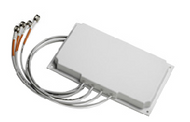
Cisco wireless antennas support compatible access points and other networking equipment requiring external or application-specific antenna configurations.
Available antenna designs may include:
- Omnidirectional antennas: Provide broad wireless coverage around the antenna according to the specified radiation pattern.
- Directional antennas: Concentrate radio energy toward a defined coverage area.
- Patch antennas: Support selected directional wireless applications.
- Outdoor antennas: Provide options for compatible external installations.
- Industrial antennas: Support eligible rugged networking applications.
Explore Cisco Antennas to compare available frequency ranges, antenna gain, connectors, and installation configurations.
Before ordering, verify the access point model, supported frequency bands, connector type, antenna gain, regulatory restrictions, and installation requirements.
Cisco Wireless Installation and Power Requirements
Proper installation is important for wireless coverage, network reliability, and equipment operation. Cisco access points may require compatible mounting hardware, Ethernet cabling, power injectors, or other model-specific components.
Installation planning should account for:
- Access point mounting locations
- Ceiling or wall installation requirements
- Ethernet cable routing
- Power over Ethernet compatibility
- Switch power budget
- Environmental conditions
- Antenna placement
- Wireless coverage objectives
Mounting hardware and power components should be matched to the exact Cisco access point model.
Cisco Wireless Power over Ethernet
Many Cisco wireless access points use Power over Ethernet to receive electrical power through compatible Ethernet cabling.
Depending on the model, power requirements may include IEEE 802.3af PoE, IEEE 802.3at PoE+, IEEE 802.3bt, or a supported external power source.
High-performance access points may require additional power to enable all supported radios and features.
Before deployment, verify:
- Required PoE standard
- Access point power consumption
- Available switch PoE budget
- Compatible power source
- Ethernet uplink requirements
- Supported cabling
- Reduced-power operating limitations
An existing PoE switch may not provide enough power for every newer Cisco access point.
Cisco Multigigabit Wireless Networking
Selected Cisco wireless access points include multigigabit Ethernet interfaces that support higher wired uplink speeds.
Depending on the hardware, supported speeds may include 2.5 Gbps, 5 Gbps, or 10 Gbps.
Multigigabit connectivity can be relevant for high-performance Wi-Fi 6E and Wi-Fi 7 deployments. The connected switch, cabling, and network configuration must support the required speeds.
Cisco Wireless Security Features
Cisco wireless networking platforms support security capabilities for eligible business and enterprise WLAN deployments.
Depending on the hardware, software, and licensing, available features may include:
- WPA3 wireless security
- Enterprise authentication
- 802.1X network access control
- Guest network segmentation
- Role-based access policies
- Wireless security monitoring
- Client connectivity visibility
- Centralized security configuration
Security capabilities vary by product and require appropriate configuration.
Cisco Wireless Software and Licensing
Cisco wireless networking deployments may require software subscriptions, management licenses, or controller-related entitlements.
Common licensing considerations include:
- Cisco Networking Essentials
- Cisco Networking Advantage
- Applicable Cisco DNA software entitlements
- Cisco Meraki wireless subscriptions
- Wireless controller software requirements
- Cloud management licensing
- Subscription duration
- Support and renewal terms
Licensing requirements depend on the access point model, product generation, management platform, and deployment architecture.
Cisco Wireless Networking for Business Offices
Cisco wireless access points can support office environments requiring employee connectivity, guest Wi-Fi, meeting room coverage, and centralized administration.
Important considerations include wireless coverage, expected device counts, enterprise authentication, network segmentation, application performance, and management requirements.
Cisco Wireless Networking for Education
Schools, colleges, and universities often require wireless connectivity across classrooms, libraries, lecture halls, administrative offices, and shared spaces.
Cisco wireless products can support eligible education deployments requiring high-density access points, centralized WLAN management, guest access, and appropriate network policies.
Wireless planning should account for device density, building construction, roaming requirements, and available wired infrastructure.
Cisco Wireless Networking for Healthcare
Healthcare organizations may deploy Cisco wireless networking products in hospitals, clinics, medical offices, and administrative facilities.
Deployment planning should consider wireless coverage, application requirements, interference, authentication, network segmentation, and organizational security policies.
Cisco Wireless Networking for Warehouses and Industrial Facilities
Warehouses and industrial environments often require wireless connectivity across large spaces with shelving, equipment, and challenging building materials.
Supported applications may include:
- Inventory scanners
- Warehouse management devices
- Mobile workstations
- Operational applications
- Facility wireless coverage
- Industrial connectivity
Industrial or outdoor-rated equipment may be appropriate for environments with demanding operating conditions.
Cisco Wireless Networking for Retail and Hospitality
Retail stores, hotels, restaurants, and hospitality properties may require wireless networks for employees, customers, guests, and supported business systems.
Depending on the platform, Cisco wireless solutions can provide guest Wi-Fi, employee network access, centralized administration, cloud management, and wireless monitoring capabilities.
How to Choose the Right Cisco Wireless Access Point
1. Select the Wi-Fi Standard
Determine whether Wi-Fi 6, Wi-Fi 6E, or Wi-Fi 7 is appropriate for the intended network and client devices.
2. Evaluate Coverage Requirements
Review floor plans, building materials, installation locations, and desired coverage areas.
3. Estimate Client Density
Consider the number of simultaneously connected devices and their application requirements.
4. Choose the Management Architecture
Determine whether the deployment requires controller-based management, cloud management, or another supported option.
5. Verify Antenna Requirements
Choose between integrated and compatible external antenna configurations.
6. Confirm Power Requirements
Check the required PoE standard and available switch power budget.
7. Review Ethernet Uplink Speed
Ensure the wired network supports the access point's required uplink capabilities.
8. Check Software Compatibility
Confirm controller support, cloud management eligibility, and applicable licensing.
9. Verify Regulatory Requirements
Confirm country-specific wireless frequency and channel restrictions.
10. Match the Cisco Part Number
Use the exact manufacturer SKU to verify hardware specifications and compatibility.
Cisco Wireless Deployment Checklist
Before purchasing Cisco wireless equipment, confirm:
- Access point model and manufacturer SKU
- Wireless standard
- Indoor or outdoor installation requirements
- Coverage area
- Expected client density
- Antenna configuration
- Supported frequency bands
- Regulatory compatibility
- Wireless controller support
- Cloud management eligibility
- Software licensing requirements
- Power over Ethernet requirements
- Switch power budget
- Ethernet uplink speed
- Mounting requirements
- Network cabling
- Product lifecycle and software support
Why Choose Cisco Wireless Networking?
Cisco offers wireless networking technologies for organizations with different connectivity, security, capacity, and management requirements.
Depending on the selected products, benefits may include:
- Enterprise wireless connectivity
- Wi-Fi 6, Wi-Fi 6E, and Wi-Fi 7 options
- High-density wireless deployment capabilities
- Centralized network management
- Cloud-managed wireless options
- Supported wireless security features
- Multigigabit Ethernet connectivity
- Indoor and outdoor access point choices
- Wireless monitoring tools
- Scalable deployment architectures
Actual wireless performance depends on hardware selection, RF conditions, client devices, network design, and the wired infrastructure.
Why Buy Cisco Wireless Products from Hummingbird Networks?
Hummingbird Networks offers Cisco wireless networking equipment and compatible infrastructure components for business and enterprise applications.
Customers can explore access points, wireless controllers, antennas, and related networking equipment by product family and manufacturer part number.
Whether you are replacing an existing access point, expanding wireless coverage, or planning a new enterprise Wi-Fi deployment, comparing product specifications and compatibility requirements helps identify suitable Cisco networking equipment.
Frequently Asked Questions About Cisco Wireless
What is Cisco wireless networking?
Cisco wireless networking includes access points, controllers, software, and antennas used to provide Wi-Fi connectivity in supported business and enterprise environments.
Does Cisco offer Wi-Fi 7 access points?
Yes. Cisco offers Wi-Fi 7 access points within its Wireless 9170 Series portfolio.
What is the difference between Wi-Fi 6 and Wi-Fi 7?
Wi-Fi 6 uses IEEE 802.11ax, while Wi-Fi 7 uses IEEE 802.11be and introduces capabilities such as Multi-Link Operation on compatible devices.
What is Wi-Fi 6E?
Wi-Fi 6E extends compatible Wi-Fi 6 operation into the 6 GHz frequency band where local regulations permit.
What are Cisco Catalyst wireless access points?
Cisco Catalyst wireless access points are enterprise Wi-Fi devices designed for supported Cisco wireless management architectures.
What is a Cisco wireless LAN controller?
A wireless LAN controller provides centralized management and control functions for compatible wireless access points.
What is the Cisco Catalyst 9800 Series?
The Catalyst 9800 Series is a family of Cisco wireless LAN controllers available in supported physical and virtual configurations.
What is Cisco Meraki wireless?
Cisco Meraki wireless is a cloud-managed networking solution that uses the Meraki dashboard for supported network administration.
Do all Cisco access points require a wireless controller?
No. Requirements depend on the model and management architecture. Some access points use cloud management, while others operate with compatible wireless controllers.
Can Cisco access points be cloud-managed?
Yes. Eligible Cisco Meraki and selected Cisco Wireless access points support cloud management.
Do Cisco wireless access points support PoE?
Many Cisco access points use Power over Ethernet. Required power standards and budgets vary by model.
Can an existing PoE switch power a Wi-Fi 7 access point?
Only if the switch provides sufficient power and the required PoE standard for the selected access point.
Does Cisco offer outdoor wireless access points?
Yes. Cisco offers outdoor and industrial wireless products for supported environments.
Can Cisco access points use external antennas?
Selected models support compatible external antennas. Verify connector, frequency, regulatory, and hardware requirements.
Do Cisco wireless products require software licenses?
Many Cisco wireless deployments require applicable software or management subscriptions. Requirements vary by hardware and platform.
What is the difference between Cisco Catalyst and Meraki wireless?
Catalyst wireless commonly uses controller-based enterprise management, while Meraki wireless uses cloud management. Selected newer Cisco access points support additional management flexibility.
How many devices can a Cisco wireless access point support?
Supported client capacity depends on the model, radio configuration, client behavior, and network conditions.
How do I choose the correct Cisco access point?
Compare wireless standard, coverage, client density, antenna configuration, management compatibility, power requirements, uplink speed, licensing, and manufacturer part number.
Shop Cisco Wireless Networking Equipment
Build and expand business Wi-Fi networks with Cisco wireless access points, wireless controllers, and compatible antennas.
Start with Cisco wireless access points, explore Cisco wireless LAN controllers, or compare Cisco antenna options for your deployment.
Browse Cisco Wireless products at Hummingbird Networks to compare Wi-Fi 7, Wi-Fi 6E, Wi-Fi 6, and related enterprise wireless networking solutions.