
Power & Cooling
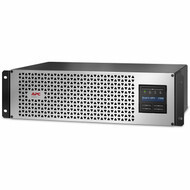
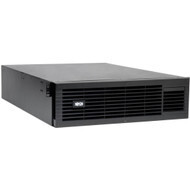
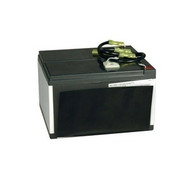
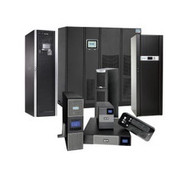
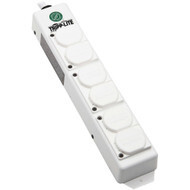
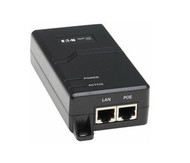
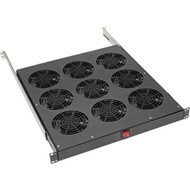
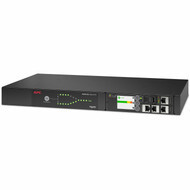
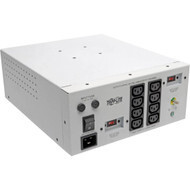

Protect, power, distribute, and cool critical IT infrastructure with power and cooling solutions for networks, servers, storage systems, security equipment, communications systems, racks, and data center environments. Hummingbird Networks offers UPS battery backup, power distribution units, replacement and expansion batteries, surge protection, PoE power solutions, cooling equipment, transfer switches, transformers, and related power infrastructure for business and enterprise technology.
Reliable IT infrastructure depends on more than network and computing hardware. Servers, switches, firewalls, wireless access points, security cameras, storage systems, and communications equipment all require dependable electrical power and appropriate operating temperatures.
Hummingbird Networks offers power and cooling solutions from leading infrastructure manufacturers including APC, Eaton, and Eaton Tripp Lite Series for offices, network closets, branch locations, server rooms, edge environments, and enterprise data centers.
Power & Cooling for Business IT Infrastructure
Power and cooling infrastructure helps keep technology available, protected, organized, and operating within supported environmental conditions.
A complete IT power and cooling environment can include:
- Uninterruptible Power Supplies
- UPS expansion battery packs
- UPS replacement batteries
- Power Distribution Units
- Power strips
- Surge protectors
- PoE injectors
- Rack and network cooling
- Transfer switches
- Isolation and step-down transformers
- Power monitoring and management
- Rack-level power infrastructure
The appropriate combination depends on equipment load, availability requirements, electrical service, rack design, thermal output, runtime requirements, redundancy, and the environment where the technology is deployed.
Why IT Power & Cooling Matter
Network and computing equipment can stop functioning immediately when electrical power is lost, while excessive temperatures can reduce reliability or cause equipment to shut down.
Power and cooling infrastructure can help organizations:
- Maintain operation through short power interruptions
- Protect equipment from common electrical disturbances
- Distribute power throughout IT racks
- Provide backup runtime for critical systems
- Support controlled server shutdown
- Power remote PoE devices
- Manage redundant power sources
- Control temperature in network closets and server environments
- Adapt electrical voltage for compatible equipment
- Monitor power usage and environmental conditions
Power and thermal planning should be considered at the same time as servers, networking, storage, security, and physical infrastructure.
UPS Uninterruptible Power Supplies
Uninterruptible Power Supplies provide temporary battery backup when utility power is interrupted and can protect connected equipment against additional power-quality problems depending on the UPS topology.
UPS systems are commonly used with:
- Servers
- Network switches
- Routers
- Firewalls
- Storage systems
- Wireless infrastructure
- VoIP equipment
- Security systems
- Network video recorders
- Edge computing equipment
Explore UPS Uninterruptible Power Supplies for business and enterprise battery backup from APC, Eaton, Eaton Tripp Lite Series, and other compatible power infrastructure manufacturers.
Standby, Line-Interactive & Online UPS Systems
UPS systems are commonly grouped into three primary power-protection topologies.
Standby UPS
A standby UPS normally supplies connected equipment from utility power and transfers to battery when input power is lost or moves outside supported conditions.
These systems can provide practical battery backup for less demanding equipment and smaller deployments.
Line-Interactive UPS
Line-interactive UPS systems combine battery backup with voltage regulation capabilities that can correct certain electrical fluctuations without using the battery.
They are widely used for network closets, switches, servers, communications equipment, and business IT.
Online Double-Conversion UPS
Online double-conversion systems continuously condition output power through an AC-to-DC and DC-to-AC conversion process.
They are commonly selected for critical servers, enterprise computing, storage, data centers, healthcare IT, and other applications requiring a high level of power protection.
UPS Battery Backup
UPS battery backup provides temporary runtime rather than unlimited electrical power.
During an outage, battery runtime can give organizations time to:
- Ride through a brief interruption
- Wait for generator power
- Maintain network communications temporarily
- Complete a controlled server shutdown
- Keep security equipment operating
- Preserve access to critical systems
Runtime depends on battery capacity, battery condition, connected load, UPS efficiency, and system design.
UPS Expansion Battery Packs
Some UPS systems support external expansion battery packs that increase available runtime without increasing the maximum power capacity of the UPS.
Expansion batteries can be useful when organizations need longer operating time for:
- Servers
- Network equipment
- Storage systems
- Security infrastructure
- Remote locations
- Generator startup periods
- Controlled system shutdown
External battery packs are model-specific. Voltage, connector, battery chemistry, UPS family, firmware, and manufacturer compatibility should all be verified.
Explore UPS Expansion Battery Packs for compatible extended-runtime solutions.
UPS Replacement Batteries
UPS batteries are consumable components that gradually lose capacity as they age.
A UPS can continue to appear operational while an aging battery provides significantly less runtime than it did when new.
Battery service life can be affected by:
- Battery chemistry
- Temperature
- Charge and discharge cycles
- Depth of discharge
- UPS operating conditions
- Battery age
Replacement batteries should be matched to the exact UPS model and manufacturer-supported battery cartridge or battery system.
Explore UPS Replacement Batteries when maintaining compatible UPS equipment.
Lead-Acid & Lithium-Ion UPS Batteries
UPS systems can use different battery technologies.
Lead-Acid UPS Batteries
Valve-Regulated Lead-Acid battery technology is widely used throughout business and enterprise UPS systems.
These batteries provide established backup-power technology but require periodic replacement during the service life of the UPS.
Lithium-Ion UPS Batteries
Lithium-ion UPS systems can offer advantages such as longer battery service life, lower weight, and reduced battery maintenance depending on the system.
The appropriate battery technology depends on lifecycle requirements, deployment environment, initial cost, maintenance strategy, weight, runtime, and UPS platform.
Power Distribution Units
Power Distribution Units, commonly called PDUs, distribute electrical power to multiple devices in a rack, cabinet, server room, or data center environment.
PDUs are commonly used to power:
- Servers
- Storage systems
- Network switches
- Firewalls
- Routers
- Security appliances
- Rack-mounted communications equipment
Unlike a UPS, a PDU does not automatically provide battery backup. PDUs and UPS systems often work together, with the UPS providing protected power and the PDU distributing that power to rack equipment.
Explore PDUs and Power Distribution Units for rack and enterprise power distribution.
Basic Rack PDUs
Basic PDUs distribute available electrical power across multiple outlets without advanced monitoring or switching functionality.
They can provide straightforward rack-level distribution where remote metering and outlet controls are not required.
Metered PDUs
Metered PDUs provide power-consumption information that can help IT teams understand rack load and available capacity.
Depending on the model, metering can be available:
- Locally at the PDU
- Remotely through network management
- At the complete PDU level
- At individual branches or outlets on selected systems
Power monitoring can help reduce overload risk and support capacity planning.
Switched & Managed PDUs
Managed and switched PDUs can add remote monitoring and outlet-control capabilities.
Depending on the PDU, features can include:
- Remote power monitoring
- Individual outlet switching
- Remote equipment reboot
- Load alerts
- Environmental sensor integration
- Network management
These capabilities can be useful in data centers, remote edge locations, branch infrastructure, and server rooms where physical access is limited.
0U Rack PDUs
0U PDUs install vertically within compatible racks, helping preserve horizontal rack units for servers, switches, storage, and other equipment.
Vertical PDUs can provide high outlet density while reducing the amount of usable rack space consumed by power distribution.
1U & 2U Rack PDUs
Horizontal PDUs install in standard rack-unit positions and can be useful where vertical mounting space is unavailable or a smaller number of outlets is required.
Rack layout should account for outlet location, plug clearance, cord routing, equipment serviceability, and available rack space.
Single-Phase & Three-Phase Power Distribution
Rack power equipment is available for single-phase and three-phase electrical environments.
Single-phase systems are common in offices, network closets, and many server environments.
Three-phase power can be used in larger data centers and higher-density deployments where greater electrical capacity is required.
Electrical system design should be planned with qualified electrical professionals when higher-capacity or three-phase distribution is involved.
Power Strips
Power strips provide additional electrical receptacles for compatible equipment.
Business and rack power strips are available in different outlet counts, mounting configurations, cord lengths, voltages, and electrical ratings.
Power strips can be useful for:
- Office technology
- Network equipment
- Rack infrastructure
- Charging environments
- Laboratories
- Healthcare environments
- Point-of-sale applications
A basic power strip should not be assumed to provide surge protection or battery backup unless those capabilities are specifically stated.
Surge Protectors
Surge protectors are designed to help protect connected equipment against certain transient voltage spikes.
They can provide protection for compatible electronics but do not provide battery runtime during a blackout.
Explore Power Strips & Surge Protectors for office, rack, network, and equipment power distribution and surge protection.
UPS vs. Surge Protector
A UPS and surge protector solve different power-protection requirements.
A surge protector can help protect against certain electrical spikes.
A UPS can provide battery backup during an outage while also providing additional power-protection capabilities depending on the model and topology.
Equipment that must remain powered temporarily or shut down safely during an outage generally requires a UPS rather than only a surge protector.
PoE Injectors
Power over Ethernet injectors provide electrical power and Ethernet connectivity to compatible PoE devices using network cabling.
A PoE injector can be useful when the network switch does not provide the required PoE capability or when power needs to be added to an individual Ethernet connection.
PoE injectors can support devices such as:
- Wireless access points
- Security cameras
- VoIP phones
- Wireless bridges
- Point-to-point radios
- Sensors
- Other compatible PoE devices
Explore PoE Injectors for compatible network-powered devices.
What Does a PoE Injector Do?
A PoE injector adds electrical power to an Ethernet connection so a compatible device can receive both network data and power through Ethernet cabling.
The injector typically connects between a non-PoE network port and the powered device.
PoE injectors should be matched to the required PoE standard, voltage, wattage, Ethernet speed, cabling, and powered device.
PoE, PoE+ & PoE++
Power over Ethernet has evolved through multiple standards supporting different power levels.
Common terminology includes:
- PoE
- PoE+
- PoE++
Higher-power PoE standards can support devices with greater electrical requirements.
The injector and powered device must support compatible standards and power levels.
PoE Injector vs. PoE Switch
A PoE switch provides power directly from multiple Ethernet switch ports, while a PoE injector adds power to an individual or limited number of Ethernet connections.
A PoE switch is often more practical for large deployments with many powered devices.
PoE injectors can be useful for isolated devices, existing non-PoE switches, specialized high-power requirements, or small installations.
Cooling Solutions for IT Equipment
Servers, switches, UPS systems, storage equipment, and other electronics convert electrical energy into heat.
Maintaining appropriate operating temperatures is important for equipment reliability and availability.
IT cooling solutions can include:
- Portable air-conditioning systems
- Network closet cooling
- Rack cooling
- Rack-mounted fans
- Exhaust fans
- Airflow accessories
- Cooling management components
Explore Cooling Solutions for network closets, racks, equipment rooms, edge environments, and other IT spaces.
Network Closet Cooling
Network closets can contain switches, routers, firewalls, UPS systems, patch infrastructure, and other equipment that generates heat continuously.
Closets designed originally for passive telecommunications equipment may not have sufficient ventilation for modern PoE switching and network infrastructure.
Cooling requirements should consider:
- Total equipment heat output
- PoE switch load
- UPS heat output
- Room volume
- Ventilation
- Ambient building temperature
- Operating hours
Server Room Cooling
Server rooms can contain higher-density computing and storage equipment that generates substantial heat.
Cooling should be planned according to the total thermal load rather than the number of devices alone.
Important considerations include:
- Server heat output
- Storage systems
- UPS systems
- Network equipment
- Room airflow
- Rack layout
- Redundancy requirements
- Environmental monitoring
Rack Cooling
Rack-level cooling and airflow accessories can help manage heat around concentrated IT equipment.
Good rack airflow depends on more than adding fans. Equipment orientation, cable management, blanking panels, rack doors, exhaust paths, room temperature, and device airflow direction all affect thermal performance.
Portable IT Air Conditioning
Portable cooling systems can provide targeted cooling for network closets, server rooms, and other technology spaces where building HVAC is insufficient or unavailable.
Cooling capacity should be sized according to the heat load and installation environment.
Organizations should also plan for exhaust-air management, condensate, ventilation, electrical requirements, and continuous operation where applicable.
Transfer Switches
Transfer switches allow compatible equipment to receive power from more than one source and can help support power-path redundancy.
They are especially useful for devices that have only one power supply but need access to redundant power sources.
Explore Transfer Switches for compatible rack and IT power environments.
Automatic Transfer Switches
An Automatic Transfer Switch, commonly called an ATS, can switch a connected load between primary and secondary power sources when required.
This can help provide power redundancy to compatible single-cord equipment.
Power sources can include:
- Separate UPS systems
- Separate utility circuits
- UPS and alternate power paths
- Other compatible redundant sources
Transfer Switches for Single-Power-Supply Equipment
Many enterprise servers and switches support dual power supplies, allowing each power supply to connect to a separate power source.
Some devices have only one power input.
A compatible transfer switch can allow single-cord equipment to benefit from redundant upstream power sources without modifying the device itself.
Transformers
Transformers can provide voltage conversion, isolation, and power conditioning for compatible electrical equipment.
Hummingbird Networks offers transformer solutions for business IT, UPS systems, healthcare applications, and specialized electrical environments.
Explore Transformers for compatible power conversion and isolation requirements.
Step-Down Transformers
A step-down transformer reduces a higher input voltage to a lower output voltage required by compatible equipment.
For example, selected IT transformers can accept higher-voltage input and provide 120V output for connected equipment.
Transformer capacity, input voltage, output voltage, receptacles, plug types, and equipment load must all be matched correctly.
Isolation Transformers
Isolation transformers electrically isolate connected equipment from the incoming power source while transferring electrical energy through magnetic coupling.
Depending on the product and application, isolation transformers can be used for:
- Noise reduction
- Electrical isolation
- Voltage conversion
- Medical environments
- Sensitive electronics
Application and safety requirements should be verified for the specific transformer and operating environment.
IT Power for Servers
Servers can host critical applications, databases, virtual machines, files, and business services.
Server power infrastructure can include:
- UPS battery backup
- Rack PDUs
- Redundant power supplies
- Transfer switches
- Network management
- Power monitoring
- Appropriate cooling
Power protection should be planned together with the servers, storage, networking, and applications that must remain available.
IT Power for Network Switches
Switches can connect dozens or hundreds of network devices, making switch power important to overall network availability.
Power planning for network switches should include:
- Switch power consumption
- PoE load
- UPS capacity
- UPS runtime
- Redundant power supplies
- Rack power distribution
- Cooling
Power Protection for PoE Networks
PoE switches can power wireless access points, phones, cameras, sensors, and other devices throughout a facility.
When a PoE switch is connected to a UPS, the UPS can indirectly provide temporary battery power to compatible downstream devices.
This can make UPS sizing more demanding because the switch load includes both the switch electronics and connected PoE devices.
Power & Cooling for Network Closets
Network closets often contain high-value equipment in relatively small spaces.
A complete network closet can require:
- UPS battery backup
- Power Distribution Units
- PoE switching
- Surge protection
- Rack cooling
- Exhaust ventilation
- Environmental monitoring
As PoE density increases, both electrical demand and thermal output can increase significantly.
Power & Cooling for Server Rooms
Server rooms combine computing, storage, networking, security, and power infrastructure in a dedicated environment.
Planning should consider:
- Total IT load
- UPS capacity
- Required runtime
- PDU capacity
- Redundant power paths
- Cooling capacity
- Rack density
- Environmental monitoring
- Generator integration
- Future growth
Power & Cooling for Data Centers
Data centers can require highly structured power and thermal architectures because a large amount of computing equipment operates within a concentrated space.
Data center power infrastructure can include:
- Online UPS systems
- High-capacity UPS battery systems
- Three-phase power
- Rack PDUs
- Metered PDUs
- Managed PDUs
- Transfer switches
- Redundant power paths
- Generators
- Power monitoring
Cooling infrastructure must then remove the heat generated by the servers, storage, networking, UPS equipment, and other systems.
Power & Cooling for Edge Computing
Edge infrastructure can place computing and networking equipment in locations that do not have full data center power and cooling systems.
Examples include:
- Retail stores
- Branch offices
- Warehouses
- Manufacturing facilities
- Healthcare locations
- Remote facilities
Edge power and cooling should emphasize appropriate UPS protection, remote monitoring, compact power distribution, environmental management, and serviceability.
Power & Cooling for Security Infrastructure
Security infrastructure can include cameras, video recorders, access-control systems, sensors, PoE switches, and network equipment.
Power loss can interrupt recording and communications even when individual cameras remain physically intact.
UPS and power-distribution planning should therefore consider the complete security system, including:
- PoE switches
- Network video recorders
- Storage
- Routers and firewalls
- Security servers
- Access-control equipment
Power & Cooling for Collaboration & VoIP
Business communications can depend on PoE phones, switches, routers, gateways, internet connectivity, and calling infrastructure.
UPS power for only the phone is not enough if the switch or gateway loses power.
Organizations should evaluate the complete communications path when determining which equipment requires backup power.
APC Power & Cooling Solutions
APC provides power protection and physical IT infrastructure for offices, network closets, server rooms, and enterprise environments.
APC solutions can include:
- Smart-UPS systems
- Smart-UPS On-Line systems
- UPS batteries
- External battery packs
- Rack PDUs
- Power distribution
- Transformers
- Power management accessories
APC is particularly established in UPS battery backup and rack power infrastructure for business IT.
Eaton Power & Cooling Solutions
Eaton offers power-management infrastructure across UPS, power distribution, battery backup, monitoring, and enterprise electrical applications.
Eaton solutions can support:
- Network equipment
- Servers
- Data centers
- Edge computing
- Healthcare IT
- Industrial environments
- High-availability infrastructure
Eaton's portfolio includes both lead-acid and lithium-ion UPS platforms along with rack power distribution and management technologies.
Eaton Tripp Lite Series Power & Cooling
Eaton Tripp Lite Series offers a broad range of power and cooling equipment for offices, networks, server rooms, racks, security systems, healthcare environments, and edge infrastructure.
Available technologies can include:
- UPS battery backup
- Power Distribution Units
- Power strips
- Surge protection
- Cooling systems
- Transfer switches
- Isolation transformers
- Power accessories
120V Power Infrastructure
120V power is common in North American offices, network closets, branch environments, and smaller server installations.
Power products designed for 120V environments can include UPS systems, power strips, PDUs, transformers, and transfer switches.
Always verify plug, receptacle, amperage, circuit, and equipment requirements.
208V & 240V IT Power
208V and 240V electrical systems can be used for higher-capacity rack and data center equipment.
Higher-voltage power distribution can support larger IT loads and can be common in enterprise data centers.
UPS systems, PDUs, transformers, plugs, receptacles, circuits, and connected equipment must all be compatible with the selected voltage.
Understanding Watts, VA & Amps
Power infrastructure is specified using several related electrical measurements.
Watts describe real power consumed by equipment.
VA describes apparent power and is commonly used to rate UPS systems.
Amps describe electrical current.
UPS, PDU, and circuit sizing should consider all relevant electrical limits rather than relying on a single specification.
Power Capacity Planning
IT environments should be planned around expected electrical load and future expansion.
Capacity planning can include:
- Current equipment wattage
- Peak equipment load
- PoE power requirements
- Future equipment additions
- UPS watt and VA capacity
- PDU load limits
- Branch circuit capacity
- Redundant power architecture
Operating power infrastructure at or near its maximum rating can leave little room for equipment growth or temporary load variations.
Power Redundancy
Business-critical systems can require more than one path to electrical power.
A redundant power architecture can include:
- Dual server power supplies
- Multiple UPS systems
- Separate PDUs
- Separate branch circuits
- Transfer switches
- Generator backup
The appropriate level of redundancy depends on application availability requirements and acceptable downtime.
UPS & Generator Integration
UPS systems and generators serve complementary roles.
A UPS provides nearly immediate battery-backed power when utility electricity fails.
A generator provides longer-duration alternate power after starting and stabilizing.
In critical environments, the UPS can bridge the period between utility loss and generator availability.
Power Monitoring
Power monitoring helps administrators understand electrical load and identify potential infrastructure problems.
Depending on the equipment, monitoring can include:
- UPS load
- Battery health
- Estimated runtime
- PDU power consumption
- Voltage
- Current
- Power events
- Environmental conditions
Remote monitoring can be particularly useful for branch locations and edge infrastructure where IT staff are not physically present.
Environmental Monitoring
Power and cooling equipment can be paired with environmental monitoring technologies to provide additional visibility into IT spaces.
Environmental conditions that can affect equipment include:
- Temperature
- Humidity
- Airflow
- Water or leaks
- Other site conditions
Monitoring can help organizations identify developing problems before equipment begins to overheat or fail.
Power Efficiency
Electrical efficiency affects operating cost and the amount of heat generated within IT environments.
Efficiency should be considered across:
- UPS systems
- Server power supplies
- Network equipment
- Power distribution
- Cooling systems
Reducing unnecessary electrical losses can also reduce cooling demand because less wasted electrical energy is converted into heat.
Why Cooling and Power Should Be Planned Together
Electrical power consumed by IT equipment ultimately becomes heat that must be removed from the environment.
Adding servers, switches, storage, or UPS equipment can therefore increase both electrical load and cooling requirements.
A network closet that works adequately with one switch can become thermally constrained after additional PoE switches and UPS equipment are installed.
Power upgrades should therefore include a review of temperature and airflow requirements.
Rack Power & Cooling
Rack infrastructure brings servers, networking, storage, power, and cabling into a concentrated physical space.
A well-planned rack should account for:
- UPS placement
- PDU placement
- Power-cord routing
- Equipment airflow
- Hot-air exhaust
- Rack weight
- Service access
- Power redundancy
Explore Racks & Infrastructure when designing the physical environment supporting power, cooling, networking, and computing equipment.
How to Plan IT Power & Cooling
Start with the equipment and business services that must remain available.
Identify Critical Equipment
Determine which servers, network devices, storage systems, security appliances, communications systems, and other devices require protected power.
Calculate Electrical Load
Estimate actual and maximum power consumption for protected equipment.
Determine Backup Requirements
Decide which equipment requires UPS battery backup and how long it should remain powered.
Plan Power Distribution
Determine the appropriate PDUs, outlet types, circuits, voltages, and power paths.
Consider Redundancy
Identify whether critical equipment requires dual power paths, transfer switches, or additional UPS systems.
Calculate Heat Load
Evaluate the heat generated by servers, switches, storage, UPS systems, and other equipment.
Plan Cooling & Airflow
Ensure that the space has sufficient cooling and ventilation to maintain manufacturer-supported operating temperatures.
Consider Monitoring
Determine whether remote UPS, PDU, battery, temperature, or environmental monitoring is required.
Plan for Growth
Allow reasonable electrical, rack, UPS, and cooling headroom for future equipment.
Building a Complete IT Power & Cooling Environment
A complete power and cooling deployment can include:
- UPS battery backup
- UPS expansion batteries
- Replacement UPS batteries
- Rack PDUs
- Power strips
- Surge protection
- PoE injectors
- Cooling systems
- Rack fans and exhaust systems
- Transfer switches
- Transformers
- Power monitoring
- Environmental monitoring
- Racks and enclosures
Planning these technologies as an integrated system can help reduce power-capacity problems, unexpected shutdowns, overheating, and compatibility issues.
Why Buy Power & Cooling Solutions from Hummingbird Networks?
IT power infrastructure can involve battery runtime, electrical load, voltage, outlet types, rack design, redundancy, network management, and thermal requirements. Matching these components correctly is essential when protecting business-critical technology.
Hummingbird Networks offers power and cooling solutions for offices, network closets, branch infrastructure, server rooms, edge computing, security systems, and enterprise data centers.
Customers can turn to our team for:
- UPS battery backup systems
- UPS expansion battery packs
- UPS replacement batteries
- Rack PDUs
- Metered and managed PDUs
- Power strips and surge protectors
- PoE injectors
- Network and server cooling
- Transfer switches
- Transformers
- APC power infrastructure
- Eaton power infrastructure
- Eaton Tripp Lite Series power and cooling
- Product and compatibility guidance
Whether you are protecting a single network closet, adding battery backup to servers, improving rack power distribution, cooling a growing equipment room, or building redundant data center infrastructure, Hummingbird Networks can help identify power and cooling products based on your equipment and environment.
Frequently Asked Questions About Power & Cooling
What is IT power and cooling?
IT power and cooling includes the electrical protection, battery backup, power distribution, power conversion, and thermal management technologies used to support servers, networking, storage, communications equipment, security systems, and other technology infrastructure.
Why do network and server equipment need power protection?
Unexpected electrical interruptions can stop equipment immediately and can interrupt applications, network connectivity, communications, security systems, and data operations. Appropriate power protection can provide battery runtime and help manage electrical disturbances.
What is a UPS?
A UPS, or Uninterruptible Power Supply, provides temporary battery power when utility power is interrupted and can provide additional power protection depending on the UPS design.
What is a PDU?
A Power Distribution Unit distributes electrical power to multiple devices, commonly within an IT rack or data center environment.
What is the difference between a UPS and PDU?
A UPS provides battery backup and power protection. A PDU distributes available electrical power to connected equipment. They are frequently used together.
What is the difference between a UPS and surge protector?
A surge protector helps protect against certain voltage spikes but does not provide battery runtime. A UPS can provide temporary battery power during an outage.
What are the three main UPS types?
The three common UPS topologies are standby, line-interactive, and online double-conversion.
What is a UPS expansion battery pack?
An expansion battery pack connects to a compatible UPS to increase available battery runtime. It does not normally increase the maximum watt or VA capacity of the UPS.
Can UPS batteries be replaced?
Many UPS systems support replaceable battery cartridges or battery assemblies. Replacement batteries must match the exact UPS model and manufacturer requirements.
How long do UPS batteries last?
Battery life varies with chemistry, temperature, discharge frequency, charging conditions, and UPS design. Battery health should be monitored and replacement performed according to manufacturer guidance.
What is a rack PDU?
A rack PDU distributes electrical power to equipment installed within an IT rack. Rack PDUs are available in basic, metered, monitored, switched, and managed configurations.
What is a 0U PDU?
A 0U PDU mounts vertically within a compatible rack and does not consume conventional horizontal rack units.
What is a managed PDU?
A managed PDU provides network-based monitoring and, on supported models, remote outlet switching and additional power-management capabilities.
What is a PoE injector?
A PoE injector adds electrical power to an Ethernet connection so a compatible network device can receive both power and network connectivity through Ethernet cabling.
When should I use a PoE injector instead of a PoE switch?
A PoE injector can be practical for one or a small number of powered devices when the existing switch does not provide the required PoE capability. Larger deployments often benefit from PoE switching.
Why do network closets need cooling?
Modern network closets can contain PoE switches, UPS systems, routers, firewalls, and other equipment that generates substantial heat. Without adequate ventilation or cooling, temperatures can exceed equipment operating limits.
Do UPS systems generate heat?
Yes. UPS electronics and batteries generate heat during normal operation and charging, so UPS equipment should be considered when calculating room and rack thermal loads.
What is a transfer switch?
A transfer switch allows compatible equipment to receive power from different sources. Automatic transfer switches can switch between primary and secondary power sources when required.
Why would I need a transfer switch?
A transfer switch can provide redundant upstream power options for compatible equipment, including devices that have only a single power input.
What does a transformer do?
A transformer can change voltage, provide electrical isolation, or support specialized power-conditioning requirements depending on its design.
What is an isolation transformer?
An isolation transformer transfers power while electrically isolating the connected load from the source. Depending on the product, it can also provide voltage conversion or power conditioning.
What is a step-down transformer?
A step-down transformer converts a higher input voltage to a lower output voltage required by compatible equipment.
How do I size power infrastructure for a server rack?
Calculate the expected wattage and current draw of servers, storage, switches, security equipment, and other rack devices. Then plan appropriate circuits, UPS capacity, PDU capacity, outlet types, runtime, redundancy, and cooling.
How do I calculate UPS load for a PoE switch?
Include the switch's own electrical consumption plus the expected power supplied to connected PoE devices.
Can I connect a PDU to a UPS?
Compatible PDUs are commonly connected downstream from UPS systems in rack environments. Electrical ratings, connectors, UPS output capacity, PDU capacity, and total load must all be appropriate for the configuration.
Do servers need both a UPS and PDU?
Not every deployment requires both, but rack environments commonly use a UPS for protected power and one or more PDUs to distribute that power to servers and other equipment.
What is power redundancy?
Power redundancy uses more than one power path or power component to reduce dependence on a single point of failure. It can involve redundant server power supplies, separate PDUs, multiple UPS systems, transfer switches, circuits, or generators.
How does power consumption affect cooling?
Most electrical power consumed by IT equipment ultimately becomes heat. Increasing server, switch, storage, or UPS loads can therefore increase cooling requirements.
How do I know if my network closet is overheating?
Monitor ambient temperature and equipment health while comparing conditions with manufacturer operating specifications. Persistent high temperatures, thermal alarms, or equipment fan speeds can indicate insufficient cooling or airflow.
What power and cooling brands does Hummingbird Networks carry?
Hummingbird Networks offers power and cooling infrastructure from manufacturers including APC, Eaton, and Eaton Tripp Lite Series, along with other compatible technology brands across specific product categories.
Can Hummingbird Networks help me choose power and cooling equipment?
Yes. Providing the equipment being protected, electrical load, required runtime, voltage, rack environment, redundancy requirements, and cooling conditions can help identify appropriate power and cooling solutions.
Shop Power & Cooling Solutions
Build reliable IT infrastructure with UPS battery backup, expansion and replacement batteries, rack power distribution, surge protection, PoE power, cooling solutions, transfer switches, transformers, and related power-management equipment.
From APC, Eaton, and Eaton Tripp Lite Series UPS and rack power products to network-closet cooling and enterprise power distribution, Hummingbird Networks can help organizations protect and support networking, servers, storage, security systems, collaboration equipment, and data center infrastructure.