
Networking
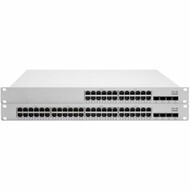
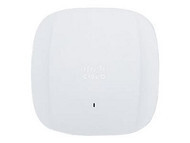
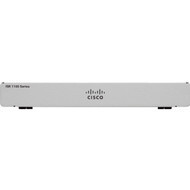
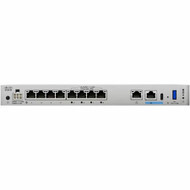
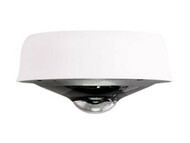
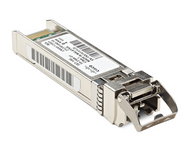
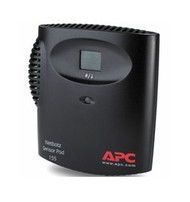
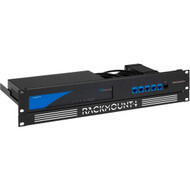

Build reliable, secure, and scalable networks with business and enterprise networking equipment from Hummingbird Networks. Explore solutions for wired and wireless connectivity, network switching, routing, optical networking, and the infrastructure required to connect users, devices, applications, servers, and locations.
Whether you are upgrading a small business network, expanding an enterprise campus, connecting branch locations, increasing network capacity, or modernizing data center infrastructure, choosing the right networking equipment can improve performance, reliability, manageability, and long-term scalability.
Hummingbird Networks offers networking solutions from leading technology manufacturers for organizations with a wide range of performance, connectivity, management, and budget requirements.
Shop Business & Enterprise Networking Equipment
Modern networks support far more than computers and printers. Organizations rely on their network infrastructure for cloud applications, voice and video communications, wireless connectivity, cybersecurity, surveillance, IoT devices, servers, storage, and other business-critical systems.
Explore networking equipment for small business, enterprise, campus, branch, data center, and distributed environments across our primary networking categories:
Network Switches
Network switches connect computers, servers, wireless access points, IP phones, cameras, printers, storage systems, and other Ethernet-enabled devices within a local network.
Businesses can choose from managed and unmanaged switches, Layer 2 and Layer 3 switches, Power over Ethernet switches, stackable platforms, and high-performance switching solutions for enterprise and data center environments.
When selecting a switch, consider port count, Ethernet speed, PoE requirements, uplink capacity, management features, redundancy, stacking capabilities, and future expansion. A growing organization may also benefit from selecting a platform that provides additional capacity beyond its immediate requirements.
Routers & Gateways
Routers and gateways connect networks and direct traffic between locations, network segments, service providers, and the internet. They play an important role in branch connectivity, WAN infrastructure, internet access, and communication between separate networks.
Business routing requirements can range from straightforward internet connectivity for a small office to more advanced routing for enterprise, branch, and multi-site environments.
When evaluating a router or gateway, consider available bandwidth, interface types, WAN connectivity, redundancy, management requirements, security features, VPN requirements, and the number of users and applications the device must support.
Wireless Networking
Wireless networking enables organizations to connect users and devices throughout offices, campuses, warehouses, schools, hospitality environments, outdoor locations, and other areas where wired connectivity alone is not practical.
Business wireless infrastructure can include wireless access points, antennas, point-to-point wireless systems, point-to-multipoint solutions, and centralized or cloud-based management platforms.
When planning a wireless network, consider coverage area, building construction, device density, application requirements, available spectrum, interference, roaming, security, and wired network capacity. Wireless performance ultimately depends on both the radio environment and the network infrastructure supporting each access point.
Transceiver Modules & Optical Networking
Transceiver modules provide flexible network connectivity for switches, routers, servers, storage systems, and other compatible networking equipment.
Optical and copper transceivers can support different interface types, network speeds, fiber types, wavelengths, and transmission distances. Common form factors include SFP, SFP+, SFP28, QSFP+, QSFP28, and other interfaces designed for specific networking applications.
Compatibility is especially important when purchasing transceivers. The required module depends on the networking platform, interface, data rate, cabling, connector type, and transmission distance.
Networking Accessories
Networking accessories help organizations install, expand, maintain, and optimize network infrastructure. Depending on the deployment, these can include mounting hardware, power supplies, adapters, modules, replacement components, and other equipment required to complete an installation.
Checking compatibility before purchasing accessories can help prevent installation delays and ensure that components are appropriate for the networking hardware being deployed.
How to Choose the Right Networking Equipment
The right networking equipment depends on more than brand or price. Network size, connected devices, applications, bandwidth, management requirements, security policies, physical infrastructure, and future expansion should all influence purchasing decisions.
Before selecting equipment, consider the following factors.
Network Size
Start by determining how many users, devices, switches, access points, servers, cameras, phones, and other endpoints the network needs to support. Also account for expected growth rather than designing solely around today's requirements.
Bandwidth & Network Speed
Bandwidth requirements vary considerably between environments. Standard business applications may operate effectively over Gigabit Ethernet, while high-performance wireless networks, servers, storage systems, aggregation links, and data centers may require multi-gigabit or significantly faster connectivity.
Network speeds can include 1 Gigabit Ethernet, 2.5GbE, 5GbE, 10GbE, 25GbE, 40GbE, 100GbE, and higher-speed technologies depending on the application and infrastructure.
Copper vs. Fiber Connectivity
Copper Ethernet is widely used for connecting endpoints such as computers, IP phones, cameras, and wireless access points. Fiber optic connectivity is commonly used for longer distances, higher bandwidth requirements, building-to-building connections, uplinks, aggregation, and data center infrastructure.
Many business networks use both copper and fiber, with copper providing endpoint connectivity and fiber supporting higher-speed backbone and uplink connections.
Power over Ethernet
Power over Ethernet, commonly known as PoE, allows compatible network devices to receive electrical power and data through the same Ethernet connection.
PoE can simplify the installation of wireless access points, IP phones, surveillance cameras, access control devices, and other connected equipment. When selecting PoE networking equipment, consider both the required PoE standard and the total available power budget.
Management Requirements
Some organizations need basic connectivity, while others require detailed network visibility, VLAN configuration, traffic prioritization, monitoring, automation, access controls, centralized administration, or cloud-based management.
Understanding how the network will be managed is important when comparing networking platforms, particularly for organizations with multiple locations or limited on-site IT resources.
Scalability
Networking infrastructure should accommodate future users, devices, wireless access points, applications, locations, and bandwidth requirements whenever practical.
Planning for reasonable growth can reduce the need to replace equipment prematurely and make future network expansion easier to manage.
Understanding Business Network Architecture
Networking equipment performs different roles depending on where it is deployed. Understanding these roles can make it easier to select appropriate hardware and design a network that can grow with the organization.
Access Layer
The access layer is where end-user and edge devices connect to the network. Access switches commonly provide connectivity for desktop computers, IP phones, wireless access points, cameras, printers, and other endpoints.
Port density, PoE capacity, security features, and endpoint connectivity are particularly important at this layer.
Distribution Layer
In larger networks, the distribution layer aggregates traffic from access switches and can provide routing, policy enforcement, redundancy, and connectivity between different portions of the network.
Distribution infrastructure typically requires greater bandwidth and resiliency than individual access switches.
Core Network
The core provides high-speed connectivity between major areas of a network. Enterprise core infrastructure is typically designed around performance, availability, redundancy, and the ability to transport large amounts of traffic efficiently.
Branch & Remote Networks
Branch locations require reliable connectivity to applications, cloud services, headquarters, data centers, and the internet. Depending on the organization, branch networking may combine switching, routing, wireless connectivity, security, and centralized management.
Data Center Networking
Data center networks can require high port density, low latency, substantial bandwidth, redundant connectivity, high-speed fiber, and support for servers, storage systems, virtualization, and demanding applications.
Data center switching and optical infrastructure may operate at significantly higher speeds than typical user access networks.
Managed vs. Unmanaged Networking Equipment
Managed networking equipment gives IT administrators greater visibility and control over network operation. Depending on the platform, management capabilities can include VLANs, Quality of Service, monitoring, port configuration, link aggregation, access controls, redundancy, traffic analysis, and remote administration.
Unmanaged equipment is designed primarily for straightforward connectivity with minimal configuration. It can be appropriate for smaller or less complex environments where advanced network controls are unnecessary.
Businesses that depend heavily on their network, need segmentation, support multiple applications, or expect significant growth generally benefit from the additional capabilities provided by managed networking equipment.
On-Premises vs. Cloud-Managed Networking
Organizations can choose between networking platforms managed locally, through centralized controllers, or through cloud-based management systems.
Cloud-managed networking can simplify administration across multiple locations by giving IT teams centralized visibility into switches, wireless access points, gateways, and other compatible devices without requiring administrators to be physically present at each site.
Traditional and on-premises management can remain appropriate for organizations that require specific administrative workflows, infrastructure architectures, or control models.
The right approach depends on the size and distribution of the network, available IT resources, security policies, existing infrastructure, and operational requirements.
Networking Equipment for Different Business Environments
Small Business Networks
Small businesses often need reliable switching, WiFi, routing, and internet connectivity without unnecessary administrative complexity. Ease of deployment, centralized management, affordability, and room for future growth can be important considerations.
Enterprise Networks
Enterprise networking environments may require high availability, advanced security, segmentation, redundant connectivity, centralized management, automation, high port density, and scalable wired and wireless infrastructure.
Education
Schools, universities, and other educational organizations often need network infrastructure capable of supporting classrooms, administrative systems, high-density WiFi, voice communications, security systems, and large numbers of student and staff devices.
Healthcare
Healthcare networks may support clinical applications, administrative systems, wireless devices, communications, security systems, and connected medical technologies. Reliability, segmentation, security, wireless coverage, and network availability can be especially important.
Retail & Hospitality
Retail and hospitality environments may rely on networking infrastructure for point-of-sale systems, guest WiFi, employee connectivity, surveillance, digital signage, communications, and centralized management across multiple locations.
Warehouses & Manufacturing
Warehouses and manufacturing environments can require reliable wired and wireless connectivity across large spaces while supporting scanners, mobile devices, cameras, industrial systems, IoT equipment, and operational applications.
Networking Brands for Business & Enterprise Environments
Hummingbird Networks carries networking products from leading manufacturers including Cisco, Meraki, Aruba, Aruba Instant On, Fortinet, NETGEAR, Ubiquiti, ADTRAN, HPE, and other technology brands.
Different manufacturers emphasize different approaches to switching, routing, wireless networking, management, security, performance, and scalability. There is no single networking brand that is ideal for every environment.
Organizations should evaluate manufacturers based on their technical requirements, existing infrastructure, preferred management model, security needs, available IT resources, compatibility requirements, expected growth, and budget.
Explore our IT and networking brands to learn more about the manufacturers available from Hummingbird Networks.
Build More Than the Network
Reliable networking depends on the infrastructure surrounding the switches, routers, and wireless access points. Hummingbird Networks also offers equipment for other critical areas of the IT environment.
Organizations building or upgrading network infrastructure may also need:
- Network security solutions to help protect users, devices, applications, and network traffic
- Power and cooling equipment to help protect and support critical IT systems
- Racks and infrastructure for organizing and installing network equipment
- Cables and connectivity for copper, fiber, power, and specialized connections
Why Buy Networking Equipment from Hummingbird Networks?
Choosing networking equipment involves more than comparing specifications or part numbers. Compatibility, bandwidth, PoE requirements, management, licensing, security, physical connectivity, power requirements, and future expansion can all influence the right purchasing decision.
Hummingbird Networks helps businesses and organizations source networking and IT infrastructure from leading technology manufacturers.
Customers can turn to our team for:
- Business and enterprise networking equipment
- Products from leading technology manufacturers
- Help identifying appropriate networking hardware
- Product and compatibility guidance
- Solutions for network upgrades and infrastructure refreshes
- Assistance with business and enterprise technology purchasing
Whether you need a single networking component or are planning a larger infrastructure upgrade, our team can help you evaluate products based on your technical and business requirements.
Frequently Asked Questions About Networking Equipment
What equipment is needed for a business network?
A business network may include switches, routers or gateways, wireless access points, firewalls, transceivers, Ethernet and fiber cabling, racks, UPS systems, and other infrastructure. The exact equipment depends on the number of users and devices, network design, applications, security requirements, internet connectivity, wireless coverage, and performance requirements.
What is the difference between a router and a network switch?
A network switch primarily connects devices within a local network, while a router directs traffic between different networks. In a typical business environment, switches connect local devices while a router or gateway provides connectivity between the local network, other locations, and the internet.
What is the difference between managed and unmanaged switches?
Managed switches provide configuration, monitoring, segmentation, security, and traffic management capabilities. Unmanaged switches primarily provide plug-and-play Ethernet connectivity with little or no configuration. Managed switches are generally more appropriate for networks that require greater control, visibility, or scalability.
What is a Layer 2 vs. Layer 3 network switch?
Layer 2 switches primarily forward traffic using MAC addresses within a local network. Layer 3 switches add routing capabilities that allow traffic to move between different IP networks or VLANs. Layer 3 functionality is commonly used in larger or more segmented business networks.
What is Power over Ethernet?
Power over Ethernet allows compatible devices to receive electrical power and network data through the same Ethernet cable. PoE is commonly used for wireless access points, IP phones, surveillance cameras, access control systems, and other network-connected devices.
How many network switch ports does my business need?
Count the wired devices that need connections, including computers, access points, phones, cameras, printers, servers, and uplinks. It is generally useful to leave additional capacity for future devices and expansion rather than purchasing a switch with only enough ports for current requirements.
When should a business use fiber instead of Ethernet copper?
Fiber is commonly used for longer transmission distances, high-bandwidth uplinks, connections between buildings, network backbones, aggregation, and data center applications. Copper Ethernet remains common for endpoint connections where distances and bandwidth requirements are within the capabilities of the selected cabling standard.
What is a network transceiver?
A network transceiver is a removable module used to provide a specific type of network interface. Depending on the module, transceivers can support copper or fiber connections, different speeds, wavelengths, connector types, and transmission distances.
What is cloud-managed networking?
Cloud-managed networking allows compatible network devices to be configured, monitored, and administered through a cloud-based management platform. This can make it easier for IT teams to manage multiple locations and distributed infrastructure from a centralized interface.
What network speed does my business need?
The appropriate network speed depends on the applications and devices being supported. Gigabit Ethernet remains common for business endpoint connectivity, while multi-gigabit and 10 Gigabit Ethernet can support higher-performance devices, wireless infrastructure, servers, and uplinks. Data center and aggregation environments may require 25GbE, 40GbE, 100GbE, or faster connectivity.
Which networking brand is best?
There is no single networking manufacturer that is best for every organization. The right platform depends on network size, management preferences, wired and wireless requirements, cybersecurity needs, existing infrastructure, compatibility, performance, scalability, available IT resources, and budget.
Can networking equipment from different manufacturers work together?
Yes, many networking technologies are based on industry standards that allow equipment from different manufacturers to operate together. However, compatibility, proprietary features, management platforms, licensing, support requirements, and advanced functionality should be evaluated before designing a mixed-vendor network.
Can Hummingbird Networks help me choose networking equipment?
Yes. Hummingbird Networks can help businesses and organizations evaluate networking products based on factors such as network size, connectivity, bandwidth, PoE requirements, management, compatibility, deployment environment, and future growth.
Shop Networking Equipment for Your Business
Build or upgrade your network with switching, routing, wireless, optical connectivity, and networking infrastructure for small business, enterprise, campus, branch, and data center environments.
Whether you are replacing a single network device, increasing capacity, improving wireless connectivity, connecting new locations, or planning a larger infrastructure refresh, Hummingbird Networks can help you identify networking equipment that fits your environment and requirements.