
Physical Security
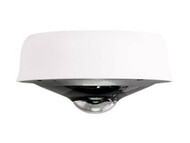

Protect people, property, facilities, and critical infrastructure with business and enterprise physical security solutions from Hummingbird Networks. Explore network security cameras and video surveillance technologies designed for offices, campuses, warehouses, retail locations, schools, healthcare facilities, data centers, outdoor environments, and distributed organizations.
Modern physical security increasingly depends on network-connected technology. IP security cameras can provide organizations with centralized visibility, remote monitoring, video recording, and surveillance capabilities while integrating with the network infrastructure already supporting other business systems.
Whether you are installing cameras at a new location, replacing legacy surveillance equipment, expanding video coverage, upgrading to higher-resolution cameras, or building a centrally managed multi-site surveillance system, Hummingbird Networks can help you identify physical security equipment that fits your environment and requirements.
Shop Business & Enterprise Physical Security Solutions
Physical security technology helps organizations monitor facilities, protect assets, investigate events, and maintain visibility across important areas of a property.
Network-based physical security systems can include IP security cameras, video management platforms, cloud video services, surveillance displays, sensors, access technologies, and the networking and power infrastructure required to support them.
The appropriate solution depends on the location, coverage requirements, lighting conditions, image quality, retention requirements, network infrastructure, environmental conditions, management preferences, and number of sites being protected.
Network Security Cameras
Network security cameras, also called IP cameras, connect to an organization's network rather than relying exclusively on traditional analog surveillance infrastructure.
IP cameras can transmit digital video across Ethernet networks, allowing organizations to integrate video surveillance with existing switches, cabling, storage, cloud services, and management platforms.
Depending on the camera and surveillance platform, capabilities can include high-resolution video, infrared night vision, remote viewing, motion detection, audio, video analytics, onboard storage, cloud connectivity, and centralized management.
Indoor Security Cameras
Indoor network cameras can provide surveillance for offices, hallways, entrances, reception areas, retail locations, classrooms, server rooms, warehouses, and other interior spaces.
When choosing an indoor camera, consider the area being monitored, mounting position, field of view, lighting, resolution, audio requirements, available network connectivity, and whether the camera requires specialized analytics or other capabilities.
Outdoor Security Cameras
Outdoor security cameras are designed for environments where surveillance equipment may be exposed to weather, temperature changes, dust, moisture, and other environmental conditions.
Outdoor cameras can monitor building entrances, parking areas, loading docks, campuses, warehouses, storage areas, perimeters, and other exterior locations.
When selecting outdoor surveillance equipment, verify environmental ratings, operating temperatures, mounting requirements, night visibility, field of view, network connectivity, and power requirements.
Types of Security Cameras
Security cameras are available in different physical designs and lens configurations. The appropriate camera type depends on where it will be installed and what the organization needs to monitor.
Dome Security Cameras
Dome cameras use a compact enclosure that can be appropriate for offices, retail environments, schools, healthcare facilities, hallways, entrances, and other business locations.
Depending on the model, dome cameras may be designed for indoor or outdoor use and can offer fixed or adjustable viewing options, infrared illumination, audio, and other surveillance features.
Bullet Security Cameras
Bullet cameras use an elongated enclosure and are commonly deployed where a more focused surveillance direction is required.
They can be useful for entrances, parking areas, building exteriors, warehouses, loading docks, perimeters, and other locations where administrators want the camera directed toward a specific area.
Fisheye & Panoramic Cameras
Fisheye and panoramic cameras provide a wide field of view that can help organizations monitor large areas with fewer camera positions.
These cameras can be useful for open offices, retail spaces, lobbies, warehouses, common areas, and other environments where broad situational visibility is important.
Fixed-Lens Cameras
A fixed-lens camera provides a predetermined focal length and field of view. These cameras can be appropriate when the surveillance area and mounting position are known and do not require optical adjustment.
Varifocal & Zoom Cameras
Varifocal and optical zoom cameras provide greater flexibility when adjusting the field of view or focusing on a particular surveillance area.
They can be useful for installations where camera placement, distance, or the size of the monitored area requires more flexibility than a fixed lens provides.
Security Camera Resolution
Camera resolution affects the amount of visual detail captured in surveillance footage. Higher resolution can provide greater image detail, but it can also increase bandwidth and storage requirements.
Organizations should select resolution based on what they need to see rather than automatically choosing the highest available specification.
1080p Security Cameras
1080p video can provide useful surveillance detail for many general business applications, particularly where broad situational awareness is more important than capturing fine details at significant distances.
4K Security Cameras
4K cameras provide substantially greater image resolution and can be useful when organizations need additional detail across larger surveillance areas.
Higher-resolution cameras can also place greater demands on network bandwidth and video storage, so the complete surveillance infrastructure should be considered when planning a 4K deployment.
Megapixels & Image Detail
Megapixel ratings provide another way of describing camera resolution. More megapixels can increase available image detail, but image quality also depends on the camera sensor, lens, lighting, compression, positioning, and other factors.
Resolution should therefore be considered as one part of the overall camera specification rather than the sole measure of surveillance quality.
Infrared & Night Vision Security Cameras
Surveillance does not stop when lighting conditions change. Cameras designed for low-light or nighttime environments can use infrared illumination and other imaging technologies to provide visibility when normal lighting is limited.
Infrared cameras can be useful for:
- Parking lots
- Building entrances
- Warehouses
- Loading docks
- Exterior perimeters
- Storage facilities
- Hallways and low-light interior spaces
When comparing night vision cameras, consider the intended viewing distance, available ambient light, infrared range, camera positioning, reflective surfaces, and the amount of detail required.
Cloud-Managed Security Cameras
Cloud-managed video surveillance can simplify how organizations administer cameras across one or multiple locations.
Depending on the platform, administrators may be able to monitor camera status, configure devices, review footage, manage users, and access video through a centralized management interface.
This can be particularly valuable for organizations operating multiple offices, stores, schools, warehouses, clinics, or other distributed locations.
Cloud-managed surveillance can also reduce dependence on some traditional video infrastructure, although architecture, local storage, cloud storage, licensing, retention, bandwidth, and feature requirements vary by platform.
Local Storage vs. Cloud Video Storage
Video surveillance systems can store footage using different architectures. Some cameras or systems rely on centralized local recorders, some provide storage directly on the camera, and others use cloud storage or a combination of local and cloud technologies.
On-Camera Storage
Some network cameras provide integrated storage, allowing video to be retained directly on the device. This architecture can reduce dependence on a separate centralized recorder for certain deployments.
Network Video Recorders
Network video recorders, commonly called NVRs, provide centralized recording and storage for compatible IP cameras. Storage capacity should be planned around camera count, resolution, frame rate, compression, recording schedule, and retention requirements.
Cloud Video Storage
Cloud video storage can provide additional retention and remote access options for compatible surveillance platforms.
Cloud storage capabilities, retention periods, licensing requirements, bandwidth usage, and costs vary by manufacturer and service.
How to Choose Security Cameras for Your Business
The right surveillance camera depends on what needs to be monitored and the environment in which the camera will operate. Resolution alone is not enough to determine whether a camera is appropriate.
Consider the following factors when selecting business security cameras.
Coverage Area
Start by identifying exactly what each camera needs to monitor. Entrances, hallways, parking lots, warehouses, retail floors, loading areas, and large open spaces can require different camera designs and fields of view.
Camera placement should be planned around the required surveillance objective rather than simply attempting to cover the largest possible area from each device.
Field of View
The camera lens and mounting position determine how much of an area can be viewed.
A wide field of view can provide broad situational awareness, while a narrower view can provide greater focus on a specific doorway, pathway, entrance, or other target area.
Lighting Conditions
Consider how lighting changes throughout the day and whether cameras need to operate in low-light or nighttime conditions.
Bright windows, exterior sunlight, shadows, reflective surfaces, darkness, and rapidly changing light can all affect surveillance images.
Indoor vs. Outdoor Installation
Cameras should be designed for the environment where they will operate. Outdoor installations may require appropriate protection against moisture, dust, temperature extremes, and physical exposure.
Indoor environments may have different priorities, such as aesthetics, discreet installation, wide viewing angles, or ceiling mounting.
Video Retention
Determine how long surveillance footage needs to be retained. Storage requirements can increase substantially as camera count, resolution, frame rate, and retention periods increase.
Organizations should also consider whether footage needs to be stored locally, in the cloud, or through a combination of storage methods.
Remote Access
Organizations with multiple facilities may need administrators or authorized users to review video without being physically present at each location.
Centralized and cloud-managed surveillance platforms can simplify remote visibility, but organizations should evaluate authentication, permissions, security, licensing, and internet connectivity requirements.
Scalability
A physical security system should accommodate reasonable future growth. Consider additional cameras, locations, storage, users, analytics, and network capacity that may be required over the expected life of the system.
Power over Ethernet for Security Cameras
Many IP security cameras use Power over Ethernet, commonly called PoE, to receive network connectivity and electrical power through the same Ethernet cable.
PoE can simplify camera installations because a separate electrical outlet does not need to be installed next to every compatible camera.
A PoE camera deployment commonly requires:
- Compatible PoE network switches or injectors
- Appropriate Ethernet cabling
- Sufficient PoE power budget
- Network capacity for video traffic
- UPS protection where continued operation during power interruptions is required
Before connecting multiple cameras, verify both the power requirement of each device and the total available PoE capacity of the switch.
Network Infrastructure for IP Video Surveillance
Network cameras depend on the wired network supporting them. Camera count, resolution, frame rate, compression, storage architecture, and viewing patterns can all affect network traffic.
A surveillance deployment should therefore be planned alongside the network switching infrastructure that will carry its video and management traffic.
Organizations should consider:
- Available switch ports
- PoE and PoE+ requirements
- Total PoE power budget
- Access switch bandwidth
- Uplink capacity
- VLAN and network segmentation requirements
- Ethernet cabling
- WAN bandwidth for remote viewing
- Power protection
Planning surveillance and networking infrastructure together can help prevent power limitations, bandwidth bottlenecks, and installation delays.
Security Camera Network Segmentation
Physical security devices are part of the IT environment and should be considered within the organization's broader network and cybersecurity architecture.
Depending on the environment, organizations may place surveillance cameras and related systems on dedicated VLANs or network segments rather than mixing them with general user devices.
Segmentation can help administrators control which users and systems are permitted to communicate with surveillance equipment and can reduce unnecessary access between different parts of the network.
Physical surveillance should therefore complement the organization's broader network security strategy.
Video Analytics & Smart Surveillance
Modern network cameras can provide capabilities beyond simply recording video. Depending on the camera and management platform, video analytics can help organizations search footage, identify activity, monitor defined areas, and gain additional information from surveillance video.
Available capabilities vary significantly by manufacturer and model and can include motion-based events, object detection, people or vehicle classification, occupancy information, activity search, and other forms of video analysis.
Organizations should select analytics based on actual operational requirements and verify the capabilities, licensing, processing architecture, and compatibility of the selected camera platform.
Physical Security for Different Business Environments
Office Security Cameras
Office surveillance can help monitor entrances, reception areas, hallways, common spaces, server rooms, storage areas, and other important locations.
Organizations should balance coverage requirements with appropriate privacy policies and applicable laws when determining where cameras are installed.
Retail Security Cameras
Retail environments may use surveillance to monitor entrances, sales floors, checkout areas, inventory, loading areas, and other important locations.
Multi-site retailers may also benefit from centralized management that allows authorized teams to maintain visibility across multiple stores.
Warehouse Security Cameras
Warehouses can require surveillance across large interior spaces, loading docks, entrances, storage areas, parking areas, and building perimeters.
Camera selection may be influenced by mounting height, lighting, distance, field of view, environmental conditions, and the need to monitor specific operational areas.
Education & Campus Surveillance
Schools, universities, and campuses may require surveillance across entrances, common areas, administrative spaces, parking areas, exterior walkways, and other locations.
Larger campuses may benefit from centralized management and network infrastructure capable of supporting cameras across multiple buildings.
Healthcare Physical Security
Healthcare facilities can use video surveillance to monitor entrances, public spaces, parking areas, restricted locations, and other appropriate areas.
Privacy, access controls, retention, security, and applicable regulatory requirements should be considered carefully when designing surveillance for healthcare environments.
Data Center & Server Room Security
Data centers, server rooms, and network facilities contain critical technology infrastructure and can benefit from physical monitoring in addition to cybersecurity controls.
Surveillance can provide visibility around entrances, equipment areas, racks, loading areas, and other locations where physical access to technology infrastructure needs to be monitored.
Multi-Site Physical Security
Organizations operating many branches, stores, offices, warehouses, or other facilities may benefit from a surveillance platform that provides centralized management and remote visibility.
Centralized administration can simplify camera configuration, user access, monitoring, troubleshooting, and management across distributed locations.
Physical Security Brands
Hummingbird Networks offers network video surveillance products from technology manufacturers including Meraki and Ubiquiti, with solutions designed for different surveillance architectures, environments, and management requirements. :contentReference[oaicite:1]{index=1}
Meraki Security Cameras
Cisco Meraki provides cloud-managed network cameras designed around centralized administration and intelligent video surveillance.
Meraki's current camera portfolio represented on Hummingbird Networks includes outdoor dome, bullet, and panoramic or fisheye camera designs, including high-resolution models for different surveillance requirements. :contentReference[oaicite:2]{index=2}
Compatible cloud archive subscriptions can also provide additional cloud video retention options for Meraki MV deployments. :contentReference[oaicite:3]{index=3}
Ubiquiti Security Cameras
Ubiquiti offers network surveillance cameras and supporting UniFi Protect products designed to operate within its broader technology ecosystem.
Hummingbird Networks currently carries Ubiquiti indoor and outdoor cameras across multiple form factors and resolutions, along with related surveillance products such as the UniFi Protect ViewPort. :contentReference[oaicite:4]{index=4}
Explore our technology brands to learn more about manufacturers available from Hummingbird Networks.
Physical Security & Environmental Monitoring
Protecting physical infrastructure can extend beyond video surveillance. Environmental and access monitoring technologies can help organizations detect conditions or events that could affect server rooms, data centers, network closets, racks, and other critical facilities.
Depending on the environment, monitoring systems can provide visibility into conditions such as water leaks, door status, rack access, and other physical or environmental events.
These technologies can complement cameras by helping IT and facilities teams monitor conditions that video surveillance alone may not identify.
Build a Complete Physical Security Infrastructure
A network video surveillance system relies on more than cameras. Networking, power, cabling, storage, management, and cybersecurity should all be considered when designing the complete solution.
A physical security deployment may also require:
- PoE network switches for camera connectivity and power
- Ethernet cabling for network camera connections
- Routers and gateways for remote and multi-site connectivity
- Network security for protecting surveillance infrastructure
- UPS systems for power protection
- Racks and infrastructure for supporting network and recording equipment
- Video storage or cloud archive services where required
Planning these components together can help ensure that cameras have sufficient power, bandwidth, connectivity, storage, and protection for the intended deployment.
Why Buy Physical Security Equipment from Hummingbird Networks?
Selecting physical security equipment involves more than choosing a camera resolution. Coverage, lens type, lighting, indoor or outdoor installation, network bandwidth, PoE requirements, storage, retention, management, licensing, cybersecurity, and future expansion can all influence the right purchasing decision.
Hummingbird Networks helps businesses and organizations source network-connected physical security equipment and supporting IT infrastructure.
Customers can turn to our team for:
- Business and enterprise network security cameras
- Indoor and outdoor surveillance options
- Cloud-managed video surveillance solutions
- Products from leading technology manufacturers
- Help identifying compatible networking infrastructure
- Product and configuration guidance
- Solutions for surveillance upgrades and infrastructure refreshes
- Business and enterprise technology purchasing assistance
Whether you need a single network camera, are expanding surveillance coverage, or are planning a larger multi-site physical security deployment, our team can help you evaluate equipment based on your technical and business requirements.
Frequently Asked Questions About Physical Security & Security Cameras
What is physical security?
Physical security refers to technologies, controls, and practices used to help protect people, facilities, equipment, and other physical assets. In an IT environment, physical security can include video surveillance, access monitoring, environmental sensors, and related network-connected technologies.
What is an IP security camera?
An IP security camera is a digital surveillance camera that connects to an IP network. It can transmit video through Ethernet infrastructure and may support features such as remote management, PoE, onboard storage, cloud connectivity, analytics, audio, and high-resolution video.
What is the difference between an IP camera and an analog security camera?
An IP camera connects directly to a data network and transmits digital video using network infrastructure. Traditional analog cameras generally transmit video to compatible recording equipment using dedicated analog surveillance connections. The architecture, cabling, storage, management, and capabilities differ between the two approaches.
What is the difference between a dome and bullet security camera?
Dome cameras use a compact dome-style enclosure and can work well across many indoor and outdoor environments. Bullet cameras have a more elongated design and are often used where a camera needs to be directed toward a specific area. The right design depends on mounting, coverage, environment, and surveillance requirements.
What is a fisheye security camera?
A fisheye camera uses an ultra-wide viewing angle to monitor a broad area from a single mounting location. These cameras can be useful in open spaces where panoramic visibility is more important than focusing on one narrow area.
Do security cameras need a PoE switch?
Many network security cameras support Power over Ethernet, allowing power and data to travel through the same Ethernet cable. A compatible PoE switch is a convenient way to power multiple cameras, although other compatible power options may be available depending on the camera.
How much bandwidth do IP security cameras use?
Bandwidth varies based on camera resolution, frame rate, video compression, scene complexity, recording configuration, and viewing activity. Organizations deploying many cameras should evaluate aggregate traffic and switch uplink capacity rather than considering each camera independently.
How much storage do security cameras need?
Storage requirements depend on camera count, resolution, frame rate, compression, recording schedule, activity levels, and required retention period. Continuous high-resolution recording generally requires more storage than event-based recording or shorter retention periods.
Are 4K security cameras better?
4K cameras can provide greater image detail, but they are not automatically the right choice for every location. Coverage objective, viewing distance, lighting, storage, bandwidth, lens selection, and camera positioning should all be considered when selecting resolution.
What is infrared night vision?
Infrared night vision allows compatible cameras to provide surveillance images in low-light or dark environments using infrared illumination. Effective range and image quality depend on the camera, environment, positioning, and surrounding surfaces.
Can security cameras be viewed remotely?
Many network surveillance platforms support remote viewing for authorized users. Available capabilities depend on the camera and management platform and may require internet connectivity, cloud services, applications, licensing, or specific network configurations.
What is a cloud-managed security camera?
A cloud-managed security camera can be administered through a cloud-based management platform. Depending on the system, authorized users may be able to configure cameras, monitor device status, review video, and manage multiple locations through a centralized interface.
Do security cameras need an NVR?
Not always. Some surveillance architectures use network video recorders, while others can store footage directly on cameras or use cloud-based storage. Requirements depend on the camera platform, retention needs, management architecture, and desired features.
Can IP cameras be placed on a separate VLAN?
Yes. Organizations commonly use network segmentation to separate surveillance devices from general user traffic. The appropriate VLAN, routing, firewall, and access policies depend on the organization's network and security architecture.
What security camera is best for a business?
The appropriate camera depends on the area being monitored, indoor or outdoor placement, required image detail, field of view, lighting conditions, night visibility, storage, management, analytics, network infrastructure, and budget. Different locations within the same facility may require different camera types.
Can Hummingbird Networks help me choose physical security equipment?
Yes. Hummingbird Networks can help businesses and organizations evaluate network security cameras and supporting infrastructure based on coverage, resolution, indoor or outdoor installation, PoE, networking, management, storage, and other deployment requirements.
Shop Physical Security Solutions for Your Business
Protect your facilities with network security cameras and physical security technology designed for offices, retail locations, warehouses, campuses, healthcare facilities, data centers, outdoor environments, and distributed organizations.
Whether you are adding a few cameras, upgrading an existing surveillance system, improving outdoor coverage, or planning a larger multi-site deployment, Hummingbird Networks can help you identify physical security equipment and supporting network infrastructure that fit your requirements.