Do Access Points Need Controllers? It Depends

Table of Contents
A new Wi-Fi project can look simple until the equipment list starts growing. One access point becomes 10, then 40 across offices, warehouses, or retail locations. At that point, the question is no longer just where to mount the APs: Do access points need controllers?
Not always. Many modern access points can operate without a separate physical controller. But that does not mean every controller-free design is easier to manage, cheaper over time, or right for a business network. The right answer depends on the number of locations, security requirements, IT staffing, feature needs, and how much operational work your team can realistically absorb.
For most small and midsize businesses, the decision comes down to three approaches: standalone management, on-premises controller management, or cloud management.
What a Wireless Controller Actually Does
A controller gives your IT team a central place to configure, monitor, secure, and troubleshoot wireless access points. Rather than logging into each AP individually, you define policies once and apply them across the wireless environment.
That centralization matters when you need consistent employee, guest, and device networks; shared security policies; firmware updates; visibility into connected clients; and faster troubleshooting. Controllers also coordinate certain radio-frequency features, helping APs select channels and transmit power that reduce interference and improve roaming for users moving through the building.
A controller can be a dedicated hardware appliance, a virtual machine, a cloud service, or software running on an existing network device. The management model matters more than the physical form factor.
Do Access Points Need Controllers in Small Networks?
A single access point, or a handful in one small office, can often run without a controller. Each AP may have its own web interface or mobile setup process. This can be practical for a very small environment with one network, limited security segmentation, and no need for centralized reporting.
The trade-off appears quickly. Every SSID, password, VLAN assignment, and firmware update must be repeated on every AP. When an employee reports poor coverage or dropped calls, your team may have to inspect devices one at a time. That is manageable at two APs. It becomes tedious, and error-prone, at 15.
Standalone access points are usually a reasonable fit when the environment is simple and unlikely to expand. They are less suitable for a 100-person business that relies on Wi-Fi for cloud applications, warehouse scanners, point-of-sale systems, voice traffic, or guest access.
The Three Common Management Models
Standalone access points
Standalone APs are configured individually. They have the lowest initial complexity and may avoid controller or subscription costs. They can work well in a small branch, temporary site, or isolated area where centralized management is unnecessary.
The drawback is administrative overhead. Consistency depends on someone carefully repeating every change. If the business adds locations or must prove that security settings are applied uniformly, standalone management can create avoidable work.
On-premises controllers
An on-premises controller is installed in your data center, network closet, or virtual infrastructure. It gives the organization direct control over wireless management and can continue managing the environment without relying on a public cloud connection.
This model is common when organizations have strict data policies, specialized operational requirements, or existing infrastructure teams that prefer local control. It can also make sense for campuses, manufacturing facilities, and larger sites with many APs and advanced roaming needs.
The controller itself becomes infrastructure to size, license, update, back up, and support. Hardware controllers also introduce a lifecycle consideration: if the controller fails without redundancy, management and some wireless functions may be affected depending on the platform and configuration.
Cloud-managed access points
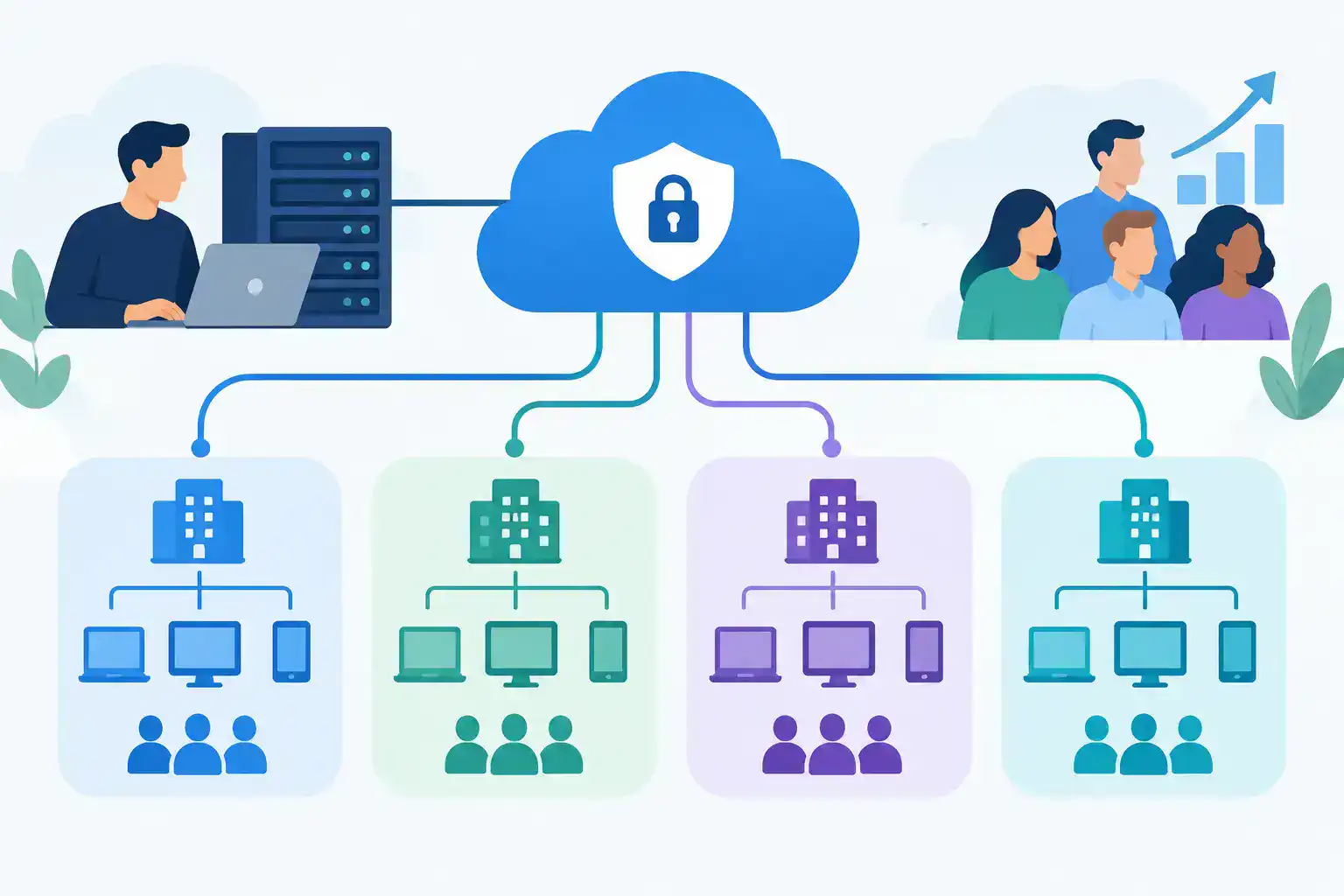
Cloud-managed Wi-Fi moves the management plane to a vendor-hosted dashboard. The APs remain on site and continue serving clients locally, while configuration, monitoring, alerts, and firmware scheduling are handled through a browser-based portal.
For lean IT teams, this is often the most practical option. A network administrator can view multiple locations, push a configuration change, review client health, and investigate an issue without traveling to each site or maintaining controller hardware.
Cloud management usually involves licensing, so the comparison should not stop at the AP purchase price. Factor in the subscription term, renewal process, support coverage, feature set, and the cost of operating an on-premises controller over the same period.
When a Controller Is Worth It
A controller, whether local or cloud-based, becomes valuable when centralized operations reduce more effort and risk than the management platform costs. That threshold arrives earlier than many teams expect.
You should strongly consider centralized management if you have multiple sites, more than a few APs, separate employee and guest networks, device-specific policies, compliance requirements, or business-critical wireless users. It is particularly useful in manufacturing and retail, where mobile devices, scanners, tablets, and point-of-sale systems may depend on predictable roaming and coverage.
Central management also improves change control. If a new guest Wi-Fi policy needs to go live across six locations, you can apply it consistently instead of hoping every site receives the same manual change. When troubleshooting starts, client history, AP status, event logs, and RF data are available in one place.
That visibility can reduce downtime. It also reduces the odds of a configuration mismatch becoming an outage during a busy shift.
When You May Not Need One
Not every environment needs a dedicated controller or a feature-rich cloud platform. A small professional office with three APs, one location, stable requirements, and a knowledgeable local administrator may be well served by controllerless equipment.
The key word is stable. If the business expects a second office, regular staff growth, guest access demands, or more connected devices, choose a platform that can scale into centralized management. Replacing access points later because the original design cannot support the next phase often costs more than selecting the right management approach upfront.
Also separate “no controller” from “no planning.” Even a simple Wi-Fi deployment needs a coverage design, appropriate switch power, correct VLAN configuration, secure credentials, and a clear firmware process. Access points cannot solve poor cabling, overloaded switches, or unmanaged interference on their own.
Controller Features That Matter Most
Do not buy a controller because the feature list is long. Focus on the operational capabilities your team will actually use. For many SMB environments, the most useful features are centralized configuration, role-based access, multi-site visibility, alerting, firmware scheduling, client troubleshooting, and integration with your switching and security policies.
Advanced RF optimization, identity-based access, location analytics, and detailed application visibility can be valuable, but they should align with a real requirement. A warehouse with handheld scanners has different priorities than a professional-services office with video calls and guest Wi-Fi.
Cisco and Meraki environments illustrate the distinction well. Cisco enterprise wireless can support controller-based architectures designed for deep control and larger-scale network operations. Meraki uses cloud management, removing the need for a separate on-site wireless controller while making licensing part of the deployment decision. Neither approach is automatically better. The best fit depends on your operational model and the features you need to retain.
Questions to Ask Before You Buy
Before selecting APs, answer these questions with your network team or provider:
- How many APs and locations will this design support in the next three to five years?
- Which users and devices depend on Wi-Fi for business-critical work?
- Do employee, guest, IoT, and operational devices need separate policies or network segments?
- Who will apply updates, investigate alerts, and troubleshoot issues after deployment?
- Is recurring cloud licensing acceptable, or does local management better fit your budget and policy requirements?
- What happens if the internet connection, controller, or management subscription has a problem?
These questions expose the real decision: not whether a controller is technically required, but whether your team needs centralized control to operate Wi-Fi reliably.
Avoid the Most Common Purchasing Mistake
The most expensive mistake is treating access points as isolated hardware purchases. AP model, software licensing, controller compatibility, switch power budget, mounting requirements, network segmentation, and support coverage all affect whether the deployment works as planned.
For example, an AP may support the speed and capacity you want but require more Power over Ethernet than the existing switch can provide. A cloud-managed platform may simplify operations but need licenses quoted for the full lifecycle. A controller-based design may offer the control you need but require capacity planning and redundancy.
Validate the complete configuration before ordering. That is especially important during a refresh, when legacy switching or cabling can quietly limit the new wireless design.
Hummingbird Networks helps IT teams validate Cisco and Meraki configurations before purchase, including the access points, licensing, switching, and support details that can delay a project when they are missed. Get a Quote or Validate My Configuration before finalizing the bill of materials.
A controller is not mandatory for every access point deployment. Centralized management is often the better operational choice once Wi-Fi supports more than a small, static office. Choose the model that gives your team clear visibility, consistent security, and enough room to grow without creating work you cannot sustain.
FAQs
Do access points need controllers?
No, many modern wireless access points can operate without a dedicated controller, although centralized management is often beneficial for larger or more complex networks.
What does a wireless access point controller do?
A wireless controller centrally manages access point configurations, security policies, firmware updates, network monitoring, and certain wireless performance features.