Image may not exactly match the product.

Image may not exactly match the product.
Done shopping? You can create a PDF of your cart for later or for your purchasing dept! Details at checkout.

Forget chasing down reps or emailing into the abyss. Get your own IT Concierge — a real human who stays with you from start to finish. One point of contact. Zero runaround.

Under the gun? We turn around Cisco & Meraki quotes in record time — even complex builds. No waiting days for basic pricing.

Need to validate your BoM or double-check your plan? Our Cisco-certified engineers review it with you, optimize where needed, and catch gotchas before they cost you…all free.

Pre-config, licensing help, and install guidance — we make sure what you buy solves your problem, the first time.

Turn your old gear into instant quote credits. We can coordinate the recycling or destruction in an environmentally friendly and safe manner. Enjoy a smoother path to your upgrade with built-in savings.

Get access to exclusive Cisco/Meraki incentives, special pricing tiers, and project-based discounts you won’t find anywhere else.
Want to skip the back and forth? Talk directly to a specialist and get expert guidance in under 30 minutes.
Advanced Routing Technology for the Masses
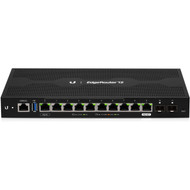
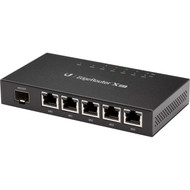
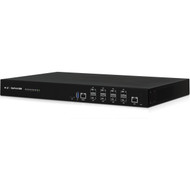
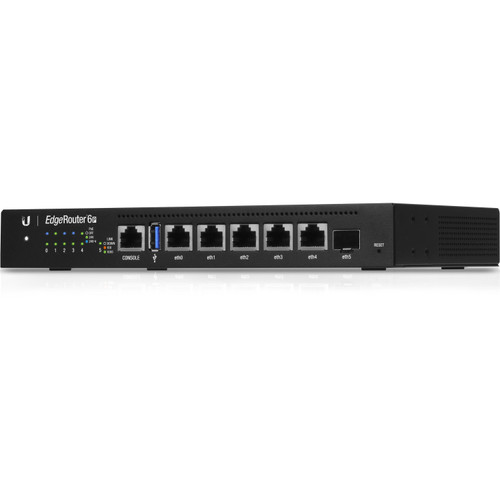
Ubiquiti introduces five new routers for the EdgeMAX® platform:
They join the array of cost-effective Gigabit routers:
High Performance
The EdgeRouters offers superior routing combined with top price/performance value for your routing applications.
The EdgeRouter 4, 6P, 12, and 12P are each capable of routing up to 3.4 million packets per second.
The 8-Port EdgeRouter and EdgeRouter Pro route up to 2 million+ packets per second, while the EdgeRouter Lite and EdgeRouter PoE route up to 1 million packets per second.
PoE Flexibility
The EdgeRouter 6P, PoE, and 12P include configurable PoE ports to power airMAX® products, and the EdgeRouter 12 has a PoE input port and a PoE passthrough port.
Fiber Connectivity
The EdgeRouter 4 and EdgeRouter 6P provide an SFP port. The EdgeRouter 12 and 12P feature dual SFP ports, while the 8-Port EdgeRouter offers two combination RJ45/SFP ports.
Manage Your Network
DHCP Server Set up multiple DHCP servers to assign IP ranges in different subnets on the different interfaces.
Easily control dynamic and static IP addressing for your network devices.
Monitoring Tools Conveniently track network activity and devices from tools such as Ping, Trace, Discover, Packet Capture, and Log Monitor.
Secure Your Network
Firewall Policies Organize the rules you apply in the order you specify.
Firewall Groups Apply the policies to groups filtered by IP address, network address, or port number.
NAT Rules The EdgeRouter changes packet addressing based on your customized source and destination NAT rules.
Direct Traffic Flow
Interfaces Each port functions as an independent interface.
You can also configure Virtual Local Area Network (VLAN) interfaces for network segmentation.
Routing Configure static routes and dynamic routing protocols to effectively manage the routes used by the EdgeRouter.